
Digital Announcement Board: Why Your Business Needs One and How to Get Started
August 3, 2026 · Kurt Dupont
There’s something quietly powerful about walking into a space and seeing exactly the information you need, right when you need it. No squinting at faded paper notices. No wondering if that flyer is from last month or last year. A digital announcement board transforms how organizations communicate—whether you’re running a busy restaurant, managing a school campus, or keeping a factory floor informed and safe.
Digital information boards and digital billboards are modern solutions that help share information and engage audiences in a wide range of environments, from corporate offices to public spaces.
With digital announcement boards, you can easily customize content and showcase dynamic content—like images, videos, or real-time updates—ensuring your messages are always current and avoiding outdated information.
These systems use devices such as commercial-grade screens and media players, including digital signage media players, to deliver content efficiently and reliably.
Digital announcement boards streamline information sharing, eliminate recurring costs for printing and labor, and tend to grab more attention than static signs, making them a cost-effective and engaging communication tool.
What is a digital announcement board or digital bulletin board?
A digital announcement board is a screen-based system—whether a TV, tablet, or professional display—used to show rotating announcements, alerts, menus, and updates in high-traffic spaces. Think school lobbies, office corridors, restaurant entrances, hospital hallways, and factory break rooms.
- It replaces cluttered cork boards and printed posters with a central, remotely managed display that updates in seconds via cloud-based software. Digital announcement boards can display different content types, including interactive content, schedules, announcements, event updates, and achievements, providing dynamic and engaging messaging compared to static signage.
- A 2024 university campus deployed foyer screens displaying real-time event schedules, speaker bios, and interactive maps during orientation week, helping thousands of students navigate seamlessly.
- A major hospital in 2023 used hallway digital boards for shift updates, emergency protocols, and patient flow information, reducing staff confusion during peak hours by 40% according to internal assessments.
- A mid-sized factory in 2025 installed corridor screens cycling safety alerts and production KPIs, correlating with a 25% drop in near-miss incidents.
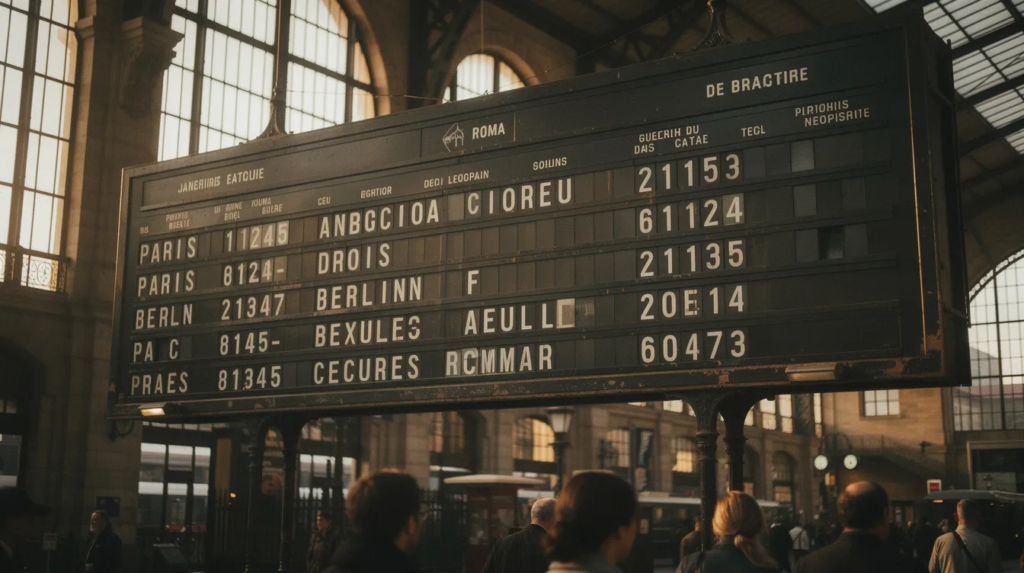
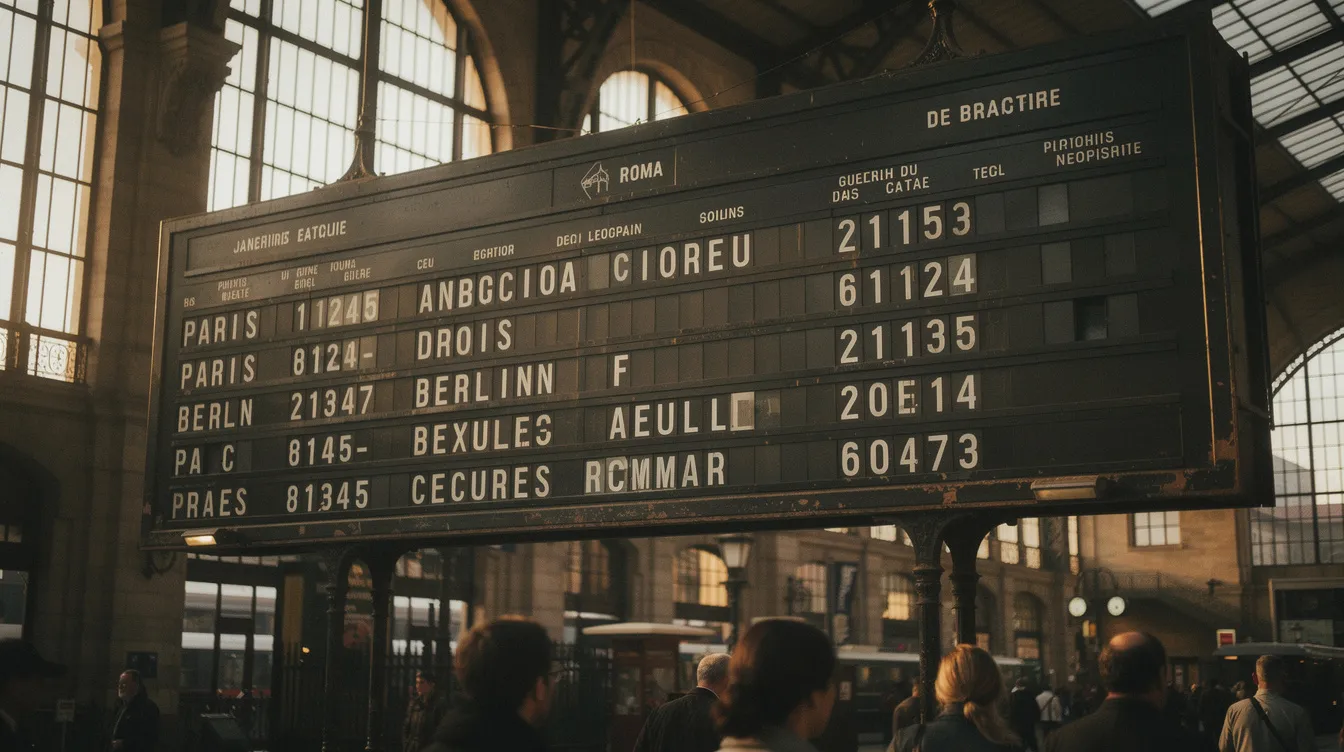
- SplitflapTV is a modern, software-driven take on the classic mechanical split-flap announcement boards that charmed travelers in European train stations from the 1970s through the 1990s—those flipping character displays that clicked and clacked with every update.
A digital announcement board system typically consists of a display screen, a media player, and a content management system (CMS) that allows users to create, manage, and schedule different and interactive content remotely and in advance for specific times, ensuring timely and relevant updates.
Why organizations are moving to digital announcement boards
Traditional bulletin boards—the paper notices, tape, and thumbtacks variety—served their purpose for decades. But in 2026, their limitations have become impossible to ignore. Speed, clarity, and professionalism matter more than ever, and paper simply cannot keep pace.
The pain points are familiar to anyone who has managed internal communications. Outdated notices linger for months, buried under newer postings. Staff miss last-minute changes because they didn’t walk past the right board. During emergencies, confusion spreads when flyers are illegible or ignored. And the visual clutter? It undermines the professional atmosphere you’ve worked to create. Traditional boards also carry a high risk of displaying outdated information, while digital announcement boards ensure content is always current and relevant through quick and easy updates.
Consider these scenarios:
- HR needs to distribute revised safety procedures across three floors on the same day—a task that takes hours with printing and posting, but seconds with a digital announcement board.
- A school principal updates exam timetables at 9 PM for next-morning visibility, avoiding parental complaints and student confusion.
- A restaurant faces weekly menu reprints due to ingredient price fluctuations, burning through time and budget that could go elsewhere.
Digital bulletin boards can significantly reduce the time and effort required to change information compared to traditional bulletin boards.
Recent digital signage studies between 2020–2024 quantify what many already sense: dynamic visuals achieve 75% higher message recall rates than static prints, and safety messages reach awareness 60% faster when displayed with motion and prominence. Digital announcement boards create a single source of truth for schedules, news, room changes, and emergency alerts—accessible across an entire building or campus, managed from one dashboard, with updates that propagate instantly. These systems are easily set up and maintained, and preserving image quality ensures that all communications remain clear and effective.
Digital announcement boards vs. digital menu boards
Both run on screens with scheduling software, but they serve different primary purposes. A digital announcement board focuses on rotating alerts, schedules, HR updates, and emergency information for internal or mixed audiences. A digital menu board, by contrast, showcases dishes, prices, photos, and promotions in foodservice settings—cafes, quick-service restaurants, hotel bars, and food courts—to drive sales and inform ordering decisions.
Modern digital announcement boards and menu boards offer robust features such as content management, multimedia integration, interactive capabilities, and the ability to schedule different content at specific times. These features enable real-time content updates, dynamic visuals, and interactivity, making digital displays highly effective for both communication and engagement.
The line between them is blurring. Many venues now use the same screen for both functions, shifting content by time of day:
- A coffee chain in 2024 rotated morning staff announcements with lunch menus and evening allergen notices on identical displays.
- A stadium in 2023 flashed safety instructions on menu boards pre-kickoff, then switched to concessions and combo deals.
- A fast-casual chain in 2025 used hybrid setups for daily specials transitioning to event promos throughout the day.
High-level comparison:
- Digital announcement boards typically feature text-heavy content like news tickers, calendars, and KPIs, updated daily to weekly, positioned in lobbies and corridors for broad reach.
- Digital menu boards emphasize high-resolution images, pricing, and combos, updated hourly to daily, placed near queues and counters to influence purchasing.
- Both benefit from motion, but announcements lean toward readability while menus aim for appetite stimulation.
This convergence positions digital menu boards as a specialized announcement channel for restaurants—extending guest communication well beyond just what’s for lunch, especially in high-traffic venues that benefit from Split-Flap TV for business signage.
Why you need digital menu boards (not just paper menus)
If you run a restaurant, bar, or café, you already know: food costs are climbing. Between 2024 and 2026, ingredient prices rose 15–20% annually according to industry forecasts. Supply volatility means prices and availability shift weekly, sometimes daily. Paper menus simply cannot keep up without constant reprints costing $50–200 per location monthly.
Digital menu boards let you change prices, availability, and photos instantly—no printing, no downtime. This matters especially for daily specials, seasonal items, and limited-time offers that drive traffic and margins.
Operational benefits stack up quickly:
- Reduce ordering errors by 25–40% through clear visuals that eliminate guesswork
- Shorten queue times by making choices self-explanatory
- Highlight high-margin items at eye level where customers naturally look
- Automatically switch between breakfast, lunch, and dinner menus by time of day
- Integrate with POS systems for real-time “out-of-stock” flags
A quick-service burger restaurant in 2025 increased sales of a new combo meal by 35% simply by featuring it with motion graphics on their digital menu board for two weeks. No additional advertising spend—just better visibility.
Compliance advantages matter too. EU Regulation 1169/2011 and emerging US local ordinances require clear allergen and calorie disclosures. Digital menu boards let you update this information swiftly when recipes change, avoiding the compliance headaches of reprinting and redistributing physical menus.
And customers notice the difference. A modern digital display creates a polished, professional aesthetic. You can easily customize content and layouts to match your branding or adapt to menu changes as needed. High-brightness screens (700+ nits) remain readable in low light. Consistent branding across your menu board, website, and social media reinforces quality. Foodservice surveys from 2023–2025 show customer satisfaction scores rising 20% after digital menu board adoption.
Key benefits of digital announcement and menu boards
Whether you’re managing schools, restaurants, factories, or corporate offices, digital announcement and menu boards share core advantages that compound over time.
- Real-time updates and scheduling: Change content instantly for events, emergencies, or rush hours. Cloud platforms push updates to multiple sites simultaneously—no driving between locations, no printing delays.
- Higher visibility and engagement: Motion, color, and clear typography capture attention 50–75% more effectively than static media.
- Central management: Update multiple locations from one dashboard. A mid-size restaurant chain saved $15,000 annually across 20 locations after switching to digital menu boards in 2023–2024, eliminating monthly print costs and the labor of distributing physical menus.
- Data-driven optimization: Test different layouts, promotions, and messaging. Analytics reveal what resonates, letting you refine your approach over time.
- Staff communication improves: Break-room screens display shift changes, HR updates, KPIs, and safety messages—integrating with tools like Microsoft 365 to pull relevant content automatically.
- Emergency communication: Digital announcement boards can trigger full-screen alerts, display evacuation maps with time-stamped instructions, and integrate with alert systems for rapid response when seconds matter.
Digital announcement boards offer key benefits such as improved engagement through multimedia and interactive content, increased efficiency with immediate real-time updates, and enhanced safety via instant emergency alerts. They streamline information sharing, making it easier to organize and distribute information efficiently in educational institutions, corporate offices, and healthcare facilities.
Digital bulletin boards allow for real-time updates, easy content management, and can enhance engagement by using dynamic and interactive content formats such as slideshows and videos. By incorporating interactive content, these boards boost engagement, facilitate collaboration, and enhance communication through features like multimedia integration and interactivity tools.
Additionally, digital bulletin boards improve internal communication and create a more collaborative environment.
Practical tips: planning and deploying a digital announcement board
Choosing Hardware
- Select the right screen size and brightness:
- Small 32–43” screens work well for office corridors and staff rooms (400–500 nits brightness)
- 49–55” displays suit reception areas and lobbies (700 nits)
- High-brightness 1000+ nit displays handle window-facing restaurant fronts where glare is a factor
Screen Placement
- Position strategically:
- Eye-level placement (5–6 feet high) near elevators, cafeteria lines, and entrance lobbies maximizes dwell time
- For menu boards, position above ordering counters and at queue areas where customers make purchasing decisions
Content Design
- Design for readability:
- Use large fonts (72pt+ for headlines)
- Maintain 10:1+ contrast ratios
- Keep headlines short and clear
- Create distinct sections for “Today,” “This Week,” and “Alerts”
- Limit each slide to one main message, displayed for no more than 15 seconds
Update Rhythm
- Establish an update rhythm:
- Daily updates for menus and critical information
- Weekly cycles for HR news and upcoming events
- Immediate overrides for alerts or last-minute changes
Governance
- Assign governance:
- Appoint a content owner (marketing manager, HR lead, or operations manager)
- Set a simple approval process so content stays accurate and on-brand
- Document who can push emergency alerts
Digital announcement boards can be set up using a TV and a digital signage media player or media player device, which connects to the display screen (often via HDMI) and plays content. The setup process is generally straightforward and can be easily set up in a few steps using Split-Flap TV’s getting started guide and similar digital signage software.
Google Slides for Digital Displays: A Simple Solution for Dynamic Content
When it comes to creating a digital bulletin board that’s both flexible and easy to manage, Google Slides stands out as a surprisingly powerful tool. Whether you’re running a business, managing a school, or coordinating a community organization, Google Slides lets you design and update digital signage with minimal effort—no specialized software or technical expertise required.
Why choose Google Slides for your digital bulletin board ideas? Google Slides allows users to create visually engaging presentations that double as electronic bulletin boards. You can easily display information such as event schedules, business announcements, and company news—keeping your audience informed with real-time updates. Because Google Slides is cloud-based, any changes you make are instantly reflected on your digital bulletin, ensuring your board always shows the most relevant news and announcements.
Content ideas for different types of digital announcement boards
What you show on the screen matters more than which screen you buy. Digital announcement boards can be customized to fit various environments, including schools, offices, and healthcare facilities. They support a wide range of content formats, such as slideshows and news tickers, and can be tailored to specific business needs, including screen sizes and content types. Incorporating interactive content and YouTube videos enhances engagement, while features like drag-and-drop and real-time updates facilitate collaboration and brainstorming.
Schools and universities
- Daily schedules and bell times
- Exam countdowns (“Finals: May 15–20”)
- Club activities and meeting announcements
- Canteen menus with daily specials
- Bus schedule changes and delays
- Celebration of student achievements (“Sarah’s Science Fair Win!”)
- Digital bulletin boards improve efficiency and create a centralized information hub that fosters a more connected school community.
Offices and corporate HQs
- Company news and internal announcements
- Welcome messages for visitors by name
- Sales dashboards with live revenue graphs
- HR policy reminders and training dates
- Social media highlights from LinkedIn feeds
- Work hours and holiday schedules
- Office digital bulletin boards help improve internal communication, display company policies, and provide a modern platform for keeping employees informed and motivated.
Factories and warehouses
- Shift rosters (“Night Shift: 6 PM – 2 AM”)
- Safety tips and PPE reminders
- Near-miss statistics (“Q1: 5 Incidents, Down 20%”)
- Maintenance schedules and equipment status
- Live production KPIs updated throughout the day
- Safety protocols with visual demonstrations
Hospitality and tourism
- Check-in and check-out times
- Local weather for specific days (“London: 18°C, Rain Expected”)
- Airport shuttle schedules
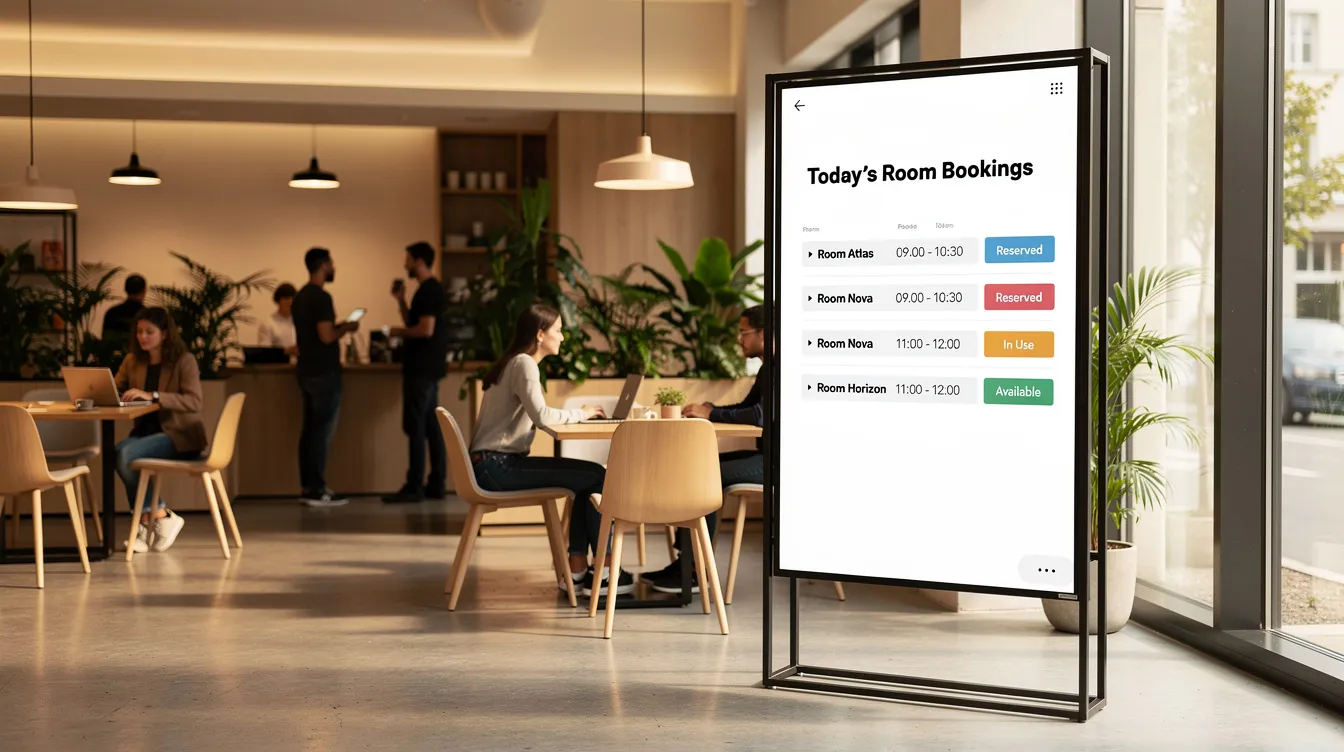
- Conference room bookings and event schedules
- Upsell offers for spa, restaurant, or services
- Digital bulletin boards are also widely used in healthcare facilities to display important information and updates to patients and staff.
Restaurants and cafés
- Digital menu boards with combos and pricing
- Limited-time offers (“Taco Tuesday Special”)
- Loyalty program reminders with QR codes
- Kitchen status messages (“Salmon: Out of Stock”)
- Upcoming events (“Live Music Friday Night”)
- Promotions for family deals or seasonal items
How digital menu boards influence customer behavior
There’s a concept called “choice architecture”—the idea that how options are presented shapes what people choose. Layout, color, and motion on a digital menu board subtly guide customer decisions in ways paper menus never could.
Specific design tactics drive measurable results:
- Placing high-margin items in the top-left position captures 30% more visual attention
- Subtle animation on featured products lifts upsells by 15–25%
- Contrasting colors for meal deals draw eyes naturally
- Making add-ons (drinks, desserts) visually prominent increases combo orders
A pizza restaurant in 2024 tested two versions of its digital menu. When family-size deal tiles were made larger and animated, orders for those deals jumped 28%. No price change. No new product. Just better presentation.
Beyond sales, digital menu boards convey quality. Up-to-date images and daily-changing messages suggest a menu that’s alive and cared for—not something printed months ago and forgotten. Maintaining high image quality and the ability to showcase dynamic content—such as images, videos, or text—are crucial for capturing customer attention and ensuring clear, effective communication. This perceived freshness influences customer engagement and repeat visits.
Accessibility matters too. Large text, high contrast, and clear structure help older guests and people with low vision navigate choices quickly. This improves service speed by 10–15% and raises satisfaction scores across demographics.
Choosing the right digital announcement board solution
Options range from bare-bones DIY setups to sophisticated platforms. Understanding the trade-offs helps you invest wisely.
DIY approach: A consumer TV with a USB stick looping PowerPoint slides costs little upfront but offers no remote control, no scheduling, and no analytics. It works for very basic needs but doesn’t scale.
Subscription platforms: Cloud-based digital signage solutions (typically $20–100 per screen monthly) provide scheduling, remote management, templates, and analytics. They’re designed for non-technical staff and support multi-location deployments.
Specialized solutions: Options like SplitflapTV combine digital signage functionality with distinctive visual style—in this case, the nostalgic charm of split-flap displays rendered on modern screens.
Evaluation criteria worth considering:
- Ease of use for non-technical staff
- Remote management across multiple sites
- Template options for quick content creation
- Reliability and uptime (look for 99%+)
- Integration with POS systems, calendars, or other tools
- Visual customization to match your brand’s fonts, colors, and ambiance
- Features such as the ability to customize content, cloud-based remote management for updates and troubleshooting from any location, and support for virtual bulletin board functionality to enable interactive communication
Digital signage solutions can be tailored to fit any message, provide real-time updates, and offer attention-grabbing designs. They can be used in various settings, including businesses, schools, and events, and integrate seamlessly into existing spaces. Cloud-based remote management enables updates, monitoring, and troubleshooting of displays from anywhere, while digital signage can enhance customer engagement and streamline information sharing.
Restaurants, hotels, and higher-traffic venues should favor solutions that handle time-based menus, multi-screen setups, and fast content changes. The short-term savings of ultra-basic setups often disappear when you factor in labor and limitations.
A distinctive solution like SplitflapTV combines ease of digital management with a memorable, characterful look that generic signage simply can’t match, and ongoing insights from the Split-Flap TV features and news blog can inspire new ways to use it effectively.
Why classic aesthetics still matter in a digital world
Think back to the train stations and airports of the 20th century. Those mechanical split-flap boards—characters flipping with a satisfying click-clack, building anticipation with every change—created moments of genuine attention in busy spaces.
That emotional response hasn’t disappeared. In a world where screens surround us constantly, a visually different digital announcement board stands out. It doesn’t look like “just another TV.” It feels intentional, crafted, alive. In fact, much like digital billboards in high-traffic areas, the history and evolution of split-flap display boards shows why split-flap displays are highly effective at capturing attention and delivering information in a visually engaging way.
Retro-inspired design creates atmosphere:
- A boutique hotel lobby in 2025 listing arrivals and local events on a split-flap styled display, giving guests something memorable beyond the standard check-in experience
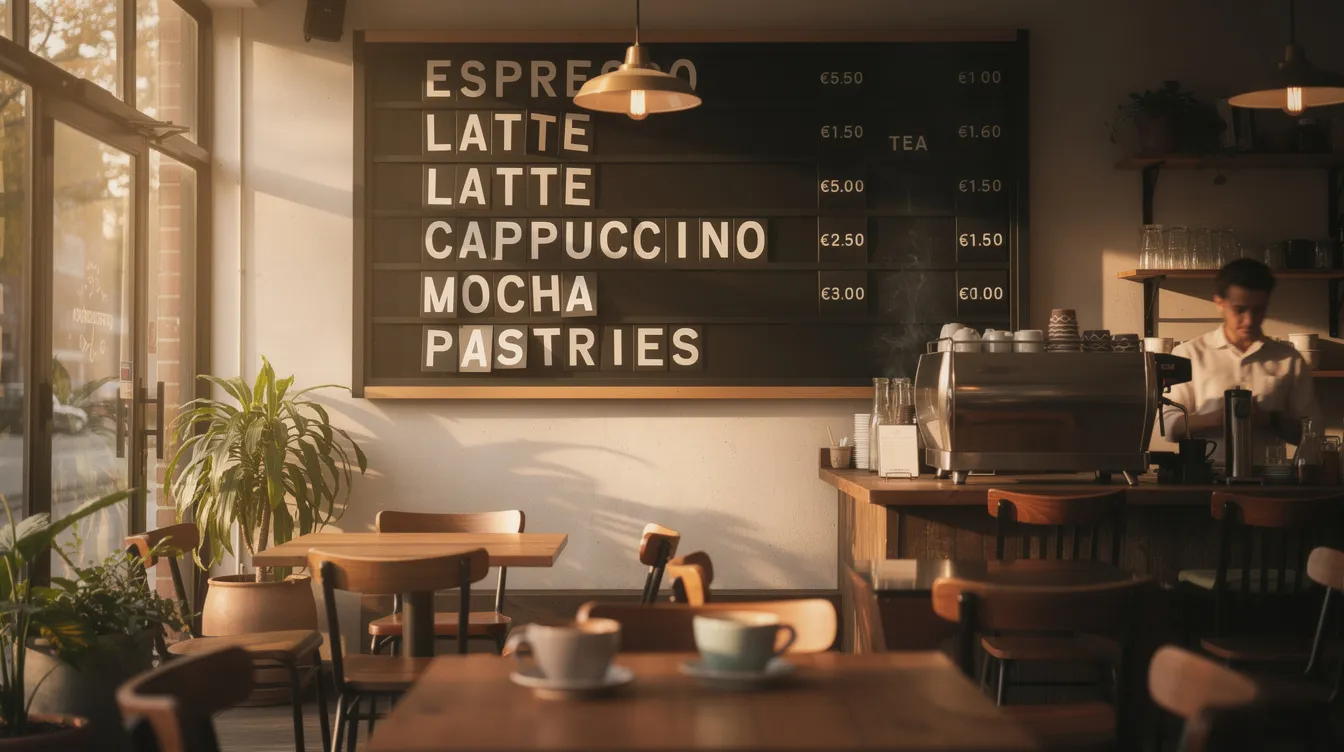
- A specialty coffee shop displaying rotating bean origins and tasting notes with flipping characters, turning the menu into a conversation piece
- A creative agency reception area where the board itself becomes part of the brand story
There’s psychology at play too. The anticipation of characters changing—even in a digital simulation—draws eyes upward. Attention studies suggest these displays increase glances by 40% compared to static screens. People don’t tune them out.
Introducing SplitflapTV: a modern twist on digital announcement boards
SplitflapTV is a software-driven digital announcement and menu board solution that recreates the charm of mechanical split-flap displays on modern screens. It’s nostalgia meeting practicality—the emotional warmth of those classic boards, powered by contemporary Split Flap TV digital signage technology.
How it works is refreshingly simple. Connect a standard screen (any TV, monitor, or display you already own), access SplitflapTV through a web interface or app, and manage your messages from anywhere. Content updates instantly with those distinctive flipping transitions that capture attention naturally.
Key strengths include:
- A unique visual style that differentiates your space from generic digital boards
- Easy content editing designed for non-technical staff
- Support for both announcement and menu-style layouts
- Suitability across environments—lobbies, cafés, bars, hotels, offices, coworking spaces
- Features such as the ability to customize layouts, content, and design, as well as support for interactive content and multimedia integration
Realistic use cases bring this to life:
- A restaurant using SplitflapTV as its main digital menu board, with flipping transitions highlighting specials and happy hour pricing
- A coworking space displaying room bookings and events on a central board that members actually notice
- A boutique hotel listing daily weather, check-out reminders, and local tips in a way that feels warm rather than corporate
Because SplitflapTV runs on regular screens, you keep all the benefits of modern digital signage—remote updates, scheduling, no printing costs—while gaining the advantages of modern split flap display boards and an in-person experience guests and employees genuinely remember.
Why choose SplitflapTV for your digital menus and announcements?
SplitflapTV offers something generic digital signage platforms don’t: a digital split-flap display experience and a visual identity that people actually notice and remember.
For restaurant owners:
- Update prices and items instantly
- Run time-based menus and promotions
- Stand out from competitors whose digital menu boards all look interchangeable
- The distinctive split-flap aesthetic creates customer engagement that static screens struggle to match
For offices, hotels, and shared spaces:
- Create a focal point in reception that reinforces your brand personality
- Share schedules and company news on a board that visitors comment on—not one they walk past without a glance
Practical advantages:
- Quick setup using existing screens—no specialized hardware required
- Intuitive editor designed for staff without technical backgrounds
- Flexibility to serve as both an announcement board and a digital menu board
- Centralized management suitable for single locations or multi-site operations
- Ability to customize SplitflapTV to fit specific business needs, including different screen sizes and content types
- Incorporates interactive content to boost engagement and improve internal communication within organizations
The split-flap style does something screens rarely achieve: it adds warmth. Whether you’re displaying information sharing for employees or showcasing dynamic content for customers, the flipping characters create moments of anticipation that generic signage simply can’t replicate.
Next steps: getting started with your first digital announcement board
- Pick a location and screen. Choose a high-traffic spot—entrance lobby, ordering counter, break room, or reception desk. A 43” to 55” display covers most needs.
- Define your core messages. Start with 5–10 essential pieces of content: daily specials, schedules, welcome messages, safety reminders. You can easily expand later.
- Choose SplitflapTV as your platform. Sign up and connect your display to start customizing immediately.
- Design your first layouts. Use the intuitive editor to create content that matches your brand. Test different arrangements to see what resonates.
- Schedule and update content in advance. Use the CMS to prepare and schedule content to display automatically at specific times, and update your digital announcement board remotely as needed.
- Run a one- to two-week pilot. Schedule content, gather feedback, and observe how people interact with the board.
Digital bulletin boards enhance communication and streamline information sharing by allowing organizations to share information such as schedules, announcements, event updates, and achievements efficiently. Content can be updated remotely and scheduled in advance, making it easy to keep everyone informed and engaged.
During that first month, measure simple outcomes: fewer “I didn’t see the memo” complaints, smoother ordering at the counter, increased awareness of promotions or events. Involve frontline staff in content ideas—they hear customer questions daily and know what information belongs on the board.
Starting small is perfectly fine. Even a single screen in the right place can replace messy paper boards and outdated menus within days, eliminating the visual clutter and confusion that frustrated everyone.
SplitflapTV brings together practical digital communication and an unforgettable visual style on your new digital announcement board. Resources like Split Flap TV’s digital signage tools and articles help you refine that setup so there’s no better way to make information sharing feel both modern and genuinely memorable.