
Every Screen You Run, Rebuilt: What Changed in the Split-Flap TV App
September 9, 2026 · Captain
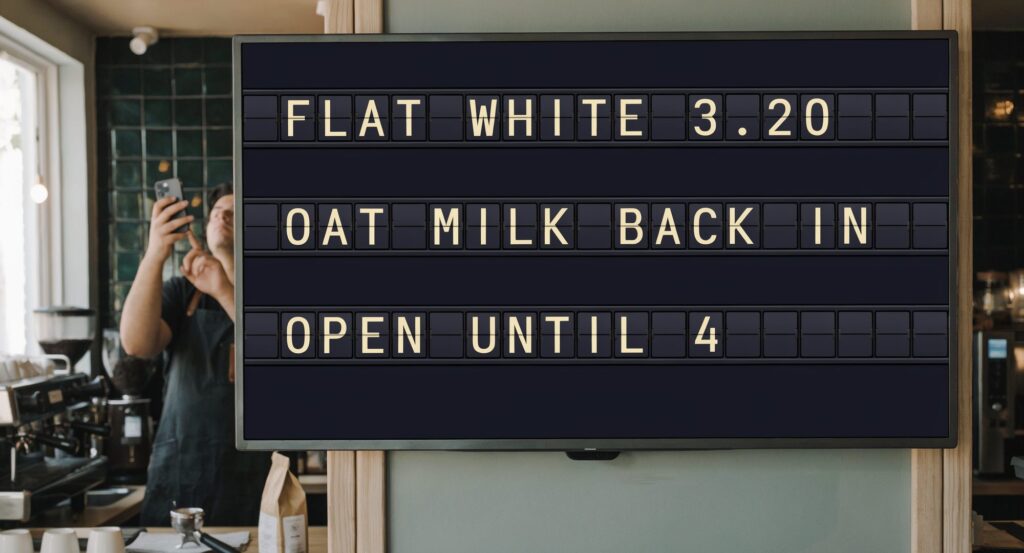
The Split-Flap TV app has been rebuilt. Not patched, not tidied up: rebuilt, on iPhone, iPad and Android, and the version that went out on 6 September is the first significant release since 2024.
Apple’s release note for it says, in full, “Improvements.” That is not much of a description for two years of work, so here is the longer version.
You pair a screen by scanning a code now
Setting up a screen used to mean typing an email address and a password into a television using a remote control. If you have ever done it, you know exactly how long it takes and how many attempts it costs. If you have ever done it on a wall-mounted screen in a busy room, you also know why it was the single most common thing people asked us for help with.
That is gone. The TV now shows a QR code, you scan it with your phone, and the screen is paired. There is no password to spell out one character at a time, and nothing to type on the television at all.
The practical effect is not really about the two minutes it saves. It is that adding a second screen stopped being a job you put off until the weekend. How it works walks through the whole setup, which is now genuinely about five minutes from download to a board on the wall.
Boards come back on by themselves
This is the change we would most like every existing customer to switch on, and it addresses a failure that almost nobody plans for.
The board showing the wrong thing is a small problem. The board showing nothing, in a room you did not walk through today, for a week, is a much bigger one. It happens when the power blinks overnight, when a building reboots, or when somebody unplugs the television to charge a phone. The TV comes back on. The board does not, and the first you hear about it is a customer mentioning it.
There is now a start after reboot setting on the screen itself. With it on, the app restarts when the power does and returns to the board it was showing. Nobody has to be in the building and there is nothing to switch back on. It takes about two minutes to enable, and it is worth doing on every screen you run.
You can see every screen from one place
Two changes work together here, and they matter most to anyone running more than one board.
The first is heartbeat. Every screen now checks in on its own, and the dashboard lists each one with the time it last reported. A board that has dropped off shows as offline rather than looking fine, so you find out before anybody else does.
The second is remote screenshots. Knowing a screen has power is not the same as knowing it is showing the right thing, so you can ask any screen for a picture of exactly what is on it at that moment, from anywhere. Useful when the board is on another floor. Necessary when it is in another building, or another city.
Together they change what running several screens feels like. It stops being a walk around the building and becomes a glance at a list. There is more detail on screen health if you want it.
The whole board fits on your phone
The person who notices the board is wrong is almost never sitting at a computer. They are behind the bar, on the shop floor, at the front desk with somebody waiting, or standing in a field at an event.
So you can now build and change boards from your phone, not just from a laptop. Not a cut-down version with three things you are allowed to touch, which is what people expect from a mobile mode and why they never bother trying it. The full board. Change a price, swap a line, correct a name, and the screen flips to it in seconds while you are still standing where you noticed the problem.
It sounds like a convenience and it turns out to decide something bigger: whether the board is still accurate in week three. When updating it takes a phone and about a minute, keeping it current stops being one person’s job. Quick edit covers how it works.
The flip itself looks better
The animation was rewritten, and the difference is most obvious on picture boards, where images now resolve into place cleanly rather than arriving in a rush. Text boards benefit too, though more subtly.
This is the part that is hard to write about and easy to see. If you have a board running, it will look different the next time you watch it change.
There is also a flipcount on every board now, a running total of how many flaps it has turned since the day you plugged it in. It tells you nothing you need in order to run the place, and people seem to enjoy it anyway.
One thing to know about the Android app
The Android release is a new app rather than an update to the old one. It went out on 1 September and it sits alongside the previous player rather than replacing it, which means it will not arrive on its own. If you are on Android, you will need to install it from the Play Store yourself, and the old app will keep running until you do.
On iPhone and iPad it is an ordinary update. Your boards will be exactly where you left them.
What is next
The Apple TV build is with Apple now, waiting on approval. We are expecting it through shortly, and we will say so when it lands rather than before.
Everything above is on every plan, from Economy at EUR 19.99 per month per screen. If you are already running a board, update the app and turn on start after reboot. If you are not, there is a seven day free trial and no card required, and the setup is a download and a scan.