
How to Loop Lobby Messages That Get Seen
June 5, 2026 · Captain
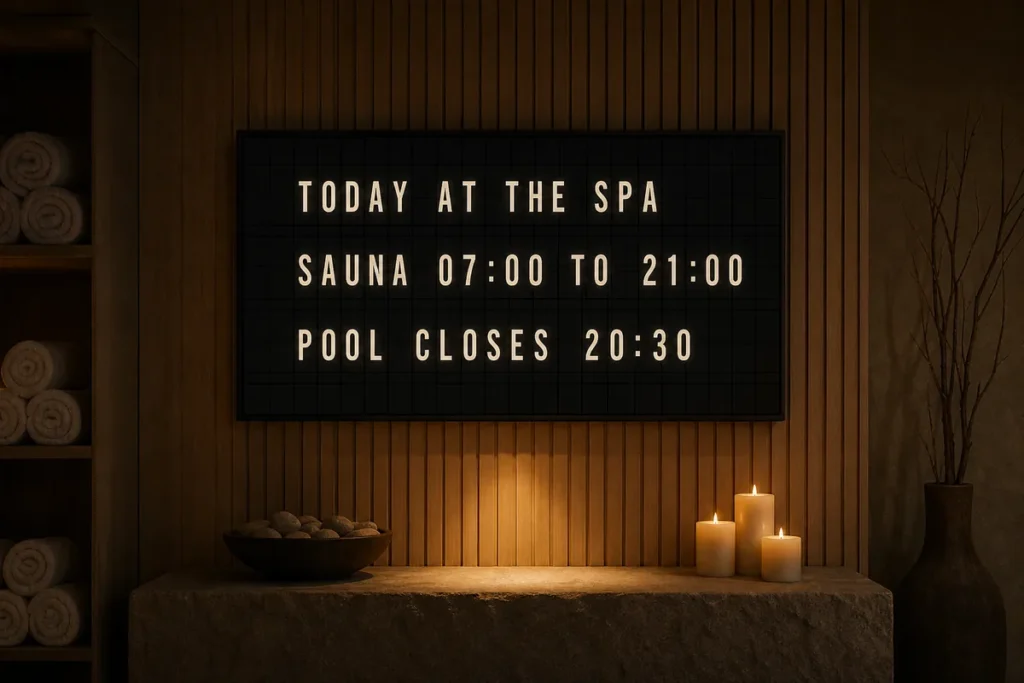
The front desk hears the same questions all day. What time is checkout? Where is breakfast? What is the Wi-Fi password? If your team keeps repeating answers that could live on a display, learning how to loop lobby messages is less about decoration and more about running a sharper operation.
A good lobby message loop does two jobs at once. It reduces friction for guests and visitors, and it makes your space feel considered. That matters whether you run a boutique hotel, a restaurant with a host stand, an office reception area, or a shop entrance where people need quick answers before they ask. And when those messages appear in a split-flap format, the familiar click-clack rhythm and text-first presentation feel more intentional than a generic slideshow.
How to loop lobby messages without creating visual noise
The mistake most businesses make is treating a lobby loop like a dumping ground for every announcement. More slides, more offers, more details. The result is easy to ignore.
If you want to know how to loop lobby messages effectively, start by narrowing the job of the screen. In most lobbies, the display should answer common questions, set expectations, and reinforce atmosphere. It should not try to replace your website, your printed menu, and your staff all at once.
That means choosing a small set of high-value messages and repeating them with enough frequency that people actually catch them. In a text-led split-flap layout, restraint is not a limitation. It is the thing that makes the board elegant and readable from a distance.
Start with the questions people ask every day
The best loop usually begins with operational information. Think check-in and checkout times, breakfast hours, event start times, floor directions, house rules, parking notes, or a simple welcome message. For restaurants and bars, it might be happy hour timing, current specials, waitlist instructions, or where to order.
This is the content that saves staff time because it answers repeated questions before they are spoken. It also keeps your space cleaner. One well-managed digital board can replace a cluster of taped notices, acrylic sign holders, and handwritten updates that slowly make a lobby feel improvised.
Keep each message short enough to absorb in passing
Lobby traffic is transitional. People are walking in, pulling luggage, checking phones, waiting for someone, or scanning the room while they stand in line. They are not settling in to read paragraphs.
A useful rule is to give each page one idea. “BREAKFAST 7-10 AM” lands faster than a full sentence about continental service in the dining room. “WIFI AT FRONT DESK” is clearer than three lines of technical instructions. The more immediate the wording, the better the loop performs.
Split-flap displays are especially strong here because they naturally favor concise text. That is part of their charm, but it is also part of their usefulness. The format encourages discipline.
Build a message loop people can catch on the first pass
Timing matters as much as wording. If your loop is too long, people will miss the message they need and stop paying attention. If it is too short or changes too quickly, it feels restless.
For most lobbies, a full rotation of around 30 to 60 seconds is a strong starting point. That is enough time to include several core messages without making guests wait too long for the one they care about. If your traffic pattern is faster, such as a coffee counter or retail entry, shorter loops usually work better. If people linger in a hotel lobby or office reception area, you have a bit more room.
Set display duration by message priority
Not every message deserves equal time. A welcome message can be brief. Wi-Fi instructions, floor directories, or event details may need longer exposure. Promotions can rotate in, but they should not crowd out practical information.
A simple way to think about it is this: the more useful the message is in the moment, the more often it should appear. Guests will forgive seeing the Wi-Fi line twice. They will not forgive missing checkout information because it was buried between seasonal announcements.
Avoid loops that feel repetitive to staff
There is a trade-off here. Guests may only see the board for a minute, but your team sees it all day. If the same three messages flash every few seconds, staff fatigue sets in fast.
That is where pacing and page variety help. Keep the core information recurring, but change the order through the day, switch a welcome line by time block, or use scheduled content that reflects the current shift. Morning can show breakfast and early checkout reminders. Evening can shift to bar hours, local recommendations, or next-day notices. The loop stays relevant without becoming background wallpaper.
Design the loop for distance, not just for style
A beautiful board still has to do its job. In a lobby, readability wins.
That starts with contrast. Strong light-on-dark or dark-on-light combinations are easier to catch at a glance. Message hierarchy matters too. If everything looks equally important, nothing feels important. Your key line should be the first thing people register from across the room.
With a split-flap aesthetic, text takes center stage. That is a strength when your goal is direct communication. Rather than relying on flashy graphics, motion-heavy templates, or overloaded layouts, a well-designed split-flap board uses structure, rhythm, and clean sequencing to hold attention. It feels premium because it is controlled.
Match the board layout to the physical space
A narrow entryway may benefit from fewer rows and larger text. A bigger hotel lobby or restaurant waiting area can support more lines and a slightly richer sequence. The right layout depends on viewing distance, screen placement, and what people need to know before they reach the desk.
This is one reason flexible digital split-flap systems work so well in customer-facing spaces. You are not locked into a static board. You can adjust rows, columns, colors, timing, and pages to fit the room instead of forcing the room to fit the sign.
Scheduling is the real secret behind better lobby loops
The smartest lobby displays are not manually edited every time something changes. They are scheduled.
If you are figuring out how to loop lobby messages in a way that actually saves time, scheduling is where the payoff happens. Set breakfast hours to disappear after service ends. Swap event signage by day. Change messaging for weekends, holidays, private parties, or office visitor instructions without standing in front of the screen.
This is where a lot of businesses go from “nice display” to useful signage system. The display starts carrying part of the communication load automatically.
Think in dayparts, not just static slides
A morning lobby has different needs than a late-night one. A weekday office reception area does not need the same messaging as a Saturday showroom. A restaurant before opening needs a different tone than the dinner rush.
When you schedule by daypart, your loop feels current. Guests notice that. So does your staff, because they are not fielding questions prompted by outdated information on the screen.
For a retro-modern display like Split Flap TV, this balance is especially effective. You get the nostalgic public-display feel people love, but with cloud-based control that keeps the content current behind the scenes.
What to include in a strong lobby message rotation
The best loops usually mix service information with a bit of brand atmosphere. Not fifty-fifty, and not all at once. Practical information should carry the loop. Brand moments should support it.
For a hotel, that might mean a welcome line, breakfast hours, checkout time, Wi-Fi note, and a local tip. For a restaurant, it could be host stand instructions, specials, happy hour timing, and a short branded message. For an office, think visitor check-in guidance, suite directions, meeting room updates, and a clean greeting.
What you leave out matters too. Long policy text, too many promotions, and anything that requires people to stop and study the screen usually belongs somewhere else.
When to refresh your loop
A stale loop is easy to ignore, even if the information is still accurate. You do not need to reinvent it every week, but you should review it regularly.
If staff keep answering the same question, add or elevate that message. If guests seem confused at certain times of day, adjust the schedule. If the lobby is shifting seasonally, update the welcome language to match the moment. Small changes keep the board alive.
That is the quiet advantage of digital split-flap signage. You keep the old-world theater of a classic information board, but without the maintenance burden or static content. The display can stay polished, current, and easy to manage from wherever you are.
A lobby screen should not feel like filler. It should feel like your space knows what people need before they ask, and says it with a little style.