
Schedule Based Menu Screen Software That Works
July 23, 2026 · Captain
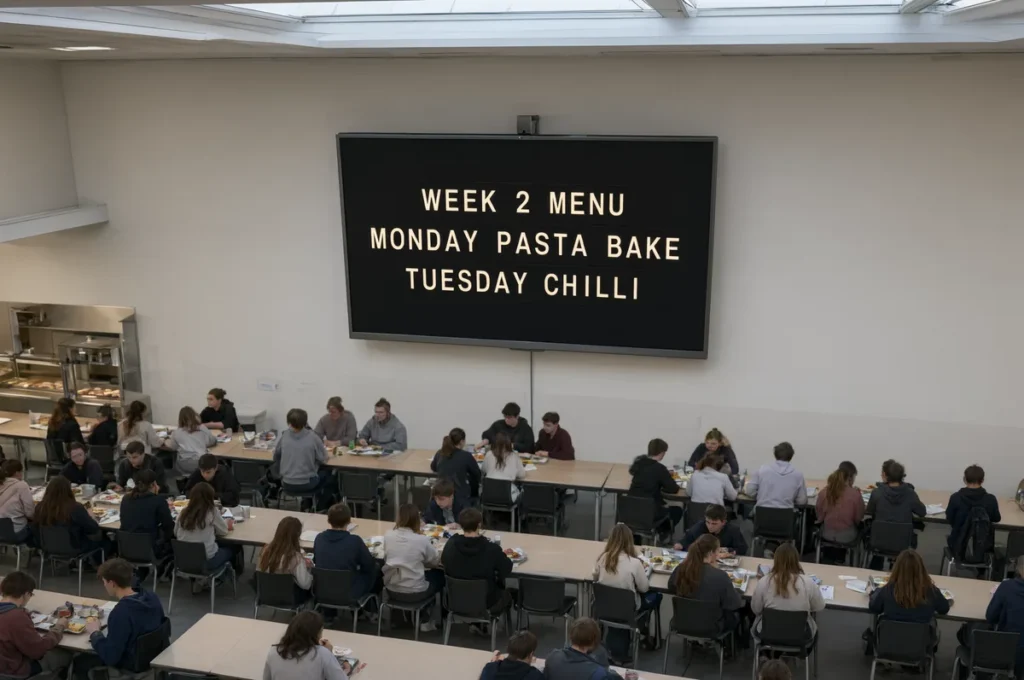
The lunch rush starts at 11:30. Happy hour begins at 4. The kitchen stops taking orders at 9:45. Yet the sign at the counter still says breakfast, yesterday’s special is still taped to the wall, and a staff member is hunting for a marker. Schedule based menu screen software solves that very ordinary, very costly problem: it puts the right words on screen at the right moment, without asking your team to remember another task during a busy shift.
For restaurants, bars, cafes, hotels, and customer-facing workplaces, timing is part of the message. A beautiful menu that appears at the wrong time is still wrong. The best scheduled screen setup gives your space the reassuring rhythm of a well-run station while adding the unmistakable click-clack character of a classic split-flap board.
Why menus need a clock, not another sign
A menu is rarely a fixed object. Prices change, ingredients run out, shifts change over, and the information customers need at 8 a.m. is different from what they need at 8 p.m. Printed boards and handwritten inserts can handle those changes, but they make every update a physical errand. Someone has to print, write, tape, erase, check, and correct.
That process is especially fragile when the team is moving fast. A forgotten sign can send customers toward an unavailable item, create awkward conversations at the register, and leave staff explaining information that should have been clear at a glance. Scheduling reduces that dependence on memory.
It also makes the display feel intentional. Breakfast messaging gives way to lunch. A daytime cafe menu becomes an evening wine list. A hotel lobby switches from a welcome message to local recommendations, then to tomorrow’s event schedule. The display changes with the venue instead of becoming another thing employees need to manage manually.
What schedule based menu screen software should do
At its core, schedule based menu screen software lets you create pages of text-based information and assign when each page should appear. Those pages may be a menu, a list of daily specials, operating hours, a private-event notice, or a simple “Wi-Fi password” message. You set the timing once, then the screen follows the plan.
For a split-flap-style display, that simplicity matters. This is not about cramming a wall with flashy imagery, tiny promotions, and motion competing for attention. The format earns attention differently. Letters flip into place. Rows of concise information land with the familiar theater of a transit board. Customers pause because it feels designed, tactile, and slightly unexpected, even on a modern TV or tablet.
The useful controls are practical ones: scheduled start and end times, recurring days, multiple pages, and quick remote edits when reality changes. Layout control matters too. A coffee shop may need a compact board for pastries and pickup instructions. A bar may want wider rows for cocktails, events, and a late-night food cutoff. An office may use the same screen for visitor instructions in the morning and meeting-room information later in the day.
Optional flip sound can strengthen the effect in the right setting. In a lively lobby or hospitality venue, the click-clack is part of the experience. In a quiet boutique hotel hallway or focused office, visual motion without sound may be the smarter call. The point is control, not spectacle for its own sake.
Scheduling should support exceptions
Recurring schedules do most of the work, but operations are full of exceptions. A holiday service, sold-out special, weather closure, or private buyout should not force you to dismantle your normal weekly plan. Look for a system that lets you make a quick change, publish it, and return to the regular schedule afterward.
That distinction is more valuable than it sounds. A fixed menu screen saves paper. A scheduled menu screen saves attention. It allows managers to focus on guests and staff rather than policing whether the information on the wall is current.
Build your schedule around customer questions
The most effective screen schedules begin with the questions people ask repeatedly. If your staff answers the same question ten times per shift, it is probably a good candidate for the board.
A cafe might schedule the morning menu from opening until late morning, switch to lunch automatically, then rotate a short afternoon page that highlights available baked goods and closing time. A bar can show its regular menu during service, switch to happy hour at the exact start time, and replace it later with a concise late-night offering. A boutique hotel can run breakfast hours before noon, neighborhood recommendations through the afternoon, and event details before guests head out for the evening.
Keep the copy short enough to read while standing, walking, or waiting in line. A split-flap board is powerful because it makes information feel public and legible. It is not the place for a dense paragraph or a menu with every possible modifier. Use it for the decisions and facts that move the room forward.
There is a trade-off here. If your menu changes every few minutes based on inventory, scheduling alone will not be enough. You still need a way to make a fast live update. Conversely, if your offerings stay stable for weeks, a detailed schedule may be more setup than you need. The strongest approach combines a reliable weekly rhythm with easy editing for the moments that break the pattern.
A practical setup for a weekly menu rhythm
Start by mapping what a guest should see at each part of the day. Do not begin with every message your business could possibly show. Begin with the moments where incorrect information causes friction.
For most venues, that means defining your opening message, core service menus, transition periods, and closing message. A restaurant might use a welcome and hours page before service, breakfast or brunch during the first service window, lunch through the afternoon, dinner after that, and a final page that shares last-call timing or tomorrow’s hours. Each page should have one job.
Next, decide what must be scheduled and what should remain editable. Scheduled content is predictable: menus by daypart, recurring specials, weekly events, regular hours. Editable content is variable: a sold-out dish, an unexpected closure, a one-night event, or a staff note. Separating the two prevents a temporary change from becoming a permanent mistake.
Then test it as a customer would. Stand where guests stand. Can they read the text from the line? Does the screen change before customers begin asking for the next menu? Are the most important words visible in the first few seconds? A schedule that is technically correct but poorly timed to the room still needs adjustment.
Design for the split-flap medium
Classic split-flap boards were built for clarity. Their language is brief, orderly, and direct. That heritage is an advantage for businesses tired of generic screens that feel like small television commercials.
Use strong labels, clean prices when relevant, and a consistent order from page to page. Give each row enough breathing room. If the screen has multiple pages, make the timing predictable rather than frantic. Customers should feel they can catch what they need, not wait for a lottery of rotating messages.
Color can reinforce your brand, but contrast must win. A dark board with crisp light lettering often carries the classic station-board mood beautifully. A brighter palette can work for playful cafes and retail spaces, provided the text remains easy to read. The design should make the message feel premium, not make customers work for it.
Split Flap TV brings this old-school visual language to screens you can manage from an app, so the atmosphere of a mechanical board does not come with mechanical upkeep. You can shape rows, columns, pages, colors, timing, and content from wherever you are, then let the schedule carry the routine.
When scheduled screens make the biggest difference
Scheduled messaging is most useful when your venue has predictable transitions and limited staff bandwidth. That includes daypart menus, weekly programming, event venues, hotel lobbies, office reception areas, and shops with changing service information.
It is also a strong fit when your display is part of the interior, not an afterthought. The split-flap aesthetic has enough presence to become a conversation piece, as its continuing presence in public spaces such as New York City shows. But nostalgia only works when it is useful. A screen that looks memorable and tells people exactly what they need to know earns its wall space.
The goal is not to automate every word your business says. It is to remove the repetitive sign-changing work that distracts from hospitality. Let the board handle the rhythm: breakfast to lunch, happy hour to dinner, open to closed. Your team can handle the people in front of it.