
Digital Signage for Changing Menu Prices
April 4, 2026 · Captain
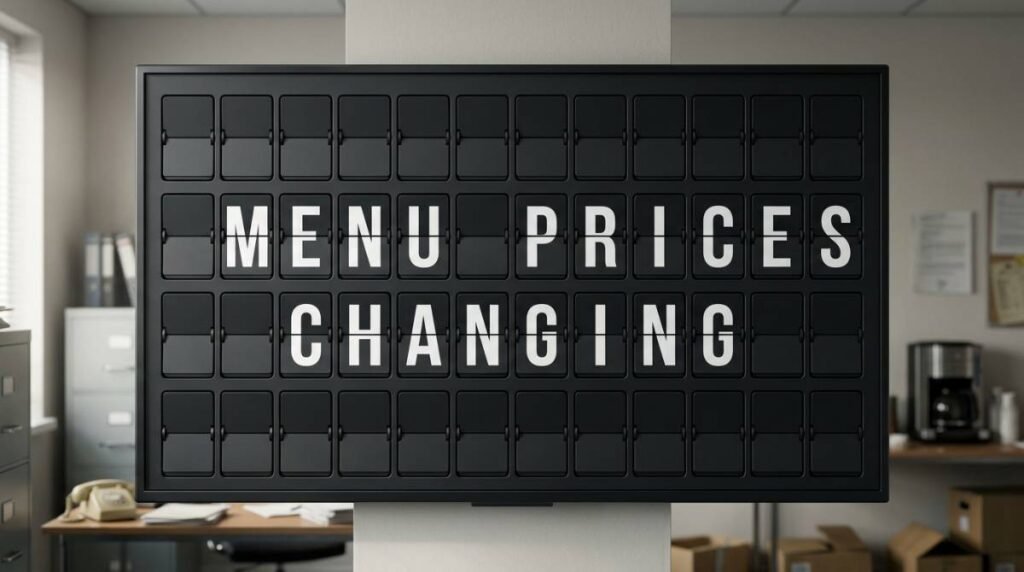
Lunch rush starts in ten minutes, tomatoes came in high again, and your best-selling sandwich just lost its margin. This is exactly where digital signage for changing menu prices earns its keep. When prices shift often, printed boards, taped notices, and handwritten edits do more than look messy – they slow staff down, create customer confusion, and make the room feel less considered than the brand you worked hard to build.
For restaurants, cafes, bars, food halls, and boutique hospitality spaces, pricing is rarely static. Ingredient costs move. Happy hour starts and stops. Limited runs sell out. Weekend brunch brings a different mix than Tuesday afternoon. The challenge is not just updating the number. It is updating it quickly, clearly, and in a way that still feels intentional.
Why digital signage for changing menu prices solves a real operational problem
A menu board is not just decoration. It is a live business tool. When it is wrong, everything downstream gets harder. Staff have to explain price changes at the register. Customers hesitate. Someone notices the printed board says one thing while the POS says another. Even when the difference is small, it chips away at trust.
Digital signage changes that rhythm. Instead of pulling down signs, printing replacements, or squeezing in marker edits between orders, you update content from an app and publish it to the screen. That means less lag between a pricing decision and what customers actually see.
There is also the brand side of it. Many digital displays feel generic because they lean too heavily on flashy visuals. That approach works for some environments, but not every venue wants a bright retail screen shouting at the room. For businesses that care about atmosphere, text-led displays with character often make more sense. A split-flap style board brings that old transit-terminal elegance – the unmistakable click-clack, the mechanical feel, the public-display drama – while still giving you modern control.
The real value is speed with consistency
The obvious benefit is fast edits. The less obvious benefit is consistency across moments that tend to get chaotic.
If your coffee shop updates oat milk pricing, your bar changes the featured pour, or your hotel cafe rotates breakfast items by daypart, the issue is not whether you can make the change eventually. It is whether you can make it before the next wave of customers arrives. Digital signage lets that happen without turning a manager into a part-time sign maker.
This matters even more when multiple items shift at once. A printed menu can absorb occasional changes, but once updates become regular, every reprint is another small tax on time and attention. Over a month, that adds up. Over a year, it becomes a habit of inefficiency.
A cloud-managed display also gives you one source of truth. If the screen is the place staff and customers both trust, there is less room for mixed messages. You are not relying on whoever had a marker handy last.
What kind of digital signage works best for menu price changes?
It depends on what your customers need to see and what kind of space you run.
If your menu is image-heavy and built around large-format food photography, a modern graphic display may fit the concept better. But many businesses do not need that. They need prices, items, categories, hours, specials, and occasional notices presented clearly. In those settings, a split-flap-inspired format is often stronger because it prioritizes legibility and attention without turning the room into a billboard.
That distinction matters. Split-flap-style digital signage is not trying to mimic every modern menu screen. It is intentionally more focused. It uses movement, typography, pacing, and nostalgia to pull the eye toward the message. For changing menu prices, that can be an advantage. Customers are scanning for information, not watching a commercial.
The best setup usually comes down to three things: how often prices change, how much menu detail you need to show at once, and how much visual personality you want the display to add to the space.
A better fit for cafes, bars, counters, and hospitality spaces
In fast-moving environments, the biggest win is reducing friction. A cafe can switch from morning pastry pricing to lunch combos. A bar can move into happy hour with scheduled changes. A hotel lounge can update wine flights for the evening. None of that should require someone climbing up to swap signs.
This is where a retro-modern display style stands out. It does not just communicate the new number. It makes the update feel deliberate, even theatrical. The click-clack effect catches attention in a way that feels human and memorable, not like another flat panel in the background.
That is especially useful in spaces where design matters. Boutique operators and brand-conscious venues often do not want signage that looks temporary, even when the message itself is temporary. A split-flap aesthetic bridges that gap nicely. It feels classic, premium, and functional at the same time.
How to use digital signage for changing menu prices without creating clutter
The mistake many businesses make is treating digital signage like an unlimited canvas. Just because a screen can hold more information does not mean it should.
For pricing updates, clarity wins. Keep categories obvious. Group similar items together. Avoid cramming too many modifiers into one view. If your prices change often, create a layout that makes edits simple instead of rebuilding the whole board each time.
Scheduling helps too. If your prices change by time of day, set those transitions in advance. If certain specials only run on weekends, build them into separate pages or time blocks. That way the system does the repetitive work for you, and staff can focus on service.
There is a trade-off here. The more dynamic your signage becomes, the more important layout discipline is. Constant motion or too many rotating pages can slow comprehension. A little movement draws attention. Too much movement makes people wait for information they should have seen instantly.
Why the split-flap format changes how people notice a menu
Most screens blend into the visual noise. Split-flap displays do the opposite. They bring rhythm into the room.
That matters because menu communication is not only about being visible. It is about being noticed at the right moment. The split-flap style has a built-in sense of public importance. For decades, people looked to these boards for departures, arrivals, and essential updates. That same visual language still carries weight. When it announces a new special, a changed price, or a sold-out item, people instinctively pay attention.
There is also an emotional layer. Nostalgia, when used well, is not decoration. It creates memory. A customer may not remember every item on the board, but they are more likely to remember the cafe with the clicking display than the one with another standard screen in landscape mode.
Used thoughtfully, that attention turns into practical value. Fewer repeated questions. Faster ordering. Less confusion around specials and pricing. A stronger sense that the space is curated, not improvised.
What to look for in a system
If menu prices change often, control matters more than novelty. You want a setup that is easy to install, easy to update, and flexible enough to grow with your space.
Look for a system that lets you manage layouts, pages, colors, timing, and scheduled content without specialized AV knowledge. The best tools make it simple to publish an update from anywhere, whether you are behind the counter or off-site. If you run multiple locations, centralized control becomes even more valuable.
You also want enough customization to match the room. Some venues need a compact board near the register. Others need a larger display visible from the entrance. The format should adapt to the menu, not force the menu into an awkward template.
This is where Split Flap TV fits especially well. It brings the familiar split-flap look to prepared screens and tablets, with app-based control that lets businesses update messaging without the burden of mechanical hardware or constant reprinting. You keep the charm, the click-clack, and the attention-grabbing presence, while gaining the convenience of modern publishing.
Build an 86 and Substitution Plan
The real stress test for any menu display is not a quiet Tuesday. It is the night a keg kicks early, the supplier short-ships limes, or the kitchen runs out of wings. Your setup should make it easy to hide an item, mark it as sold out, or swap in a substitute. If that takes five steps and a laptop in the back office, your team will reach for the Sharpie instead.
- Use fixed templates for recurring sections. Beer, wine, cocktails, happy hour, and house notes such as Wi-Fi or last call should each have a set place. When the structure already exists, staff only change the content, not the layout.
- Separate stable and rotating layers. A core cocktail list may stay the same for weeks while the draft list changes nightly. Keeping them apart means you never edit the whole menu because one keg blew.
- Reserve a “Today” area or status line. A small dedicated zone for changing items, or a line such as “Limited quantities on specials,” sets expectations without cluttering the board.
- Standardize names and formats. Decide how prices are written, which abbreviations you use, and how add-ons are labeled. If one manager types “Fries” and another “French Fries,” you end up with duplicates, confused staff, and printed patches.
If you also run a QR code menu, a single edit can update both the wall board and the menu on guests’ phones at the same moment, so the two never disagree.
When Printed Menus Still Have a Place
Screens can cut printing costs, but a few situations affect how far you should take them. If guests prefer handheld menus for accessibility, lighting, or tradition, keep a small batch of printed menus, update them less often, and let the screen carry the high-change items. If your menu is very large, such as an extensive wine list or dozens of modifiers, use the screen for highlights and top sellers and let QR codes or printed lists handle the depth.
Two practical checks are worth making before you commit. If your internet connection is unreliable, choose a setup that keeps displaying content when the connection drops. And if your room depends on quiet, low-light ambiance, tune screen brightness and motion so the display feels premium rather than like a sports bar glow.
Rolling Out Menu Screens Without Disrupting Service
The hardware side is modest: a TV you may already own, a streaming stick, the app, and your phone. The harder part is the process, and a staged rollout works best.
- Start with one screen and one frequently changing category, such as rotating drafts or featured cocktails, so the team builds confidence before you expand to the full menu.
- Photograph the space at guest eye level and mock up the screen content on those photos to catch readability problems before installation. If the screen will be read from 10 to 15 feet away, test it from that distance.
- Assign one owner for content. Not everyone needs editing access, but everyone needs to trust that what is on the screen is correct. Instant updates only help if someone is responsible for accuracy.
- Set a weekly review of prices, spelling, and availability, even though you can update at any time.
Once updates are easy, many operators find they experiment more: a limited cocktail for one weekend, a local collaboration, or a pricing adjustment made with confidence rather than put off until the next print run.
The smartest menu board is the one you will actually update
A lot of signage decisions get made around features. Fewer get made around behavior. But the real test is simple: when prices change, will your team update the board right away, or put it off until later?
If the process is annoying, it will slip. If it is easy, it becomes part of normal operations. That is why digital signage works best when it removes friction, not when it adds another system to babysit.
Changing menu prices is not glamorous. It is one of those behind-the-scenes realities that shape margins, service speed, and customer trust. The right display turns that routine task into something faster, cleaner, and far more elegant. And when the board itself adds atmosphere to the space, every update does a little more than inform – it reinforces the kind of place customers want to come back to.