
Inspirational Ideas on How to Show Your Menu Boards and Pricelists (2026)
Your menu board is a silent salesperson. It shapes first impressions, speeds up the ordering process, and directly influences how much customers spend. Research shows that 70% of diners decide what to order within 90 seconds of looking at a display—and a well designed board can boost sales of highlighted items by 20-30%. Digital menu boards can increase upselling and average order value by 20–30% due to improved visuals and real-time flexibility.
This guide is designed for restaurant owners, café managers, and hospitality professionals looking to modernize their menu displays and boost sales in 2026. Whether you run a brunch café, a craft beer bar, a specialty coffee shop, or a hotel lobby snack counter, the way you present your menu items and prices matters more than ever in 2026. Customers expect clarity, speed, and a touch of personality. The right display delivers all three while quietly steering them toward your signature dishes and highest-margin offerings. Thoughtful menu board design guides the customer’s eye, creating a clear visual hierarchy that makes it easier for customers to scan and process information efficiently.
Split-Flap TV is a digital signage platform that recreates the nostalgic flip animations of classic airport departure boards—running on screens you already own. It’s a powerful tool for showing dynamic menus and pricelists with retro look charm, without the complexity of traditional digital signage systems.
This article delivers practical menu board design ideas first, then dives into layout psychology, typography, lighting, and implementation tips. You’ll walk away with a concrete plan you can execute this month.
Quick-Start: 10 Menu and Pricelist Display Ideas You Can Use This Month
Before we dig into design principles and psychology, let’s start with fast, practical inspiration. These are ideas you can test within the next 30 days with minimal investment.
Here are 10 concrete display concepts to consider:
- Split-flap style digital board over the counter: Use Split-Flap TV on a 50” screen to show rotating daily specials with that arrivals-board animation, tapping into the modern comeback of split-flap displays in digital spaces. Perfect for coffee shops and fast casual restaurants wanting a modern design with retro appeal.
- Chalkboard wall behind the bar: A full-wall chalkboard for cocktail menus and seasonal specials. Bartenders can update featured items with liquid chalk markers in minutes. Ideal for bars and casual eateries.
- Outdoor A-frame for happy hour: A simple folding board on the sidewalk promoting 4-7pm drink specials. Draws foot traffic and locks in decisions before guests enter.
- Food truck illustrated menu boards: Food trucks often use outdoor and illustrated menu boards to attract customers, enhance visual storytelling, and create a lively, engaging atmosphere that reflects their brand personality. These boards can showcase signature dishes with vibrant artwork and playful fonts, making the menu both informative and visually memorable.
- Tablet-based wine list at tables: Replace bulky printed menus with tablets showing your full wine selection, tasting notes, and pairing suggestions. Works well in fine dining establishments and upscale bistros.
- QR-linked dessert board: A small countertop board shows three desserts with a QR code linking to high quality photos and descriptions on mobile. Reduces visual clutter while driving upsells.
- Seasonal roll-down kraft paper menu: Mount a kraft paper roll above your counter. Each morning, pull down fresh paper and handwrite the date plus weekend brunch specials. Handcrafted charm that feels authentic.
- Multi-screen digital beer menu: Three led screens behind the bar showing rotating craft beer taps, ABV, and pricing. Split-Flap TV for business-focused airport and store signage adapts perfectly here, automatically switching content when a keg runs out.
- Split-flap arrivals-style board for daily specials: Position a Split-Flap TV display at the entrance showing “Today’s Arrivals” with your three featured items. Creates intrigue and directs customer choices.
- Window-mounted digital screen: A single screen in your front window displaying your menu to passersby. Pre-sells your offerings before customers even open the door.
- Mini counter boards for add ons: Small chalkboards or printed cards right at the register: “Add a shot +$1” or “Upgrade to large fries +$1.50.” Strategic placement where payment happens.
Pick 2-3 ideas to test over the next month—not all at once. Measure which ones move the needle on sales or speed up ordering.
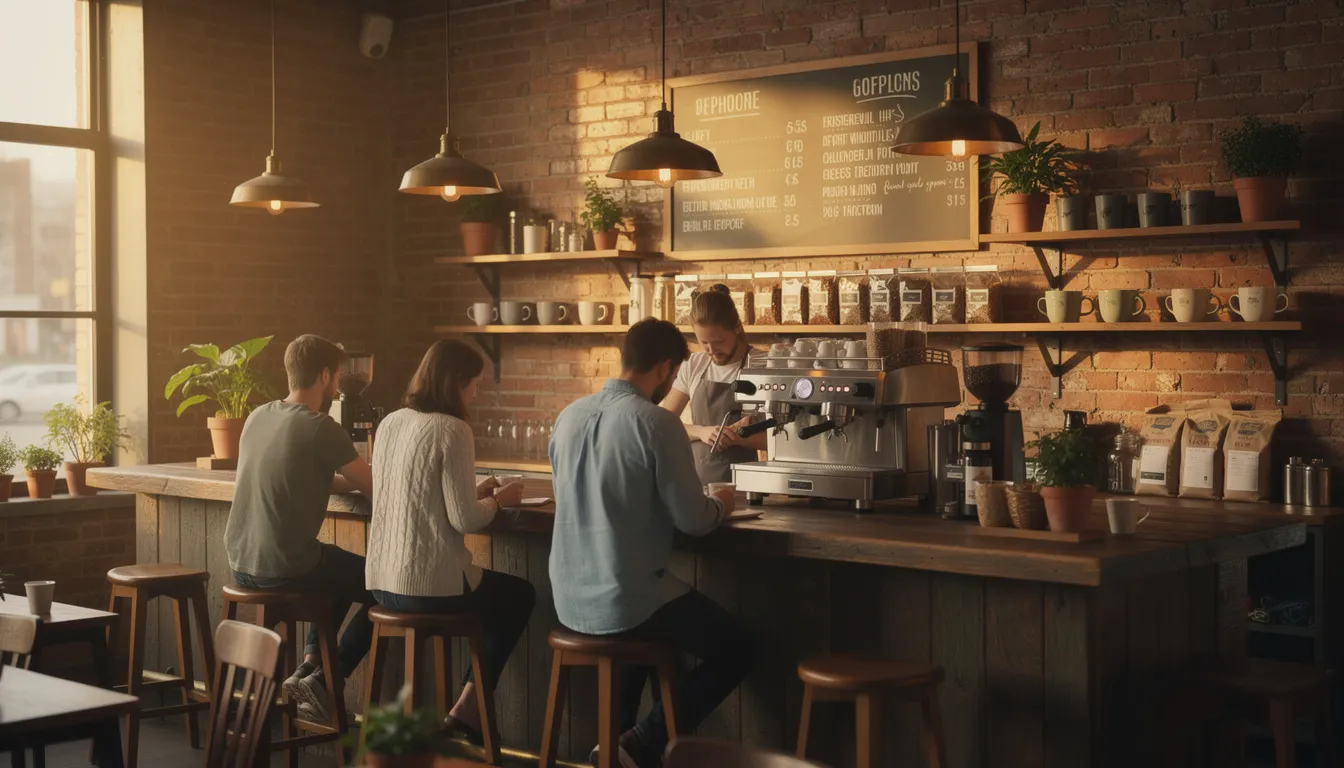
Analog Classics: Tactile Menu Boards That Still Work in 2026
Physical boards haven’t gone anywhere. In an increasingly digital world, tactile displays offer warmth, craft, and zero tech dependency. They work when the Wi-Fi doesn’t, and they create an aesthetic appeal that many customers find reassuring.
There’s something about handwritten text and chalk dust that signals authenticity. For local cafés, ice cream shops, and neighborhood bars, analog boards often feel more on-brand than sleek digital screens. The key is executing them well.
Chalkboard Walls and Framed Boards
A chalkboard is one of the most versatile menu display tools. Use liquid chalk markers for cleaner lines and easier updates. Dedicate sections to different categories: hot drinks, cold drinks, pastries, lunch specials.
Consider seasonal illustrations—autumn leaves in October, iced drink drawings in June. These visual cues draw attention to seasonal offerings and keep your board feeling fresh. Assign your most artistic team member to own the weekly update.
Framed chalkboards work well for smaller spaces or when you want to highlight a specific category (like the day’s soup or featured cocktails). They’re easy to wipe clean and redraw without affecting the rest of your interior decor.
Letterboards and Pegboards
Letterboards with plastic or magnetic letters deliver that retro look customers love in espresso bars, burger joints, and ice cream kiosks. They’re ideal for venues with concise menus—around 10-15 line items maximum.
The constraint is actually a strength. It forces you to spotlight high margin items rather than overwhelm customers with choices. Update letters in under five minutes when prices change or seasonal specials rotate.
Pegboards offer similar flexibility with a slightly different aesthetic. Wooden characters add warmth; colored plastic adds playfulness. Choose based on your brand identity.
Kraft Paper Roll Menus
Mount a kraft paper roll above your counter for a bakery or brunch spot vibe. Each morning, pull down fresh paper and handwrite the date plus today’s specials. Customers see that the offerings are truly made fresh.
This format works beautifully for venues where the menu changes daily or weekly. It signals flexibility and seasonality without the cost of reprinting.
Mini Counter Boards for Upsells
Small tabletop or counter mini-boards placed at the point of sale can significantly enhance average order value. “Espresso upgrade +$1” or “Add guacamole $2” placed right where payment happens catches the customer’s eye at the decision moment.
These micro-displays require minimal maintenance but deliver outsized impact on revenue.
Maintenance Routines
Static boards need daily attention. Assign one staff member per shift to own updates: wiping chalk dust, re-lettering worn characters, adjusting prices. A 10-minute routine at opening keeps everything sharp.
Create a simple checklist: specials current, prices accurate, no smudges, proper lighting. Consistency builds trust and keeps your brand consistency intact.
Digital and Split-Flap Style Boards: Dynamic Displays That Sell More
Digital menu boards offer advantages that analog simply can’t match: instant updates, dayparting, subtle motion, and real-time data integration. When the dinner rush hits and you run out of the salmon, you can hide it from the menu in seconds.
Digital screens also enable thoughtful design at scale. You can A/B test different layouts, measure which items get ordered more when highlighted, and roll changes across multiple locations from a single dashboard.
The challenge with most digital signage is that it often looks cold and corporate. That’s where split-flap style displays come in.
The Split-Flap Difference
Split-Flap TV recreates the nostalgic flip animations of classic train station and airport departure boards. This departure-board motion captures that satisfying clatter of flipping panels—digitally rendered on any modern TV or tablet.
Imagine a “Departures-style coffee menu” where each drink category flips into place, or an “Arrivals board of daily pastries” that updates each morning. The retro look creates emotional resonance while delivering all the benefits of digital boards.
This approach works especially well for venues that want modern design functionality with vintage character—craft cocktail bars, specialty coffee shops, boutique hotels, and independent restaurants.
Use Cases for Digital Menu Boards
Above-counter screens for fast casual: A 55” screen showing categories, top sellers, and combo deals. Customers can scan the menu while waiting in line, speeding up the ordering process.
Bar-back screens for rotating taps: Display your current craft beer selection with live updates when kegs change. Include ABV, origin, and tasting notes. No more staff answering “What’s on tap?” fifty times a night.
Hotel lobby boards: Show breakfast hours and pricing, late-night snack menus, and meeting room coffee service rates. Content can automatically switch based on time of day.
Dynamic Content Ideas
- Dayparting: Rotate between breakfast, lunch, and dinner menus automatically. No staff intervention required.
- Animated price callouts: Draw attention to combo meal savings with subtle motion—a brief highlight or color shift.
- Happy hour triggers: From 4-6pm, the display shifts to show happy hour pricing with a countdown timer.
- Weather-based promos: When temperature exceeds 26°C, promote iced drinks and frozen desserts. Integration with weather APIs makes this automatic.
Hardware Flexibility
Split-Flap TV works on smart TVs (Samsung, LG, Android TV), Apple TV, Amazon Fire TV, Android TV boxes, and tablets, making affordable split-flap style boards accessible even for smaller cafés and boutiques. Start with one 43-55” screen above your counter. Prove the concept, measure results, then scale to a multi-screen menu wall.
Operational Benefits
Digital boards eliminate reprinting costs—one study found reductions of up to 70% versus printed materials. Centralized updates from a browser mean you can change prices or hide out-of-stock items from anywhere, even from home.
For businesses with multiple locations, this operational efficiency scales beautifully. Update your entire chain’s menu boards in minutes rather than coordinating physical changes at each site.

Interactive and Hybrid Experiences: From Self-Order Kiosks to QR Extensions
Modern guests are comfortable with phones and touchscreens. Blending static boards with interactive layers creates a customer experience that serves both quick browsers and detail-oriented diners. Custom tailored menu boards that are staff updatable, durable, and flexible allow businesses to easily personalize and scale their branding without requiring a designer.
The goal isn’t to replace your main menu display—it’s to extend it. Keep the primary board simple and scannable while offering deeper dives for those who want them.
Self-Order Kiosks and Tablets
Interactive self-order kiosks let guests browse full menus with filters for dietary preferences: vegan, gluten-free, spicy, nut-free. Research shows these touchscreens can reduce order errors by 30% and increase throughput during peak times.
Meanwhile, a simplified, high-level digital menu board remains above the counter for customers who already know what they want. Two systems serving different needs simultaneously.
QR-Extended Menus
Your wall or counter board shows the essentials—categories and hero items with prices. A small QR code in the corner links to detailed descriptions, allergen information, high resolution images, and even nutritional data.
This hybrid approach keeps your physical display clean (avoiding visual clutter) while satisfying customers who want more information. It’s particularly effective for fine dining establishments where guests expect thorough descriptions but don’t want to feel rushed while reading a board.
AR and 3D Previews
For flagship dishes—a massive weekend brunch platter or a signature cocktail tower—consider AR previews. Guests scan a code printed on a table tent or menu wall and see a 3D render of the dish on their phone.
This is still emerging technology, but early adopters report higher perceived quality and increased orders of previewed items. It’s especially effective for items that are difficult to describe in words.
Split-Flap TV in a Hybrid Stack
Split-Flap TV can anchor your hybrid system. The split-flap style board handles your core menu and prices with character and clarity, drawing on the long history and evolution of split-flap display boards. Side tablets or mobile QR experiences provide the deep dives, allergen lookups, and upsell opportunities.
The key is integration. Make sure your digital systems share the same pricing and inventory data to avoid customer confusion.
Usability First
Ensure fonts and touch targets are large enough for all ages and abilities. Content should load fast on typical 4G/5G connections—nobody waits more than 3 seconds for a menu to load.
During peak times, interactive elements shouldn’t slow down your queue. If the touchscreen creates a bottleneck, you’ve defeated the purpose. Test during busy service to identify friction points.
Layout, Hierarchy, and Pricing Psychology for Menu Boards
What you show—and where you place it—affects what people buy as much as the dishes themselves. Menu board design is part graphic design, part behavioral psychology.
Research on eye-tracking reveals consistent patterns in how customers scan menus. Understanding these patterns lets you strategically position your highest-margin offerings where they’ll receive the most attention.
The Golden Triangle and Z-Pattern Scanning
Eye-tracking studies show that the center, top right, and top left of any board receive roughly 60% more attention than other areas. This “golden triangle” is prime real estate for your signature dishes and high margin items.
When designing your layout, place what you most want to sell in these visual hotspots. Secondary items can fill the remaining space. This clear visual hierarchy guides customer choices without feeling manipulative.
Grouping and Categories
Separate your board into logical sections: coffee vs. food vs. specials for a café, or starters / mains / drinks for a bistro. This reduces cognitive load and helps customers find what they’re looking for quickly.
Consider using separate boards or distinct columns for different categories. Most customers process grouped information faster than a single mixed list.
Item Limits
Research suggests limiting each section to 3-7 items on your main display. Beyond that, decision fatigue sets in and customers default to familiar choices rather than exploring your featured items.
If you have an extensive menu, show the highlights on your primary board and make full printed menus available on request. This approach works well for casual dining venues with large selections.
Pricing Display Techniques
Several pricing display strategies can lift perceived quality and reduce friction:
|
Technique |
Implementation |
Effect |
|---|---|---|
|
No rigid price columns |
Prices flow at end of descriptions |
Reduces price-shopping behavior |
|
Small currency symbols |
Use smaller font for “$” |
Lifts perceived value ~15% |
|
Round endings |
$12 instead of $11.99 |
Cleaner, more premium feel |
|
Descriptive anchoring |
Place premium item first |
Makes mid-range seem reasonable |
Visual Callouts
Small badges or color highlights can draw attention to specific items: “Best Value,” “Chef’s Choice,” “New,” or “Seasonal.” Use these sparingly—if everything is highlighted, nothing is.
Split-Flap TV includes templates with built-in callout styles that maintain brand consistency while making featured items pop.
Typography, Color, and Readability in Real Spaces
Legibility trumps decoration every time. Your menu board might look beautiful in a design mockup, but if customers can’t read it from 3 meters away in a busy line, it’s failing at its primary job.
The distance between your customer and your board determines everything about your typography choices.
Letter Height by Viewing Distance
Here’s a practical reference for sizing text based on viewing distance:
|
Viewing Distance |
Minimum Letter Height |
Recommended Screen Size |
|---|---|---|
|
2-3 meters |
4-5 cm |
32-43” |
|
3-4 meters |
5-7 cm |
43-55” |
|
4-5 meters |
7-10 cm |
55-65” |
|
5+ meters |
10+ cm |
65”+ or multiple screens |
|
For digital screens, this translates to using title fonts of 60-80pt for main categories and 40-50pt for individual items on a typical 55” display. |
|
|
Consistent Typography
Use one main typeface and one supporting style across all boards and digital slides. Sans-serif fonts like Helvetica, Arial, or Open Sans offer clean lines and maximum readability at distance.
Avoid script or decorative fonts for main content—they can reduce legibility by up to 50% in low-light conditions. Save the flourishes for your logo or occasional accent elements.
High Contrast Color Pairings
High contrast combinations ensure readability across lighting conditions:
- Black on warm white
- Dark green on cream
- White on charcoal
- Navy on pale yellow
Avoid low-contrast combinations like light gray on pastel backgrounds or white on light wood. These may look subtle in photos but fail in real environments. Aim for at least a 4.5:1 contrast ratio per accessibility standards.
Real-World Testing
Before committing to any design, print a sample section at true scale. Tape it at actual mounting height (center around 160-170 cm) and stand where customers typically queue.
Can you read every item? Can someone with glasses read it? If there’s any squinting, increase font size or boost contrast.
Split-Flap TV templates are pre-optimized for contrast and spacing, which reduces guesswork for digital menu users. The version with flipping pictures and graphics keeps these readability principles while adding rich visual elements. The default styles prioritize readability over decoration.
Ample White Space
Resist the urge to fill every inch of your board. Ample white space around items improves comprehension and makes the board feel less overwhelming. Studies show overcrowded displays confuse up to 60% of rushed customers.
Placement, Lighting, and Operations: Making Menu Boards Work Every Day
A menu board is part of your physical workflow, not just decoration. Where you place it, how you light it, and how you maintain it determines whether it actually works.
Treat your display as a piece of operational equipment—as important as your espresso machine or POS terminal.
Ideal Placement
Position your primary menu board above or behind the ordering counter, aligned with where customers naturally queue. The center of the display should sit at approximately 150-170 cm height for comfortable viewing by most adults.
If customers approach from multiple directions, consider angled placement or multiple displays. The goal is ensuring everyone can see the menu before they reach the counter—this speeds up ordering dramatically.
Lighting Considerations
Lighting can make or break your menu board’s effectiveness:
- Diffused warm-white lighting works best for most environments
- Avoid direct spotlights that create glare on glossy print or digital screens
- Use dimming settings on digital displays during evening service
- Position lighting to illuminate the board, not reflect off it
For digital screens, ensure brightness of at least 1000 nits for daylight visibility in window-facing positions. Standard TVs may wash out in direct sunlight—consider commercial displays for bright environments.
Outdoor Displays
Weather-resistant A-frames and window boards serve as pre-sell messages that attract customers from the sidewalk. Use bold, minimal copy that can be read from 5+ meters away.
Keep outdoor boards focused: happy hour times, daily special, or a single compelling offer. Bring them inside after closing to extend their lifespan.
Operational Routines
Establish clear ownership and timing for menu updates:
|
Task |
Frequency |
Owner |
Time Block |
|---|---|---|---|
|
Daily specials update |
Daily |
Opening shift lead |
9:45-10:00 AM |
|
Weekly menu review |
Weekly |
Manager |
Monday 10:00-10:15 AM |
|
Seasonal refresh |
Quarterly |
Owner + designer |
First week of season |
|
Price audit |
Monthly |
Manager |
End of month |
|
Log all menu changes in a shared document. This creates accountability and helps you track which updates correlate with sales changes. |
|
|
|
Remote Management with Split-Flap TV
Split-Flap TV allows scheduled dayparting—automatically switching between breakfast, lunch, and happy hour content without staff intervention. Changes push instantly across multiple locations from a single browser dashboard.
This remote capability transforms operations for growing businesses. Update your entire chain’s pricing from your laptop rather than calling each location individually.

Showcase Ideas by Venue Type: Cafés, Bars, Hotels, and Retail
The best menu board format depends heavily on your concept and physical space. A minimalist design that works for a fine dining restaurant would feel sterile in a family pizza shop. Context matters.
Here’s how to apply these principles across different venue types.
Cafés and Coffee Shops
Primary display: Split-flap style digital menu above the espresso machine showing espresso drinks, filter options, and signature beverages. The flip animation adds personality and draws the customer’s eye.
Seasonal accent: A framed chalkboard for seasonal drinks—pumpkin lattes in October 2026, lavender iced coffee in summer. Hand-drawn elements reinforce your local café identity.
Point-of-sale upsell: Small pastry board by the display case with professional photos of each item and prices. Position at eye level for customers waiting in line.
Bars and Taprooms
Beer board: Wall-mounted digital boards with rotating craft beer taps using Split-Flap TV layouts. Updates in real time when a keg runs out—no more customers ordering unavailable beers.
Happy hour display: A separate board or digital zone showing happy hour pricing from 5-7pm. Make the timing unmistakable: “HAPPY HOUR NOW” with countdown timer.
Cocktail menu: Printed menus at tables for cocktails, but a highlight board behind the bar featuring three signature cocktails with brief descriptions and pricing.
Hotels and Hostels
Lobby information: Split-flap style screens showing breakfast hours, pricing tiers, and checkout times. The departure-board aesthetic fits naturally in travel environments.
Late-night service: Secondary display or digital rotation showing late-night snack menus, room service availability, and bar hours.
Event flexibility: Meeting room coffee service pricelists that can change per event. Digital displays update in minutes when a corporate client books.
Quick-Service and Takeaway
Main menu: Bright, multi-panel digital menu boards over the counter with clear categories. Fast casual restaurants benefit from high quality images showing each item.
Pre-sell: Simple outdoor board or window screen to lock in decisions before guests enter. Show your three most popular items with prices.
Combo callouts: Dedicated zone for meal deals and combo pricing. These high margin items deserve prominent strategic placement.
Retail (Barber Shops, Salons, Boutiques)
Central price list: One main pricelist board at reception showing core services and pricing. Keep it clean and professional.
Add-on displays: Smaller digital or split-flap displays near mirrors or checkout for treatments, product add ons, and gift wrapping services.
Service descriptions: QR codes linking to detailed service descriptions for customers who want more information before booking.
Implementing Digital and Split-Flap Displays with Split-Flap TV
Ready to move from inspiration to implementation? Here’s a practical guide to launching digital menu boards using Split-Flap TV on screens you already own, and you can dive deeper with a getting started guide for Split-Flap TV.
The goal is a working display within a week, not a perfect system that takes months to launch.
Simple Rollout Process
- Choose 1-3 key screen locations: Start with your highest-impact spot—typically above the main ordering counter
- Install the Split-Flap TV app on your smart TV, Apple TV, or Android TV box
- Connect to Wi-Fi and log into the web dashboard from any browser
- Create your first menu layout using the template library as a starting point
That’s it for the technical setup. Most businesses are up and running in under an hour, especially if they follow a step-by-step guide to getting started with Split-Flap TV.
Key Features for Menus and Pricelists
Split-Flap TV includes several features specifically useful for menu displays:
- Rotating messages: Cycle between multiple boards (food, drinks, desserts) on a single screen
- Scheduled dayparting: Automatically switch content by time of day—breakfast to lunch to dinner
- Real-time controls: Update prices or hide sold-out items instantly from any device
- Weather integration: Trigger weather-based promos automatically
- Social counters: Display follower counts or review scores as social proof
Subscription Options
Split-Flap TV offers a 7-day free trial and multiple tiers:
|
Tier |
Best For |
Key Features |
|---|---|---|
|
Economy |
Single-site café or shop |
Core features, one screen |
|
Business |
Multi-screen venue |
Multiple boards, dayparting |
|
Cockpit |
Multi-location chain |
Centralized control, advanced scheduling |
|
Start with the free trial to validate the concept before committing. |
|
|
Building Your First Menu Design
Begin with a basic layout:
- Categories clearly separated (Drinks | Food | Specials)
- Top sellers prominently positioned
- Prices clear and consistent
- One or two highlighted items with callouts
Once this foundation works, layer in extras: weather-based promos, social media follower counters, or countdowns to special events.
Hardware Flexibility
Split-Flap TV works with most modern TVs and tablets. You can pilot a new menu board on an existing 50” TV in your storeroom before investing in dedicated screens.
For higher-brightness environments, consider a commercial-grade display. But for most indoor applications, a consumer TV with 400+ nits brightness works fine.
Menu Board Security and Compliance
Protecting Your Digital and Physical Boards
In today’s fast-paced hospitality environment, safeguarding your menu boards—both digital and printed—is essential for maintaining customer trust and ensuring smooth operations. For digital menu boards, prioritize cybersecurity by using strong passwords, enabling two-factor authentication, and keeping your digital menu software up to date. Regularly check for software updates and security patches to protect against malware and unauthorized access. If you’re using a digital menu, restrict editing permissions to trusted staff and monitor for unusual activity.
Physical menu boards deserve attention too. Securely mount your printed menus and static boards to prevent tampering or theft, especially in high-traffic or outdoor areas. Consider using tamper-resistant frames or materials for your price list displays to deter unauthorized changes. For venues with open layouts, position your menu boards within clear sightlines of staff to discourage interference.
By taking these steps, you protect your menu’s integrity and ensure customers always see accurate, up-to-date information—building trust and supporting a seamless ordering experience.
Accessibility Best Practices
Making your menu accessible to everyone isn’t just good practice—it’s good business. For digital menu boards, follow Web Content Accessibility Guidelines (WCAG) to ensure your digital menu is usable by all guests, including those with visual or mobility impairments. Use legible fonts and high contrast color schemes to maximize readability, especially in varied lighting conditions. Provide alternative text for images and ensure your menu can be navigated with screen readers or other assistive technologies.
For physical menu boards, mount them at a comfortable height so they’re easily visible from a seated or standing position. Use large, clear text and avoid clutter to help all customers, including those with low vision, quickly find what they need. If possible, offer printed menus in large print or braille upon request.
Prioritizing accessibility not only meets legal requirements but also enhances the customer experience for everyone who walks through your door.
Meeting Regulatory Requirements
Staying compliant with local regulations is a must for any business displaying menu items and prices. Make sure your menu boards clearly show required information such as nutritional content, allergen warnings, and accurate pricing. For digital menu boards, it’s easy to update this information as regulations or menu items change—just a few clicks and your digital menu is current across all locations.
Printed menus and static boards should be easy to clean and maintain, helping you meet health and safety standards and prevent the spread of germs. Schedule regular reviews to ensure your menu reflects the latest offerings, price changes, and any new regulatory requirements. Keep an eye on updates from local authorities so you can adjust your menu promptly and avoid fines or reputational risks.
By embedding compliance into your menu board routine, you protect your business and reassure customers that you take their health and safety seriously.
Menu Board Analytics and Performance Tracking
Measuring What Matters
A well-designed menu board is more than just a list—it’s a powerful tool for driving sales and improving the customer experience. To get the most from your menu board, track key performance metrics that reveal how customers interact with your menu and which menu items are making the biggest impact.
For digital menu boards, leverage built-in analytics tools to monitor engagement: Which featured items are selling fastest? How does the placement of high margin items affect sales? Are customers responding to seasonal offerings or promotional callouts? Digital screens make it easy to test different menu board design ideas and automatically switch layouts based on time of day or inventory, giving you real-time feedback on what works.
If you’re using printed menus or static boards, gather insights through regular customer surveys and by analyzing sales data. Track how changes in menu design—such as clearer visual hierarchy or new featured items—affect ordering patterns and customer satisfaction. Even simple observations, like reduced ordering time or fewer questions at the counter, can signal that your menu board is working harder for you.
Use these insights to refine your menu design, spotlight high margin items, and keep your content fresh with seasonal offerings and timely price changes. Regularly updating your menu board based on performance data will significantly enhance operational efficiency, boost customer satisfaction, and increase revenue—whether you’re running a fine dining establishment, a fast casual restaurant, or a food truck.
By making analytics and performance tracking part of your menu board management routine, you ensure your menu always delivers maximum impact, helping you attract customers, streamline the ordering process, and grow your business.
From Inspiration to Action: Plan Your New Menu Board in 7 Days
You’ve seen the ideas. You understand the principles. Now it’s time to execute.
Here’s a structured 7-day plan to move from inspiration to a real, working display.
Day 1-2: Audit and Measure
- Photograph your current menu boards and pricelists from customer viewing positions
- Note recurring customer questions: “What’s in that?” “How much is…?” These reveal information gaps
- Measure viewing distances from typical queue positions to each display
- List your top 5-7 items by margin and check whether they’re currently highlighted
Day 3: Choose Your Approach
- Select one analog format upgrade to test (new chalkboard, pegboard refresh, kraft paper roll)
- Select one digital or split-flap concept for a single area (above counter, bar-back, entrance)
- Don’t try to change everything—focus on one high-impact improvement
Day 4-5: Design and Prepare
- Sketch the new layout on paper or in a design tool
- Prioritize clear hierarchy and legibility over decoration
- Pick colors and fonts that align with your interior decor and brand identity
- Create or source content: item names, descriptions, prices, any professional photos needed
Day 6: Install and Test
- Mount the physical board or screen at proper height (center at 150-170 cm)
- Install Split-Flap TV if using digital displays
- Load initial content and test visibility from queue positions
- Check lighting—eliminate glare and ensure readability
- Have a team member order using only the new display to identify confusion points
Day 7: Launch and Track
- Go live with the new display
- Brief all staff on how to update boards and what to do if digital displays have issues
- Create one simple metric to track: sales of a highlighted item week-over-week, reduction in “what’s that?” questions, or average order value
The goal isn’t perfection on day one. It’s getting a working improvement live so you can learn and iterate.
Schedule a review for day 30. Compare sales data, staff feedback, and customer behavior against your baseline. Then plan your next improvement.
Your menu board works for you every hour you’re open. It’s the first thing many customers engage with—and often the deciding factor in what they order. A thoughtfully designed display doesn’t just inform; it sells.
Whether you’re refreshing a chalkboard with seasonal specials or launching your first split-flap style digital menu with Split-Flap TV, the principles remain the same: clarity, hierarchy, and strategic positioning of the items you most want to sell.
Start small. Measure results. Iterate. Your dining experience—and your bottom line—will significantly enhance from the attention.
Ready to try split-flap style digital menus? Start your free 7-day trial with Split-Flap TV and transform any screen into a retro-inspired, dynamically updating menu board.