
Cloud Messaging Screens vs Chalkboards
June 29, 2026 · Captain
A lunch rush is not the moment to realize yesterday’s special is still on the board, the Wi-Fi password got smudged, and your nicest handwriting person called out sick. That is where cloud messaging screens vs chalkboards stops being a style debate and becomes an operations decision.
For years, chalkboards have earned their place in cafes, bars, boutiques, and hotel lobbies because they feel human. They can be charming, casual, and a little imperfect in a way that suits certain spaces. But they also ask for constant attention. Every update takes time. Every correction is manual. And every board depends on whoever is holding the chalk marker that day.
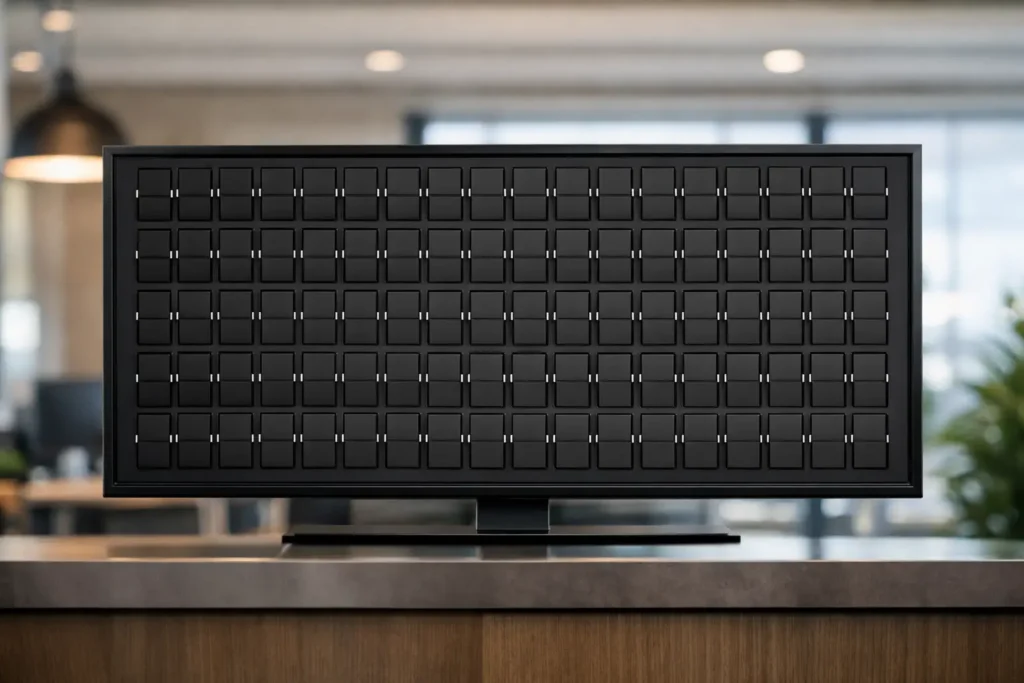
Cloud-managed messaging screens solve a different problem. They let you publish text-based content instantly, keep it consistent across locations or rooms, and present it with more polish. In the case of split-flap style displays, they also add something chalkboards rarely do at the same level – presence. The movement, the rhythm, the click-clack feel, and the retro transit-board aesthetic turn simple text into part of the atmosphere.
Cloud messaging screens vs chalkboards in real business use
If your information changes once a month, a chalkboard might still be enough. If it changes throughout the week or several times a day, the math shifts quickly.
Restaurants and bars are the clearest example. Specials change. Prices change. Happy hour starts and ends. Private events take over a room. Staff need a way to update messages fast without stopping service to erase and rewrite a board from scratch. A cloud-managed screen makes that update from a phone, tablet, or laptop, and the message appears cleanly every time.
Boutiques and retail stores run into a similar issue. Store hours shift on holidays. New arrivals need promotion. Pickup instructions need to be visible. A chalkboard can communicate those things, but it often looks temporary, even when the message is important. A well-designed screen feels intentional. It says this information matters.
Hotels and offices have another layer to think about: consistency. If you have meeting room schedules, guest messages, directional notes, or recurring announcements, handwriting creates variation. One board looks great, another looks rushed, and a third gets left unchanged too long. Cloud messaging keeps the voice and presentation controlled, even when the content changes often.
Where chalkboards still work well
Chalkboards are not obsolete. They still have strengths, and pretending otherwise misses the point.
They are tactile. They suit spaces built around handcrafted identity. A neighborhood coffee shop with a slow, analog feel may genuinely benefit from a board that looks handwritten. In some settings, the small imperfections are part of the brand. A chalkboard can also be a quick low-tech fallback in places where the message is very simple and rarely changes.
But that advantage depends on the board actually being maintained well. A beautifully lettered menu board works because someone has the time and skill to make it beautiful. Once updates get frequent, handwriting quality becomes inconsistent, ghosting appears, spacing gets cramped, and the board starts looking less artisanal and more patched together.
That is the real trade-off. Chalkboards can be expressive, but they are labor-heavy. Their best look is not automatic.
Why cloud messaging screens feel more polished
When people hear digital signage, they often picture bright promotional screens packed with images, motion graphics, and sales language. That is not the comparison here. Text-based cloud messaging screens, especially in a split-flap format, live in a more refined category.
They are quieter visually. More architectural. More editorial. Instead of competing with your space, they frame information with clarity. That matters in restaurants, hotel counters, retail entryways, and office receptions where the display should add character, not noise.
A split-flap style screen has a special advantage because it does not feel like generic modern signage. It references the classic public boards people remember from stations and airports, but without the maintenance burden of mechanical hardware. You get the nostalgia, the motion, and the authority of that format, while still controlling the content through the cloud.
That combination lands well with customer-facing businesses because it does two jobs at once. It keeps operational details current, and it makes the space more memorable.
The labor question behind cloud messaging screens vs chalkboards
The biggest difference is not the screen or the board. It is the repeated work behind it.
Chalkboards ask for daily effort. Someone has to erase, rewrite, center text, fix mistakes, and redo the layout when the message changes. If you care about presentation, that process takes even longer. Over time, the hidden cost is not the board itself. It is the interruption.
Cloud messaging screens shift that work into a faster system. Content can be updated in seconds. Scheduled in advance. Reused across days or locations. Adjusted without standing in front of the display. That matters when your team is already juggling customers, prep, check-ins, or front desk traffic.
It also reduces the chance of stale information staying up longer than it should. A chalkboard with the wrong date or old special is easy to miss. A managed screen gives you more control and fewer small mistakes that chip away at trust.
What customers actually notice
Customers notice accuracy first, then atmosphere.
If your signage answers common questions clearly, they feel the business is organized. If your specials, hours, directions, or event details are up to date, they move with more confidence. That part is practical.
Then there is the visual impression. Chalkboards can feel warm, but they can also read as informal or temporary. Cloud messaging screens, especially those designed around split-flap visuals, create a stronger sense of intention. The message looks considered. The movement catches the eye. The format invites a second glance without yelling for one.
That is useful in spaces where brand experience matters. A boutique hotel lobby, a cocktail bar, or a design-conscious shop does not need a louder screen. It needs a more elegant one.
When a chalkboard is enough and when it starts to hold you back
A chalkboard is enough when the content is simple, the stakes are low, and the handwritten look is central to the brand. Maybe that means one menu note, one quote of the day, or one static welcome message.
It starts to hold you back when updates become operationally important. If you need to schedule recurring announcements, swap messages across the week, keep information aligned across multiple displays, or make last-minute changes without redoing a board by hand, the chalkboard stops being charming and starts becoming friction.
That is usually the moment businesses reconsider the category entirely. Not because they suddenly want more technology, but because they want fewer repeated tasks and a cleaner result.
Why split-flap style screens offer a better middle ground
For businesses that love the analog warmth of chalkboards but need modern control, split-flap style screens hit a rare balance.
They do not look cold. They do not feel like a generic ad screen. They bring back the visual language of classic information boards – rows of letters, timed transitions, that familiar click-clack energy – while giving operators the convenience of cloud publishing, scheduling, and layout control.
That middle ground matters. It lets a space feel nostalgic and premium at the same time. You are not choosing between handwritten charm and practical updates. You are choosing a format that respects both.
That is why this style works so well in hospitality, retail, and workplace settings. It gives text the stage presence it deserves, while keeping the system simple enough to manage during a busy day. Buy a screen, download the app, publish your message, and the display starts doing what a good sign should have done all along – look sharp, stay current, and earn attention without begging for it.
If your business still relies on chalk and erased corners, there is nothing wrong with wanting a better-looking answer. The best signage is not the flashiest option. It is the one that fits your space, respects your time, and makes every update feel a little less like maintenance and a little more like part of the experience.