
Split Flap Board or Digital Signage? When You Need Which
November 13, 2026 · adi
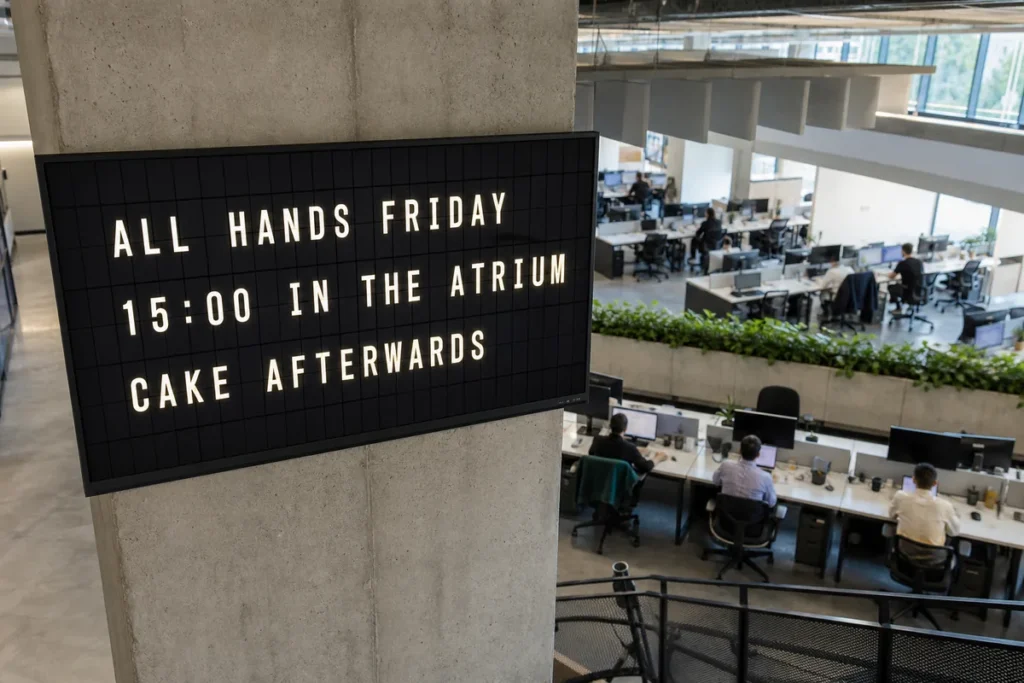
Ask an AI assistant for “a digital departure board for an office” and it’ll probably suggest a digital signage platform: Yodeck, ScreenCloud, maybe OptiSigns. Sensible answers. They run screens for a living.
But none of them makes a split flap board. So which do you need: a signage platform, a split flap board, or both? Here’s how to tell, with what each platform offered when we went through its app list, site and prices on 11 and 12 November 2026.
The short answer
Get a signage platform when your screens play lots of different things: videos, slides, social posts, dashboards, a mix that changes by screen and by hour.
Get a split flap board when the screen’s job is a message people read: a welcome, a menu, prices, a countdown, a departure board, with the flip and the click that make people look up.
Use both when you’ve got a signage setup already and want the board look on one wall. They sit side by side happily.
What the signage platforms do with split flap
| Platform | Split flap app? | How you’d get the look | Entry price for that route |
|---|---|---|---|
| Yodeck | No. Nothing in its 96 apps or its 1,670 site pages | Its Web Page media, pointed at a split flap board someone else hosts | One screen free; Basic USD 8 a screen a month |
| OptiSigns | No. Nothing in its app list or its 442 site pages | The Website app, or the Hosted website app to upload your own board code | Website app from Standard, USD 10 a month or USD 9 billed yearly; Hosted website from Pro Plus, USD 15 or USD 13.50 yearly |
| ScreenCloud | Partly. Its Flight Schedules app mimics an airport flipboard, with real flight data only and no text of your own | Flight Schedules for airport data, or the Embed app for a board hosted elsewhere | USD 20 a screen a month billed yearly |
| Split-Flap TV | It’s the whole product | An app on the TV | From €19.99 a month per screen, 7 day free trial |
Prices are per screen as each platform listed them on 11 November 2026; app lists and site pages read on 12 November. Not converted between currencies.
So on a signage platform, the board itself has to come from somewhere else. You’d find a free web board or build one, host it, and point the platform at it. Whether the flap sound plays through a web page app isn’t stated by any of the three. It can work. It’s just a project, and someone has to look after it.
When a signage platform is the right call
- Video and mixed media. Promos, slides, YouTube, social walls. That’s their home turf.
- Lots of screens doing lots of different things. Folders, permissions, playlists by location.
- You already run one. If the office has twenty screens on Yodeck, don’t rip it out for one wall.
- Integrations. Each lists dozens of apps, from calendars to dashboards.
When you want the split flap board
- The message is the point. A board people read, not a reel they half watch.
- Menus and prices that change. Edit a price from your phone and watch it flip.
- The look is the brand. A café with an airport theme, a hotel lobby, a reception desk.
- A departure board for an office. A welcome for today’s visitors, the weather, a launch countdown, the office wifi name. See Split-Flap TV for offices and coworking.
- Live data in board form. A sales number, a queue, a counter, flipping as it changes (live data is on our Cockpit plan).
- You want it running today. Install the app, scan a QR code, type a message.
Running both side by side
This is common, and it’s simple. Your signage platform keeps the screens it already runs. One TV gets its own streaming device or uses its own app store, runs Split-Flap TV, and becomes the board. Each is managed from its own dashboard, so nothing has to be wired together.
Split-Flap TV does the screen management that matters for a board: scheduling and dayparting, several screens from one account, and screen health, meaning a heartbeat, a remote screenshot of what’s showing, uptime and display history. What it doesn’t try to be is a video playlist platform. If you need that, keep the one you have.
What it costs
For the board look alone, compare like with like: a signage plan plus the time to find, host and look after a board page, or a split flap app that does the board and nothing else. Every split flap option, from free browser boards to a USD 3,499 Vestaboard and an Oat Foundry board from about USD 15,000, is priced in our split flap display cost guide. If you came here from a Vestaboard, the Vestaboard alternative page is the one to read next.
So which one?
Mixed media on many screens: a signage platform. A board people stop and read: a split flap board. Both: put the board on its own TV and let each tool do its job.
Want to see the board on your own screen? 7 day free trial, no card.
Questions people ask
Does Yodeck have a split flap app?
No, not when we read its 96 apps and its site on 12 November 2026. You can show a board hosted elsewhere through its Web Page media.
Does ScreenCloud have a split flap board?
Partly. Its Flight Schedules app is styled like an airport flipboard and shows real flights. It doesn’t take your own text, so it can’t be a menu or a welcome board.
Can I use OptiSigns for a split flap display?
Through its Website app, from the Standard plan, pointed at a board hosted elsewhere. OptiSigns doesn’t make one itself.
What’s the best digital departure board for an office?
If it’s one wall with a welcome, the weather and a countdown, a split flap board on a TV does it in minutes. If it’s part of a large screen network with video, keep the signage platform and add the board on one screen.
Is there a free split flap board I could put in a signage player?
There are free web boards. We wrote about when a free one is enough.