
How to Update Store Signage Instantly on Busy Days
July 29, 2026 · Captain
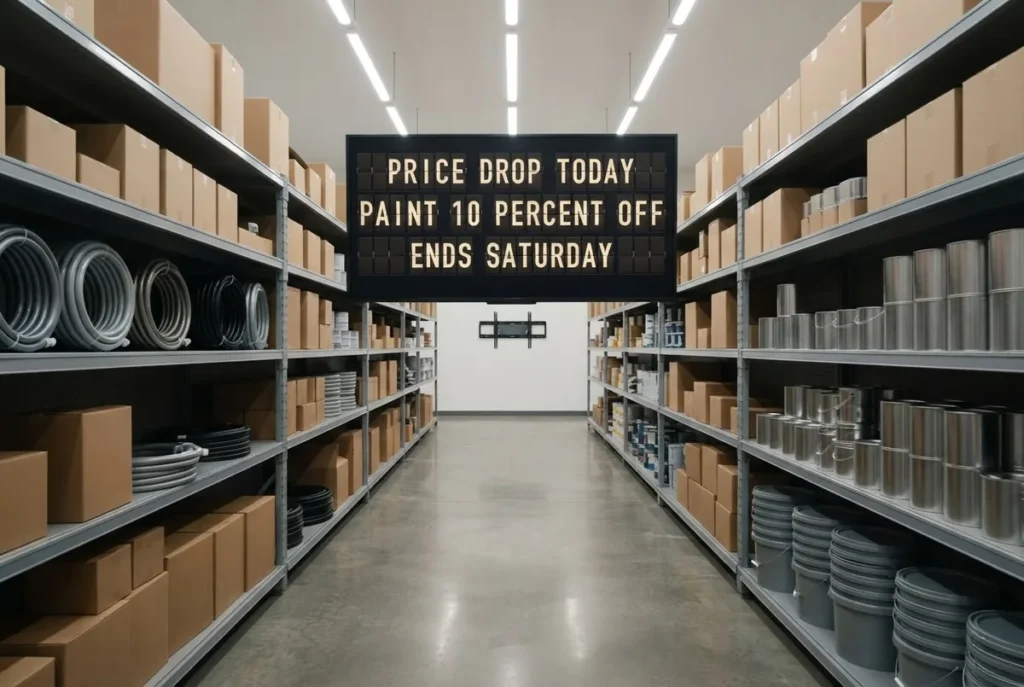
A customer is standing at the counter asking whether the lunch special is still available. Your team is already in the middle of a rush. The chalkboard has yesterday’s offer, the printed sign is taped to the wrong wall, and nobody has time to fix either one. Knowing how to update store signage instantly turns that small moment into a simple change from a phone, tablet, or computer.
For stores, restaurants, hotels, and offices, the goal is not to put more screens in front of people. It is to keep the information people need accurate, visible, and beautifully on-brand. A modern split-flap display does that with the familiar rhythm of a station board: text flips into place, the message feels intentional, and your staff can get back to the work in front of them.
Why instant signage updates matter during service
Signage becomes operational the moment it carries information that changes. A cafe may sell out of pastries by 10 a.m. A boutique may run a one-day promotion. A hotel may need to redirect guests because an event has moved rooms. An office may need to announce a visitor, a meeting, or a network update without sending another all-staff email.
When the sign cannot keep up, staff become the signage system. They answer the same questions, cross out prices, tape up notices, and apologize when displayed information is wrong. That costs time, but it also changes the feel of the space. A carefully designed store can lose some of its polish fast when its most visible messages are handwritten in a hurry.
Instant updates replace that scramble with control. Instead of treating a sign as a physical object that must be remade, treat it as a message surface that can be published, scheduled, and changed from wherever you are.
How to update store signage instantly with split-flap style
The practical answer is a cloud-managed display connected to a simple publishing app. You create or edit a message, choose where it should appear, and publish it. The display refreshes with a satisfying click-clack transition rather than requiring a staff member to touch the screen, replace paper, or reboot equipment.
That workflow is especially useful for information that should be concise. Split-flap signage is not meant to mimic a wall of high-motion advertising or a glossy video campaign. Its strength is clear, character-led communication: hours, wait times, specials, event details, directions, welcome messages, Wi-Fi information, and timely reminders. The visual restraint is part of the appeal. People can read it quickly, while the flip animation gives the update a little public-display theater.
Start with messages that deserve a live update
Not every sign needs to change hourly. Your brand statement, permanent directions, and core product categories may work better as stable elements in your space. Reserve instant updates for the details customers ask about or employees repeatedly explain.
A restaurant can switch from “BRUNCH UNTIL 2 PM” to “DINNER STARTS AT 5 PM” without replacing a board. A retailer can move from “NEW ARRIVALS IN BACK” to “FITTING ROOMS OPEN” as the floor changes. A boutique hotel can welcome a group by name in the afternoon, then display breakfast hours for the next morning.
The best live messages answer one question at a time. If a customer has to stand still and decode six lines of tiny text, the sign is doing too much. Keep each page focused, then rotate pages when several messages genuinely need attention.
Build a small library before the rush begins
Instant publishing works best when your most common messages already exist as reusable layouts. Create versions for sold-out items, opening and closing notices, daily specials, private events, directional messages, and staff updates. Then a busy manager only has to select a layout and adjust a few words.
This is where configurable rows, columns, colors, page timing, and transition speed become useful rather than decorative. A short “SOLD OUT” message may need a bold, simple layout. A hotel lobby schedule may need several clean rows. A bar’s happy hour notice may deserve a warmer color treatment, while an office update may call for calm, high-contrast text.
Consistency matters. Use the same language, capitalization, and message structure so the display feels like part of your brand, not a last-minute announcement channel. If you call something “TODAY’S SPECIAL” on Monday, do not call it “FEATURED ITEM” on Tuesday unless there is a reason.
Publish from the person who has the answer
The fastest update path is also the clearest one: the person who knows the change should be able to publish it. That may be the shift lead, front desk manager, owner, or marketing coordinator. They should not need an AV specialist to change “CLOSED FOR PRIVATE EVENT” to “OPEN AT 6 PM.”
Give each person an appropriate role in your process. A restaurant manager may control availability and service hours, while a marketing lead controls recurring promotional pages. In a larger venue, one person can approve templates while trusted staff members update the daily fields. This protects the look of the display without creating a bottleneck.
Before service, test the publishing routine once. Confirm that the right screen is selected, the text is readable from the intended distance, and the message order makes sense. A two-minute check prevents the classic mistake of publishing the right message to the wrong location.
Use scheduling for changes you already know are coming
“Instant” does not always mean “manual.” Often, the smartest update is the one that happens automatically at the right time.
Schedule breakfast hours to disappear after service. Schedule a retail promotion to begin when the doors open. Set an event welcome message to run before guests arrive, then shift to directions when the program begins. For recurring information, scheduling gives your team one less thing to remember during a packed shift.
There is a trade-off: automation is only as accurate as the schedule behind it. If a holiday changes your hours or a private booking runs long, someone still needs the authority to override the planned message. Build that check into your daily opening or closing routine. Scheduled signage should reduce work, not create a new source of customer confusion.
Make the message readable before you make it clever
The nostalgia of a split-flap board earns attention. Clarity earns trust. A beautiful sign that leaves people wondering where to order or whether the store is open has missed the job.
Write for the person walking by, not the person holding the remote. Use familiar words, strong contrast, and enough time for each page to be read. Put the most valuable information first. “ORDER AT COUNTER” is more useful than a poetic line about your coffee program when a first-time customer is trying to join the queue.
A simple editing rule helps: read the message out loud in three seconds. If it feels crowded, shorten it. “HAPPY HOUR COCKTAILS 4-6 PM” is clearer than “PLEASE JOIN US FOR OUR AFTERNOON HAPPY HOUR COCKTAIL OFFERINGS BETWEEN 4 AND 6.”
Also consider where the screen lives. A message at the entrance can welcome and direct. A message above a counter can answer ordering questions. A display near the restrooms can carry useful secondary details, such as Wi-Fi or event information. One display can rotate pages, but it cannot be in two places at once. Placement still matters.
Keep a human eye on live content
Live feeds and frequently changing content can make signage feel current, particularly for schedules, arrivals, or timely information. But a live display needs editorial judgment. Check abbreviations, line breaks, timing, and what happens when a source has no new data. A blank or awkwardly formatted board does not feel futuristic. It feels unattended.
The same applies to sound. Optional click-clack audio can make an update feel wonderfully physical in a lobby, retail space, or event setting. In a quiet hotel corridor or a compact restaurant, it may be better used sparingly. The signature sound is part of the experience, but the room should decide how much of it belongs.
Turn every change into a better customer moment
Split Flap TV brings the visual language of iconic transit boards to the practical rhythm of modern business. The effect is distinctive because it does not shout. A message flips, lands, and gives people the answer they need.
Start with one recurring pain point this week: a daily special, an hours change, a sold-out item, or a direction people keep asking for. Make that message easy to publish, easy to read, and easy to schedule. Once the board becomes part of your team’s natural rhythm, those little click-clack updates can make the whole space feel more considered.