
Cafes: How Modern Coffee Shops Use Digital Signage & Split-Flap Style Displays
April 27, 2026 · Captain
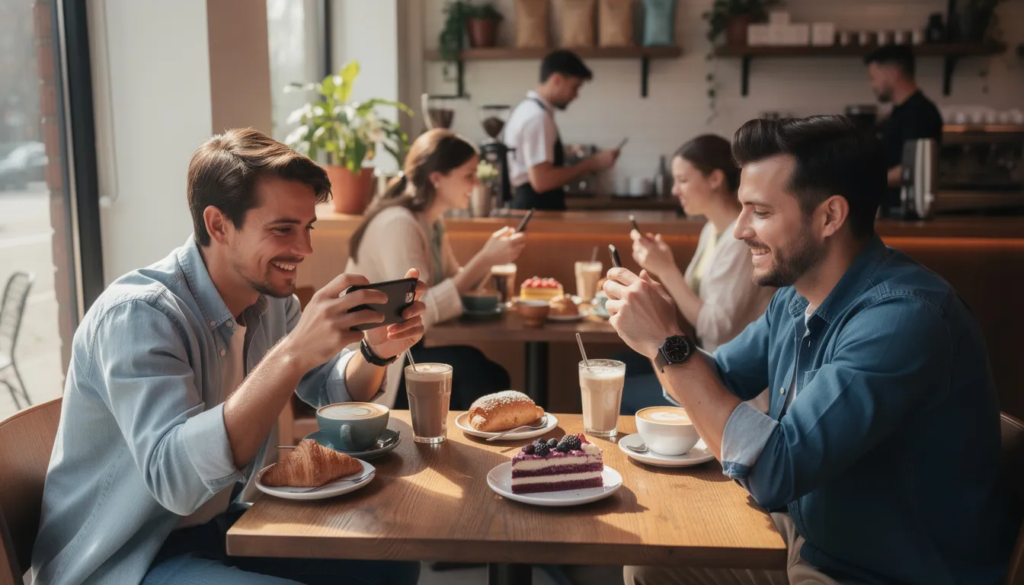
Walk into any thriving independent cafe in 2024, and you’ll notice something beyond the aroma of freshly roasted beans. Cafes today are more than just coffee shops—they are community hubs that use digital signage and nostalgic split-flap displays to engage customers and enhance communication. This article is designed for cafe owners, managers, and coffee enthusiasts interested in how digital signage and split-flap displays are transforming the modern cafe experience. We’ll explore how these technologies help cafes capture attention, deliver targeted messages, and elevate the overall customer experience.
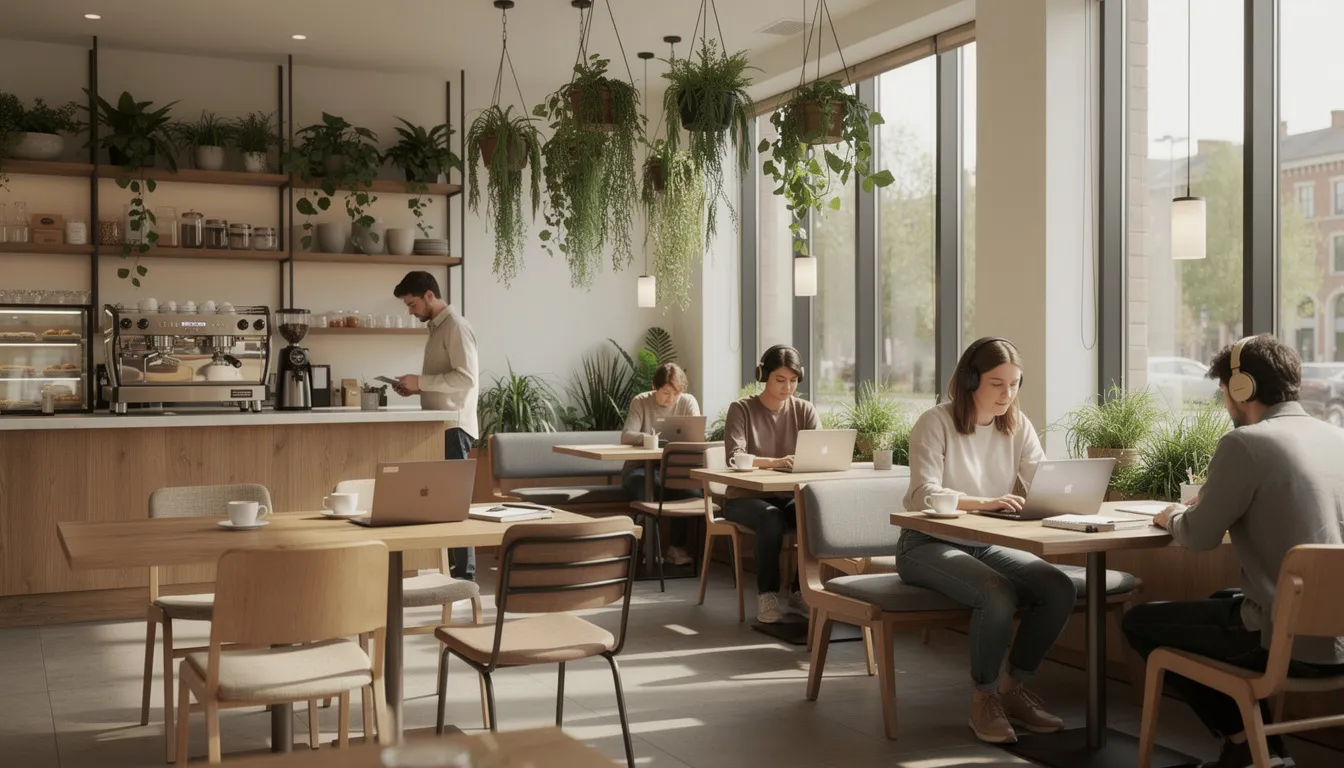
Introduction to Cafes in the 2020s
Cafes have evolved dramatically from simple coffee stops into multifaceted community hubs and visually captivating spaces. By 2024, the best coffee shops serve as third places—somewhere between home and work where locals and visitors alike can find both exceptional beverages and a sense of belonging.
Independent cafes in cities like Portland, Berlin, and Melbourne have pioneered this transformation. Portland’s specialty coffee destinations emphasize direct-trade relationships with farmers and rotating roasters, often featuring exposed brick walls paired with lush plant installations that create Instagram-worthy backdrops. Berlin’s cafe scene integrates bold artistic expressions through vibrant neon signage and local murals that reflect neighborhood character.
Melbourne maintains its status as a global coffee capital with over 2,000 independent cafes, many incorporating biophilic elements like vertical gardens and reclaimed wood to foster a sense of sanctuary amid urban density. These establishments report average customer spends 15-20% higher than chain outlets—a direct result of the immersive environment they create.
This progression aligns with broader 2024 trends where cafes prioritize psychological wellbeing through design. Living walls, natural stone countertops, and abundant natural light aren’t just aesthetic choices—studies link these biophilic elements to 12-25% increases in customer retention as patrons seek respite from digital overload.
The question for cafe owners becomes: how do you deliver dynamic content and clear communication without disrupting that warm ambiance? The answer lies in thoughtful digital signage—and particularly in nostalgic display styles that feel at home in these carefully curated spaces.
Digital Signage in Cafes: The Fast Answer for Owners
Digital signage in a cafe context means using TVs, tablets, or monitors to display rotating content—menus, daily specials, event announcements, and operational updates. Unlike static chalkboards, these digital displays enable real-time content adaptability that can respond to everything from sold-out pastries to fluctuating milk prices. Digital signage solutions often include user-friendly content management systems that simplify the process of creating and managing displays. Digital signage can also integrate with various apps and applications, enabling cafes to showcase dynamic content such as social media feeds and weather updates. This technology is not limited to cafes—restaurants widely use Split-Flap TV digital signage to engage customers and promote offerings.
Here’s the straightforward truth: any cafe with a smart TV or small monitor can start displaying rotating menus, daily specials, and events within 5-10 minutes using free digital signage software like Split-Flap TV. No IT team required. No design skills necessary. These software solutions offer compatibility with multiple operating systems—including Android, Windows, Linux, iOS, webOS, Tizen, ChromeOS, and macOS—giving cafes flexibility in their hardware and software choices.
Consider these concrete 2024 examples:
- A Brooklyn espresso bar installed a 43-inch TV to loop seasonal drinks like pumpkin spice lattes throughout fall. Operator reports indicated an 18% boost in impulse sales—customers who hadn’t planned to order saw the rotating specials and added them to their purchase.
- A Lisbon cafe employed a tablet behind the bar for order-status updates and queue management. During peak hours, wait-time complaints dropped by 30% simply because customers could see where they stood in the process.
Immediate wins for cafe owners:
- Quick price updates when commodity costs spike (like the 10-15% milk price increases in early 2024)
- Instantly hiding sold-out items to minimize customer disappointment
- Highlighting limited-time offers like “daily roaster feature” to drive upsells
- Promoting events without printing new posters
- Displaying operational info like Wi-Fi passwords or pickup instructions
- Access to support services, such as 24/7 customer assistance and technical support for hardware and software
The barrier to entry has dropped significantly. Adoption of digital signage among urban independents surged 40% from 2020-2024, largely driven by post-pandemic demands for contactless information and the accessibility of software solutions that run on hardware most cafes already own. Sponsorships and donations help pay for ongoing development, hardware improvements, and enhanced features, ensuring these services continue to evolve and support the needs of cafes and restaurants.
What Makes a Great Cafe Experience?
A superior cafe experience hinges on harmonizing exceptional coffee quality with atmospheric elements, intuitive service, and unambiguous communication. Get these right, and you create a new place where people want to spend time and money—not just grab a drink and leave.
Coffee Quality
- Single-origin beans with transparent roasting dates and tasting notes
- Precise brewing methods like pour-overs at 92-96°C for optimal extraction
Food Offerings
- Fresh pastries baked on-site using local ingredients
- Light brunch options that complement rather than compete with the coffee focus
Seating and Connectivity
- Ergonomic height-adjustable tables with power outlets for the 40% of daytime patrons using cafes as co-working spaces
- Communal tables for groups
- Quiet zones separated by acoustic panels to manage noise levels below 65 dB
Ambiance and Communication
- Subtle background music at 50-60 dB
- Layered lighting from natural skylights to warm LEDs that creates versatility across dayparts
- Visual aids showing menu zoning, pickup directives, and allergen information
Sidebar: Essentials of a Work-Friendly Cafe
For those seeking a productive environment, the essentials include:
- Reliable, high-speed Wi-Fi
- Comfortable seating
- Accessible power outlets
- Natural lighting
- A balanced, productive atmosphere with appropriate noise levels
During the critical 8-11 a.m. rush, when urban cafes handle 60-70% of daily volume and face peak line congestion, communication becomes especially vital. Visual aids like clear menu zoning and pickup directives cut order errors by 25% and alleviate staff stress.
This is where integrated digital menus deliver real value—they enhance flow without compromising the human-centric vibe that makes a cafe feel welcoming rather than transactional.
From Chalkboards to Screens: Menu Boards in Cafes
For decades, cafes relied on chalkboards and printed posters to communicate their offerings. A barista would spend 15-30 minutes each morning erasing yesterday’s specials and rewriting the day’s menu. It worked, but it was labor-intensive and inflexible.
The shift to TVs and tablets accelerated between 2018-2024, propelled by digital signage software advancements and hardware affordability. Today, a cafe can manage its entire menu system from a phone or computer, pushing updates instantly to as many screens as needed. Many cafes are now combining panels or opting for larger displays to accommodate more complex menus and enhance visibility for customers throughout the space.
Menu Board Organization and Benefits
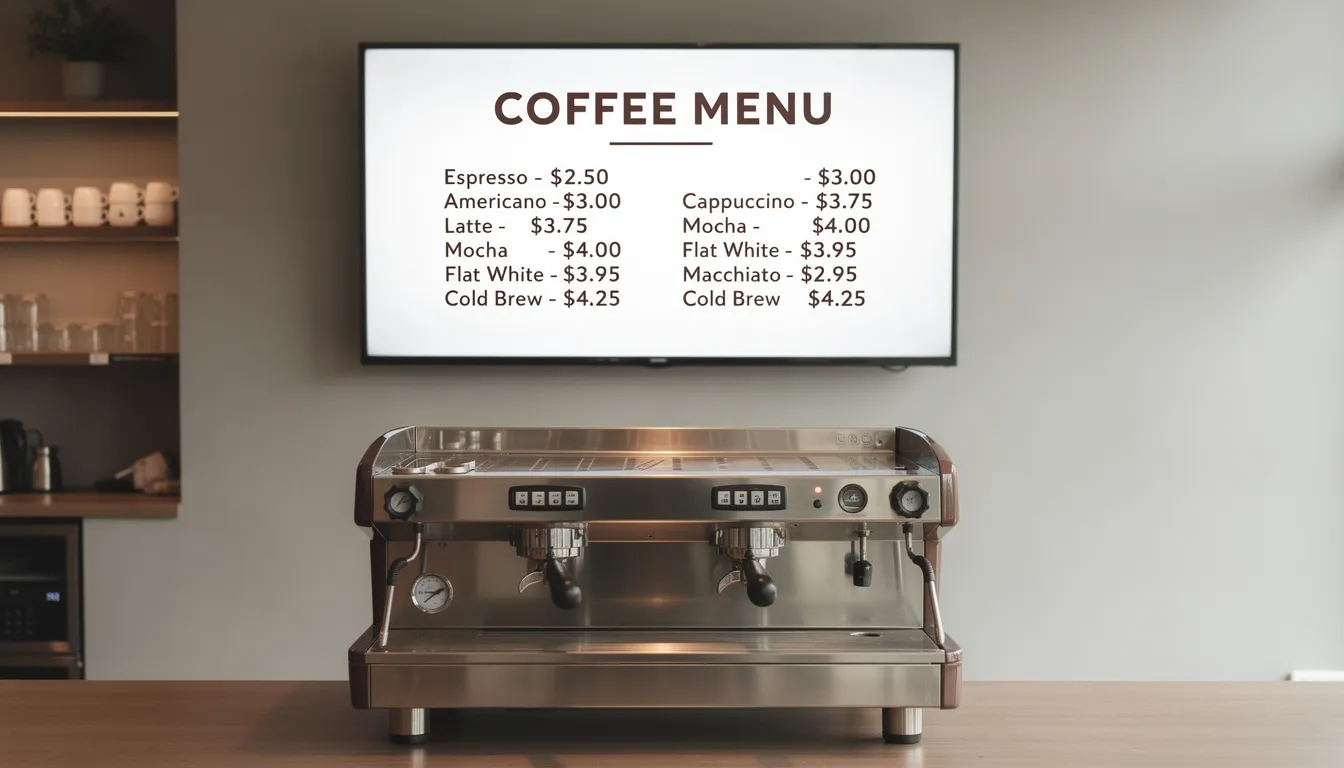
Traditional menu boards typically segment into zones:
- Espresso drinks (lattes, cappuccinos, americanos)
- Filter coffees
- Tea selections
- Cold beverages
- Pastries
- Seasonal or limited-time items
Digital versions maintain this logical organization while enabling hyper-local customization that print simply cannot match.
A 2023 London cafe, for instance, refreshed its TV board every Monday with guest roaster profiles including elevation (like 1,800 masl Ethiopian), processing notes, and cupping scores. The result? A 22% increase in specialty drink sales as customers became curious about the rotating selections.
Practical benefits of digital menu boards:
- Rapid price tweaks: When 2024’s global coffee bean prices jumped 25%, cafes with digital signage adjusted instantly rather than reprinting menus or awkwardly crossing out old prices.
- Sold-out management: Hide items the moment they sell out. No more “sorry, we’re out of that” conversations that frustrate customers and slow down service.
- Time-based promotions: Run offers like “3-5 p.m. iced latte €1 off” that capitalize on afternoon lulls. Data shows 15-20% sales uplift in these windows when promotions are visibly displayed.
- Visibility: Digital displays maintain readability from 3-5 meters away, letting customers read the menu while still in the queue.
The format matters too. Unlike cramped printed menus, screens allow you to control exactly what information appears when—and to match that presentation to your brand aesthetic.
Retro Charm: Split-Flap Style Displays in Cafes
Split-flap displays are known for their nostalgic design, reminiscent of old train station and airport departure boards. They operate by rotating flaps to reveal different characters or messages, creating a visually engaging experience.
Split-flap displays originated in the 1960s as mechanical train station and airport departure boards. Those rotating flaps produced a distinctive clacking sound that generations of travelers associate with anticipation, movement, and a certain elegant efficiency.
Today, that nostalgic aesthetic resonates powerfully in cafes seeking retro charm amid modern minimalism, especially those looking to enhance the coffee experience with digital nostalgia. The look fits seamlessly into vintage-inspired interiors with wooden fixtures, Edison bulbs, and that carefully cultivated “timeless” atmosphere.
Split-Flap TV recreates this iconic look on modern screens—smart TVs, tablets, or media players—without the costly mechanical hardware that traditional units require (often $5,000-$20,000 per install). The software delivers flip animations at 5-15 second intervals, creating a hypnotic, non-distracting effect ideal for spaces between 20-100 m².
Concrete Use Cases for Cafes
- Rotating brew announcements: “NOW BREWING: ETHIOPIA YIRGACHEFFE – FLORAL NOTES, 1,950 MASL” flipping every 8 seconds
- Event teasers: “LATTE ART THROWDOWN – APRIL 18, 2026, 6 P.M.”
- Fresh bakery alerts: “CINNAMON ROLLS FRESH AT 10:15 A.M.”
- Daily specials: “TODAY’S FILTER: COLOMBIA HUILA – WASHED PROCESS”
- Countdowns: “3 DAYS UNTIL SUMMER MENU LAUNCH”
Reports indicate 25% higher engagement with split-flap style displays compared to static boards—patrons linger to watch the flips, absorbing more information while enjoying the visual experience.
Owners can start with a 7-day free trial and run the app on existing hardware: Android TV, Apple TV, Fire TV Stick, or a small media player behind the counter. No special components required. No IT expertise needed.
Designing Split-Flap Screens for Cafe Atmosphere
The key to effective split-flap displays lies in typography, color, and motion speed that feel calm and nostalgic rather than flashy or overwhelming.
Design recommendations:
- Background and text: Use a dark background (deep navy or black) with warm off-white or amber letters to mimic authentic 1960s departure boards. This palette matches wooden interiors and vintage decor naturally.
- Font choice: Sans-serif fonts like those mimicking vintage Helvetica work best. Avoid decorative or overly modern typefaces.
- Motion speed: Slow-motion flips evoke calm and nostalgia. Too-fast animations feel frantic and undermine the retro aesthetic.
- Message count: Limit each screen to 3-6 key messages rotating every 5-15 seconds. Guests can comfortably read them while waiting in line without feeling rushed or overwhelmed.
Example layout for a cafe split-flap display:
|
Row |
Content |
|---|---|
|
Top |
CAFÉ ORBIT – SEATTLE |
|
Middle 1 |
ESPRESSO €3.50 / FLAT WHITE €4.50 |
|
Middle 2 |
TODAY’S FILTER: KENYA NYERI |
|
Middle 3 |
FRESH CROISSANTS – JUST BAKED |
|
Bottom |
9:47 AM – TUESDAY, MAR 18 |
|
This structure provides essential information in a format that feels both efficient and characterful—exactly what the split-flap aesthetic is designed to deliver. |
|
Digital Signage Use Cases in Cafes
Modern cafes deploy screens across multiple locations and purposes, creating a layered communication system that serves different needs throughout the space.
Primary use cases:
- Main counter menu (40-50” TV): Core espresso pricing, filter options, and pastry visuals. Positioned above the ordering point where customers make decisions.
- Sidewall storytelling screen: Origin stories, farm photos, roaster profiles, and staff introductions. This screen deepens engagement without cluttering the ordering process.
- Queue/status display near pickup: Shows “Now making #145 / Ready: #141-144” to streamline 8-11 a.m. rushes and reduce customer anxiety about order status.
- Back-of-house staff monitor: Prep lists like “Restock oat milk: 20 units,” shift notes, and operational reminders that employees can reference without leaving their stations.
- Kiosks as self-service stations: Enable ordering, check-in, or payments, enhancing operational efficiency and providing a seamless experience for customers in high-traffic areas.
Split-Flap TV supports scheduled rotations that blend menus, real-time weather, social follower counts, and event countdowns on a single screen. You control what appears when through an intuitive interface that requires no technical expertise. Networked digital signage systems also enable remote updates, scheduling, and real-time data integration, further enhancing operational efficiency.
The visual language of split-flap displays works particularly well in cafes because it feels intentional rather than commercial. Unlike flashy LED signs that capture attention aggressively, the split-flap aesthetic suggests thoughtfulness and quality—values that align with specialty coffee culture. Digital signage helps cafes capture the attention of diverse audiences, delivering targeted messages and ensuring user engagement throughout the space. Interactive digital signage services enable personalized content and user interaction, improving engagement and operational efficiency. Interactive digital signage also allows customers to engage directly with displays through touch or gestures, further improving the user experience.
Real-Time Info: Weather, Time, and Transit for Guests
Cafes in commuter areas—near train stations, bus stops, or office districts—can enhance the guest experience by displaying real-time information that helps people plan their day.
A Stockholm cafe positioned a small screen by the door using Split-Flap TV’s App Marketplace data widgets to show current time, temperature, and a simple hourly forecast. Morning throughput increased 15% as customers could check weather and transit info while ordering, reducing the back-and-forth of phone checking.
For cafes near transportation hubs, displaying local transit departure times reinforces the split-flap travel aesthetic while providing genuine utility. The display becomes a service rather than just signage.
Optimal placement for information screens:
- Above the exit door where departing customers glance naturally
- Near the sugar station or condiment bar where people pause
- By the window facing outside foot traffic (visible from street)
These widgets position the cafe as a thoughtful hub—a place that anticipates guest needs rather than simply selling coffee.
Promoting Events, Loyalty, and Limited-Time Drinks
Screens eliminate the need for printed posters to advertise events, seasonal drinks, and loyalty programs. Updates happen instantly through the web dashboard, and you can schedule promotions to appear more frequently during off-peak hours when you most need to drive traffic.
Example promotional content:
- “FILTER FLIGHT FRIDAYS – EVERY FRIDAY MAY 2026, €12 FOR 4 ORIGINS”
- “OPEN MIC NIGHT – FIRST THURSDAY MONTHLY, 7 P.M.”
- “SUMMER MENU LAUNCHES IN 3 DAYS”
- “SCAN FOR 10TH COFFEE FREE” with loyalty program information
Split-flap style countdowns build anticipation effectively. The visual of “3 DAYS UNTIL: SUMMER MENU LAUNCH” flipping to “2 DAYS” creates a sense of momentum that static signage cannot replicate.
Industry benchmarks show 20-30% attendance lifts for events promoted through in-cafe digital signage compared to those relying solely on social media or print. Since 65% of cafe revenue stems from regulars, these repeat-visit drivers matter significantly for business sustainability.
Hardware & Setup: Screens That Fit Cafe Spaces
Most cafes already own suitable screens or can add an affordable TV between 32-50 inches for the main menu. A 43-inch 4K model costs between $200-400—a one-time investment that eliminates ongoing print costs and manual update labor.
Typical hardware setups:
|
Location |
Screen Type |
Size |
Purpose |
|---|---|---|---|
|
Above bar |
Smart TV |
40-50” |
Main menu display |
|
Counter facing customers |
Tablet |
10-12” |
Order status, queue info |
|
Near entrance |
Vertical screen |
32-43” |
Specials, events, welcome |
|
Back of house |
Small TV or monitor |
24-32” |
Staff prep lists, notes |
|
Split-Flap TV runs on smart TVs (Android TV, Samsung with browser), Apple TV, Fire TV, and external media players via HDMI, similar to other Split-Flap TV digital signage solutions. This flexibility means you can install the system on devices you already have or choose affordable hardware that fits your space. Support for a wide range of devices and operating systems ensures reliable performance and easy setup, so cafes can focus on their customers instead of troubleshooting. |
|
|
|
Real-world scenario: A 2025 Paris cafe mounted a slim 43-inch TV above the espresso machine, connecting it to a compact $50 media player hidden in a cabinet. Cable conduits kept the installation clean. Power draw stays under 100W, and mounting at 1.8-2.2m eye level optimizes 2-5m viewing distance.
The goal is visibility without domination. In a 50 m² cafe, one or two well-placed screens communicate efficiently without overwhelming the cozy environment you’ve worked to create.
Getting Started in Under 10 Minutes with Split-Flap TV
The setup process is genuinely simple, especially if you follow a guide on getting started with Split-Flap TV. Here’s the step-by-step flow:
- Pick your display: Use any in-house TV or buy a 32-43” screen. Most modern smart TVs work directly; older TVs connect via a media player.
- Install the app: Download Split-Flap TV from your device’s app store, or open the web player in a browser.
- Start the trial: Log in, begin the 7-day free trial, and enter the pairing code shown on your screen.
- Choose a template: Select a cafe menu template from the dashboard. Type in your drinks, prices, and specials.
- Set your rotation: Configure basic rotation (e.g., menu 60%, weather 20%, events 20%) and hit “publish.”
This entire process can realistically be completed before opening hours on a weekday morning. No IT team. No design expertise. No complicated integrations, especially when you follow a step-by-step guide to set up Split-Flap TV.
The dashboard provides previews that mimic exactly what will appear on your display, so you can test and adjust before going live. The content management system handles scheduling, updates, and multi-screen coordination from one central location.
Digital Signage Software for Cafes: Managing Content with Ease
Digital signage software has become something of a quiet revolution for modern cafes—a delightful tool that transforms the everyday ritual of menu updates into moments of creative expression. There’s something almost magical about how these solutions work, especially the free digital signage options that welcome even the smallest neighborhood coffee shops into this world of dynamic displays. The interfaces feel wonderfully intuitive, almost inviting—anyone on your team can craft beautiful menus, share heartwarming specials, or announce community events with just a few gentle clicks. No technical wizardry required, just the simple joy of bringing your cafe’s personality to life.
What strikes visitors most about quality digital signage software is how effortlessly it weaves together multiple locations into one harmonious experience. Whether you’re nurturing a single beloved neighborhood gathering place or tending to a growing family of cafes, there’s something deeply satisfying about orchestrating every screen from one central command center. This thoughtful design lets you honor each location’s unique character—celebrating local farmers markets here, highlighting neighborhood art shows there—while maintaining that authentic thread that connects your entire digital signage network.
Dynamic content possesses this wonderful ability to catch the eye and warm the heart of both first-time visitors and cherished regulars. Digital signage brings your displays to life with vibrant imagery that seems to breathe, real-time messages that feel genuinely present, and engaging stories that keep your space feeling fresh throughout the day’s natural rhythm. The software itself becomes a trusted companion—helping you craft new content with care, schedule it for those perfect moments, and share updates across your screens with the kind of seamless grace that lets your communication truly reflect the soul of your cafe.
Ultimately, digital signage software offers cafes something truly precious—the ability to create experiences that feel both effortlessly smooth and genuinely engaging. By making content management feel less like work and more like creative expression, it frees your team to focus on what brings the deepest satisfaction: brewing exceptional coffee and creating those warm, welcoming moments that turn strangers into neighbors and neighbors into friends.
Digital vs Print in Cafes: When to Use Each
Digital signage and print each have their place in cafe operations. Understanding when to use each helps you communicate effectively without unnecessary cost or complexity.
When to Use Digital Signage
Digital excels at items that change frequently:
- Single-origin beans that rotate weekly
- Limited pastries that sell out mid-morning
- Dynamic pricing during supply fluctuations
- Events, seasonal promotions, and time-based offers
When to Use Print
Print works well for stable brand elements:
- Logo menus at tables
- Loyalty cards
- Permanent signage (restroom directions, Wi-Fi passwords)
- Takeaway packaging
A New Orleans cafe exemplifies this hybrid approach: they retained a large chalkboard for core espresso menu items that rarely change, but added a split-flap style screen for rotating single-origin filters and morning/afternoon promos. Labor dropped by 2 hours daily—no more erasing and rewriting—while sold-out items disappeared from the digital display instantly.
The operational benefits compound over time. Fewer reprints (saving $50-100/month), fewer “out-of-stock” errors (down 40% in cafes using digital), and faster response to market conditions all contribute to a more efficient operation.
Cost and Scalability for Small vs Growing Cafes
For independent cafes, a single-screen setup with an existing TV plus a Split-Flap TV subscription represents an accessible entry point. The Economy tier suits single-screen, single-location operations without requiring significant capital investment.
The real advantage emerges at scale. Multi-location cafe groups can add more screens and manage all of them from one online dashboard. Each location can display location-specific items while maintaining brand consistency across the digital signage network.
Example scenario: A 3-location chain in Austin uses 2 screens per store (menu + community/events), similar to many of the best Split-Flap TV installations in the community. All six screens sync through the same dashboard, but each location displays its own address, hours, and location-specific events. The central marketing team controls brand elements while store managers handle daily specials.
This scalability comes without per-reprint fees that accumulate to $1,200/year or more for growing operations. Predictable monthly subscription costs replace variable print expenses, making budgeting straightforward.
Storytelling and Brand Building on Cafe Screens
Guests increasingly care about origin, sustainability, and the people behind their coffee—not just drink names and prices. Studies show 75% of 2024 millennials prioritize origin transparency when choosing where to spend their money on food and beverages.
Origin Stories and Barista Highlights
Dedicating one split-flap style layout to “Origin Stories” deepens this connection. The display flips through information like:
- “HUILA, COLOMBIA – 1,800 MASL, ANAEROBIC FERMENTED”
- “ROASTED MARCH 3, 2026 – PEAK FRESHNESS”
- “TASTING NOTES: DARK CHERRY, CACAO, CITRUS”
- “DIRECT TRADE – FINCA EL PARAÍSO”
A rotating “Meet the Barista” sequence humanizes the experience:
- “ANNA – LOVES HAND-BREWED KENYAN”
- “RUNS A LOCAL CYCLING CLUB”
- “ASK HER ABOUT POUR-OVER TECHNIQUES”
These storytelling loops work best during slower afternoon hours when order speed matters less than engagement. Cafes with such features report 18% higher repeat rates—customers feel connected to the people and products, not just the caffeine.
Schedule morning content for fast, clear ordering information. Save the storytelling for afternoon and evening hours when patrons have time to explore and connect.
Integrating Social Media and Live Counters
Live Instagram follower counts or hashtag mentions encourage guests to tag posts, generating free user-generated marketing. Studies show 60% of viral cafe posts come from customer-created content—your screens can prompt this behavior directly.
Example implementation: A Toronto cafe displays “@CAFENORTH: 4,213 Followers” that updates in real time via Split-Flap TV’s social counter widget. Below it: “TAG #CAFENORTH FOR A CHANCE TO WIN A FREE FLAT WHITE ON FRIDAYS.”
The key is placement. Social counters belong on secondary screens—near seating areas or by the exit—not on the main ordering menu. You want to inspire sharing without cluttering the decision process that happens at the counter.
Live counters create a sense of community momentum. Watching the follower count tick upward reinforces that this is a place worth visiting and talking about.
Best Practices for Cafe Digital Signage Content
Keep content simple, legible, and aligned with your cafe’s brand tone—whether that’s minimalist, playful, or retro. The screen should feel like a natural extension of your space, not an intrusion.
Content Guidelines
- Use concise drink names and prices on the main board. Avoid long descriptions; details can rotate on secondary slides or appear on printed table menus.
- Stick to 1-2 brand fonts and a consistent color palette across screens, cups, and paper menus. Visual consistency builds recognition.
- Test content readability at 2-5 meters during actual service hours. Adjust font sizes (aim for 72-120pt for key items) or contrast ratios (target >4.5:1) as needed.
- Keep text blocks short. “Flat White €4.50” communicates more efficiently than “Our signature flat white made with double ristretto and silky microfoam, €4.50.”
- Match your brand personality. Minimalist urban spots use clean lines and limited color. Neighborhood cafes can be more playful with language and imagery.
- Rotate content to maintain interest. Static displays become invisible over time; gentle animation keeps eyes engaged.
The goal is communication that helps rather than overwhelms. Every element on screen should serve a purpose—whether that’s informing, entertaining, or reinforcing your brand identity.
Scheduling Content by Time of Day and Day of Week
Split-Flap TV’s scheduling feature lets you show different content based on when your cafe operates and who’s visiting.
Content schedule template:
|
Time Block |
Content Focus |
|---|---|
|
Weekday 7-11 a.m. |
Full coffee menu, grab-and-go breakfast items, quick service messaging |
|
Weekday 11 a.m.-3 p.m. |
Lunch items, iced drinks, workspace rules (Wi-Fi password, time limits) |
|
Weekday 3-6 p.m. |
Afternoon pick-me-ups, happy hour promos, evening event teasers |
|
Evenings |
Events, music nights, merchandise, take-home beans |
|
Weekends |
Brunch specials, relaxed atmosphere messaging, community events |
Schedules set once in the dashboard run automatically, with ad-hoc overrides available when special situations arise. This automation means 90% of updates happen without manual intervention—the system handles timing while you focus on making great coffee.
Data shows timed relevance boosts sales 12-15%. Showing iced drinks prominently at 2 p.m. on a hot day converts better than displaying the same content at 8 a.m. when customers want hot espresso.
How Split-Flap TV Fits Different Types of Cafes
Split-Flap TV adapts to vastly different environments, from tiny corner shops to hotel lobbies, and even inspires split-flap displays in modern homes. The same dashboard and design system scale to match your specific needs.
Mini Case Studies
Tiny neighborhood cafe (20 m²):
- A single 32-inch screen above the counter displays the rotating menu, current time, and local weather. The owner manages everything from a phone, updating specials during morning prep. Cost is minimal; impact on customer communication is significant.
Third-wave roastery cafe:
- Dedicates one board to “Roast Schedule: Ethiopia Wed, Colombia Fri” so customers know when to return for their favorite origins. A second screen shows tasting notes and origin stories that reinforce the roastery’s expertise and transparency.
Hotel lobby cafe:
- Uses the board to show opening hours, breakfast cut-off times (critical for hotel guests), and loyalty program perks. The split-flap aesthetic fits the upscale travel-oriented environment while providing practical information.
Airport kiosk:
- Employs split-flap style to echo the main departure boards visible throughout the terminal. The visual consistency creates comfort for travelers while the digital menu handles rapid updates for sold-out items and price adjustments. Kiosks in these high-traffic environments serve as self-service stations for ordering and accessing information, enhancing operational efficiency and user engagement.
All these organizations control their displays through the same online dashboard offered by the Split-Flap TV communication platform. The difference lies in subscription tier and feature utilization—not in fundamental system architecture.
Choosing the Right Subscription Tier for Your Cafe
Split-Flap TV offers tiered plans that match different operational scales:
- Economy: Best for single-screen, single-location cafes. Covers basic scheduling and content rotation—everything a small independent needs to get started.
- Business: Suits multi-screen or multi-zone layouts. Adds features like social counters, advanced scheduling, and team access for organizations with multiple employees managing content.
- Cockpit: Fits multi-site operators needing centralized control across multiple locations. Includes advanced integrations and management tools for companies running three or more cafe sites.
The 7-day free trial lets you explore features before committing. Start simple, understand which capabilities you actually use, then upgrade as your operation grows. Moving between tiers isn’t a heavy IT project—it’s a natural evolution as your business expands.
Most single-location cafes find Economy sufficient. Growing businesses appreciate Business tier’s flexibility. Regional chains rely on Cockpit for consistent brand presentation across all their public spaces.
Plan content around before, during, and after the order
A simple way to choose what goes on screen is to follow a customer through the visit. Ask what people need before they order, what they might add while ordering, and what they should know once they have paid. Then build the content around those three moments.
- Before ordering: menu categories, the day’s specials, and queue guidance such as where to order.
- During ordering: pairings, limited-time drinks, and availability notes, including sold-out items.
- After ordering: pickup instructions, Wi-Fi details, upcoming events, and short brand messages.
Upselling works best when it feels like a recommendation. Add a croissant, try the house cold brew, pair today’s soup with focaccia: prompts like these make the next choice easier instead of pushing. Seasonal lines should be specific too. “Lemon poppyseed loaf is back” or “Iced strawberry matcha this week only” gives people something to want, while “Fall favorites” says very little. Change the featured item or page order regularly, because a message left unchanged for weeks stops being noticed.
If you run more than one screen, give each a different job. One board can carry the main menu while another handles specials and service updates. When every screen repeats the same thing, the setup looks less considered.
Decide who updates the board
Remote updates only help if someone actually makes them. Some cafes keep publishing with the owner. In others, shift leads need access because they are the ones who know in real time what has sold out or when the kitchen is closing early. A practical split is for owners or managers to handle recurring schedules, hours, and event promotion, while staff on site post immediate service notices.
What matters most is clarity. Agree on who owns daily updates, which kinds of announcements are allowed, and how short messages should be. If everyone assumes someone else changed the board, nobody changed it.
A few habits keep a remotely managed board useful:
- Use it every day, not just in emergencies. A board that only changes when something goes wrong becomes a problem screen.
- Write signs, not emails. “Kitchen closes at 3” and “Pumpkin loaf sold out” work. Full sentences with background context do not get read at the register.
- Watch the clock. A message that is right at 8 AM may be wrong by 1 PM. Schedule the predictable changes and save live edits for real surprises.
- Post operational notes quickly. If the espresso machine is down, one clear line on the board saves staff repeating the same apology to every guest.
Running a tap list or evening drinks board
Cafes that also serve beer can use the same board as a tap list. Keep each line short and consistent, with the style, the name, and the strength, for example “IPA – CITRUS STORM – 6.5%”. When a keg runs out or a new one goes on, update it from the app so customers can see what is pouring without asking.
Adjustable rows and columns let the board fit however many taps you have, and multiple pages can rotate through the full list or upcoming specials. Line colors can mark beer styles such as lagers, IPAs, and stouts, so regulars find their usual at a glance. Between listings, add a short fact about a brew, a note about a local collaboration, or an upcoming beer event. The optional flip sound helps draw attention whenever the list changes.
Conclusion: Future of Cafes and Visual Communication
Cafes today are defined as much by the experience they create as the coffee they serve. The interplay of taste, atmosphere, and information shapes how customers feel—and whether they return.
Digital signage and split-flap style displays give cafes a practical way to keep information accurate, highlight what matters, and add nostalgic charm that resonates with the carefully curated environments specialty coffee shops work to create. The technology is no longer expensive or complex; it’s accessible to any business with a screen and an internet connection.
Start small. One screen with a simple menu and time widget transforms customer communication immediately. Layer in storytelling, events, and social counters over time as you see what resonates with your specific audience.
Ready to see how it works? Try Split-Flap TV’s 7-day free trial on any existing screen. Setup takes under 10 minutes. No credit card required. Discover how quickly the right display can transform your cafe’s communication—and why that distinctive flip animation feels right at home next to your espresso machine.