
Menu Chaos Ends With Smart Scheduling
February 28, 2026 · Captain
The rush hits at 11:58. Someone asks if breakfast is still on. Another person points at the pastry case and wants the price that changed yesterday. Meanwhile, the printed menu on the counter is two versions behind and the bar chalkboard is half-smudged from last night’s cleanup.
This is exactly where a digital menu board with scheduling earns its keep. Not because it looks futuristic, but because it removes tiny, repetitive decisions from your day and replaces them with rules. Breakfast shows until 11:00. Lunch takes over at 11:01. Happy hour appears at 4:00 and disappears at 6:00. If you run multiple locations or just have multiple people touching the same menu, those rules become the difference between “mostly accurate” and actually reliable.
What scheduling really means on a digital menu board
A digital menu board is the screen part – the visual menu customers read. Scheduling is the control layer that decides what the screen shows and when. The best way to think about it is dayparting plus automation, but it goes further than breakfast/lunch/dinner.
Scheduling can handle predictable shifts (weekday vs weekend menus), rotating messages (daily specials, limited quantities), and operational info (hours, Wi‑Fi, event calendars). It can also manage emergencies and exceptions, but that’s where trade-offs show up. If your schedule is too rigid, staff will work around it. If it’s too loose, you’ll be back to “someone forgot to change the board.”
A good scheduling setup makes your display behave like a dependable teammate: always on time, never distracted, and never calling out sick.
Why this matters beyond “looking nice”
Restaurants and customer-facing spaces don’t lose money only through big mistakes. They bleed through micro-confusion.
When a menu item lingers on screen after it’s sold out, you get a disappointed customer and a longer line. When happy hour signage stays up after the cutoff, you get awkward conversations at the register. When a price changes but the display doesn’t, your staff becomes the bad guy.
Scheduling reduces those moments. It also reduces the invisible labor of signage maintenance: reprinting, taping, erasing, rewriting, and explaining. And it improves brand consistency. A clean, intentional display says “we’re organized,” even before a customer tastes anything.
The core building blocks of a schedule that actually works
Most scheduling failures aren’t technical. They’re planning failures. You can avoid them by designing your schedule around how your business actually runs.
Dayparts: the obvious win
Dayparts are your primary menu blocks: breakfast, lunch, dinner, late night. If you have a cafe that flips from pastries to sandwiches, or a bar that flips from cocktails to events, dayparts give you an automatic “right message at the right hour” baseline.
The key decision is whether your dayparts are time-based, inventory-based, or both. Time-based is simplest. Inventory-based requires someone to trigger changes, which can be worth it if you sell out often and need accuracy more than automation.
Weekly patterns: where the real time savings live
Weekends are rarely the same as weekdays. Maybe brunch only runs Saturday and Sunday. Maybe Monday is a reduced menu. Maybe Thursday night needs a callout for trivia.
Your schedule should reflect that reality, otherwise you’ll constantly override it manually. The best schedules aren’t complex. They’re honest.
Exceptions and overrides: the “rainstorm” plan
Even the cleanest weekly schedule will break on holidays, private events, or unexpected closures. That’s why you want an override method that’s fast and reversible.
If an override takes more than a minute or two, it won’t get used. If it’s hard to undo, people will leave it on and forget. Scheduling is only powerful when it’s easier than improvising.
Use cases that feel small but change everything
Scheduling isn’t just for menus. The highest-value setups treat the screen as a living front-of-house assistant.
A cafe can schedule: morning pastry grid, mid-day sandwich feature, afternoon “order ahead” prompt, and an end-of-day message that subtly manages expectations (“Kitchen closes at 7:30”). A bar can schedule: pre-game specials, happy hour pricing, and a late-night simplified menu that keeps the line moving.
Boutique hotels can schedule lobby info: breakfast hours early, local tips mid-day, event reminders in the evening, and quiet-hours messaging overnight. Offices can schedule a rotating internal board: meeting room reminders in the morning, visitor notices mid-day, and after-hours security info at night.
The pattern is the same: when information changes predictably, stop relying on memory.
Designing the content so scheduling doesn’t look robotic
A scheduled menu board can still feel warm, intentional, even theatrical. The goal is not to turn your space into a spreadsheet.
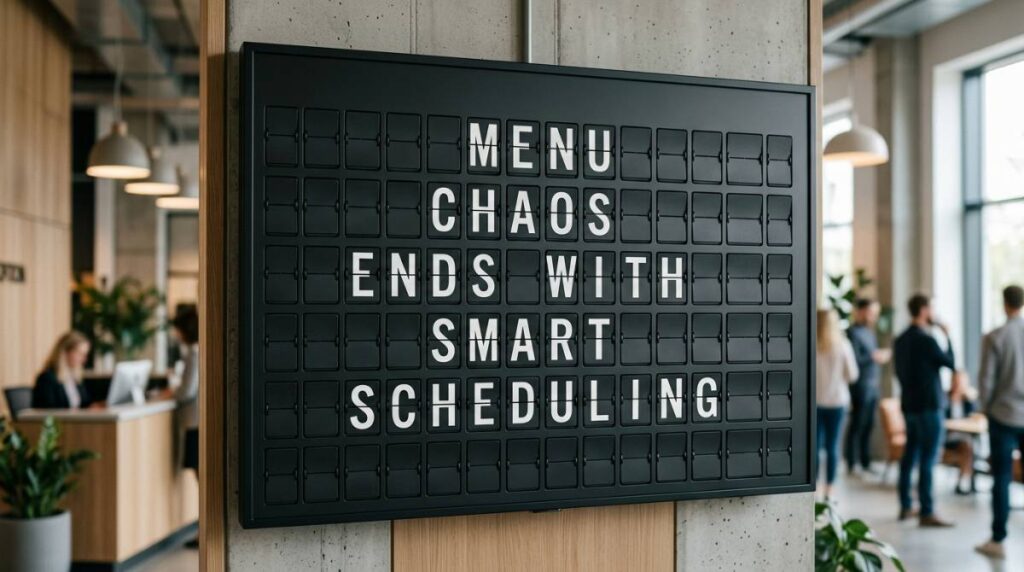
If your display system supports a split-flap style, you get a built-in advantage: the movement itself signals change. That little moment of click-clack transition is not just nostalgia. It’s a visual cue that says “this is current.” People notice it, and they trust it.
You can lean into that by treating each scheduled change like a scene change. Morning can be bright and minimal. Evening can be moodier, with fewer items and stronger emphasis. The best part is that it’s controlled by schedule, not by someone remembering to swap signs during a rush.
Setup approach: get to ‘set it and forget it’ without losing flexibility
Most teams overthink the first build. A better approach is to launch with a simple schedule that covers 80% of your week, then add refinements once you see what customers ask and what staff repeats.
Start with two or three dayparts. Add a weekend variation if needed. Then layer in one rotating space for timely messages: a daily special, limited quantity item, or quick operational note. If you try to schedule every possible scenario from day one, you’ll spend more time managing the schedule than benefiting from it.
Also decide who owns the schedule. If it belongs to “everyone,” it belongs to no one. You want one responsible person and a clear backup. The rest of the team should be able to request changes, but not all teams need edit access.
Trade-offs: when scheduling can backfire
Scheduling is powerful, but it’s not magic.
If your offerings change constantly based on supplier availability, a rigid schedule can display items you can’t deliver. In that case, you either need a more flexible system with quick edits, or you need to schedule only the stable part of your menu and leave the volatile part in a smaller, easily editable area.
If you rely heavily on handwritten charm, there’s a real risk of losing personality if you replace everything with screens. The fix isn’t to avoid digital. It’s to keep the personality in the design: typography, tone of voice, and intentional motion. A screen can feel handcrafted if you treat it like a design surface, not a default template.
And if your staff is already stretched thin, any system that requires constant babysitting will be resented. Scheduling should reduce touchpoints, not add them. If you find yourself adjusting the schedule daily, your structure is off.
What to look for in a digital menu board with scheduling
Not all scheduling is created equal. Some systems let you schedule only playlists. Others let you schedule individual elements. The difference matters when you want the price area to change at a different time than the hero item, or when you want a specific page to appear only during one hour.
You also want scheduling that is easy to preview. If you can’t see what Tuesday at 5:30 will look like, you’ll make mistakes. And you want control from anywhere. The point is to stop driving to the location just to fix a sign.
For teams that care about aesthetic as much as operations, the display style matters too. A split-flap aesthetic is instantly legible from across a room, and it turns menu changes into a moment customers notice. That’s the sweet spot: practical control, plus a look that feels like a brand asset.
If you’re exploring that direction, Split Flap TV offers cloud-managed displays that combine the classic split-flap feel with scheduling controls in an app, so your content changes on time without the daily scramble: https://splitflaptv.com.
Build Your Schedule Around Customer Questions
The most effective screen schedules start with the questions people ask repeatedly. If staff answer the same thing ten times a shift, whether breakfast is still on, when the kitchen closes, what the Wi-Fi password is, that answer probably belongs on the board at the time people ask it.
Map what a guest should see at each point in the day, beginning with the moments where wrong information causes friction rather than every message you could possibly show. For most venues that means four kinds of pages:
- An opening message: a welcome and today’s hours before service starts.
- Core service menus: breakfast or brunch, lunch, dinner, each in its own window.
- Transition pages: for example, an afternoon page listing the baked goods still available and the closing time.
- A closing message: last-call timing or tomorrow’s hours.
Give each page one job. Then separate what is scheduled from what stays editable. Menus by daypart, recurring specials, weekly events, and regular hours are predictable and belong in the schedule. A sold-out dish, an unexpected closure, a one-night event, or a staff note is variable and should be a quick live edit. Keeping the two apart stops a temporary change from turning into a permanent mistake.
Finally, test it the way a customer would. Stand where guests stand. Can they read the text from the line? Does the screen switch before people start asking for the next menu? Are the most important words visible in the first few seconds? A schedule can be technically correct and still poorly timed to the room.
Pacing, Sound, and Color on a Scheduled Split-Flap Board
Classic split-flap boards were built for clarity: brief, orderly, direct. Keep that language when you schedule content. Use strong labels, clean prices where relevant, and a consistent order from page to page, with enough breathing room in each row. If a screen rotates several pages, make the timing predictable rather than frantic, so customers feel they can catch what they need instead of waiting through a lottery of messages.
Flip sound is a choice, not a default. In a lively lobby or hospitality venue, the click-clack is part of the experience. In a quiet boutique hotel hallway or a focused office, visual motion without sound may be the better call.
Color can reinforce your brand, but contrast must win. A dark board with crisp light lettering carries the classic station-board mood well, while a brighter palette can suit playful cafés and retail spaces as long as the text stays easy to read.
The real payoff: fewer questions, faster lines, calmer shifts
When scheduling is dialed in, you notice it in small ways first. Staff stops answering the same “Is brunch still going?” question. Customers decide faster because the menu is clear and current. New hires rely on the screen instead of guessing. And you stop feeling that low-grade anxiety that your signage is lying to people.
Here’s a useful way to sanity-check your setup: if a customer walked in at any random time this week, would the screen be correct without anyone touching it? If the answer is yes, you’ve built a schedule. If the answer is “usually,” you’ve built a reminder.
The best digital menu boards don’t just display information. They keep a promise: what you see is what you can order, right now. Build your schedule around that promise, and your space gets quieter in the best possible way.