
What Lobby Message Board Software Should Do
April 26, 2026 · Captain
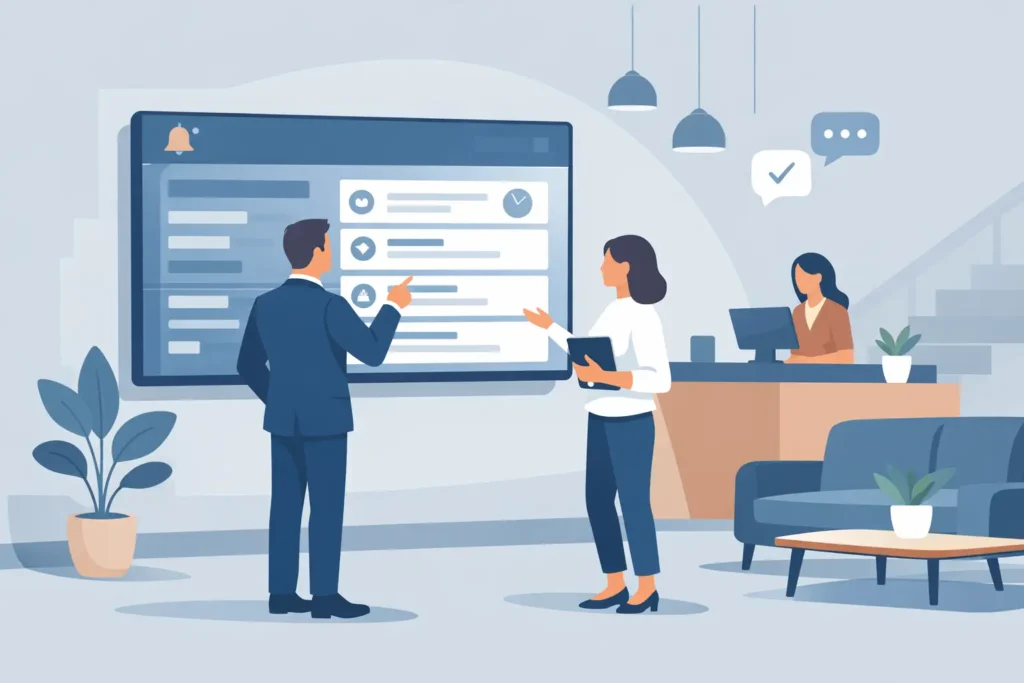
The front desk gets asked the same questions all day. Wi-Fi password. Check-out time. Event start. Elevator status. Happy hour. A good lobby message board software setup answers those questions before staff have to, and it does it without turning your space into a wall of generic screens.
That distinction matters. In a hotel lobby, office entrance, restaurant host stand, or residential building, the display is not just a utility. It becomes part of the room. If it looks cheap, cluttered, or overly animated, people feel it right away. If it feels intentional, readable, and well-timed, it quietly improves the whole experience.
For businesses that want both function and atmosphere, this is where the right software makes the difference. Not because it needs more features for the sake of features, but because it needs the right kind of control. The best systems help you keep messages current, make updates in seconds, and present information in a way people actually notice.
What lobby message board software is really for
At its core, lobby message board software manages public-facing information in a shared space. That sounds simple, but the real job is more specific. It has to reduce friction for guests, visitors, and customers while reducing repetitive work for staff.
A lobby board might display welcome messages, schedules, building notices, daily specials, amenity reminders, directions, or branded announcements. In some spaces, it rotates through multiple pages. In others, it stays focused on one essential message at a time. The software needs to support both approaches without becoming complicated.
This is where many buyers make the wrong call. They shop for a huge digital signage platform when what they actually need is a cleaner, text-first communication tool for a high-traffic area. If your lobby communication is mostly about hours, names, updates, events, and quick announcements, clarity beats visual overload every time.
Why the display style matters as much as the software
A lobby is an emotional space as much as a functional one. It forms a first impression. That is why display style cannot be treated as an afterthought.
The split-flap format has a special advantage here. People recognize it instantly, even if they cannot name it. It carries that familiar transit-board rhythm and the unmistakable click-clack energy of public information done with ceremony. On modern screens, that look can be revived without the maintenance burden of mechanical boards, while still giving businesses something far more memorable than a standard slide deck.
That does not mean every lobby should look nostalgic for nostalgia’s sake. It means a retro text board can feel refined, premium, and highly intentional when it is used well. In boutiques, hospitality spaces, bars, offices, and design-conscious retail, that style often fits better than bright promotional graphics. It reads as confident rather than noisy.
The best lobby message board software keeps updates simple
If updating the board takes too many steps, it will stop being accurate. That is the rule.
Busy teams do not need another system that requires AV knowledge, manual file exports, or constant troubleshooting. They need to change a message from a phone, tablet, or laptop, publish it quickly, and move on with the day. If a brunch special changes at 10:45, if a conference room moves, or if a lobby event starts late, the software should make that correction easy.
Simple editing matters more than flashy controls. So does scheduling. A lot of lobby content is predictable: weekday hours, recurring amenities, building notices, event welcomes, and seasonal messaging. Software that lets you schedule these in advance saves time and lowers the chance of outdated information lingering on-screen.
Cloud-based control is especially useful for operators managing more than one location or for owners who are not always on-site. You can keep the message current without running back to a front desk computer.
Features worth caring about in lobby message board software
The practical question is not, “How many features does it have?” It is, “Will these features make the board easier to run and better to read?”
Layout control is one of the biggest ones. A lobby board should not force every space into the same template. Some businesses need a large single headline. Others need multiple rows for schedules, directories, or quick notices. The ability to control rows, columns, pacing, and page rotation helps the display fit the room instead of fighting it.
Readability is another. Text-first boards live or die by spacing, timing, and contrast. If messages flip too fast, people miss them. If too much information sits on-screen at once, they tune out. Good software gives you enough control to keep things legible from a distance.
Content sources also matter, but this depends on your use case. Some businesses only need manual messaging. Others want live feeds, calendar-based content, or recurring content blocks. More integration is not always better. What matters is choosing the setup that matches how your team already works.
Then there is sound. In a split-flap-style display, optional click-clack audio can add personality and theater. In the right setting, it turns a practical sign into a small moment people remember. In other settings, especially quieter offices or more formal lobbies, silence may be the better choice. Good software should let you decide.
Where lobby boards deliver the most value
Hotels are an obvious fit. A well-run board can greet group arrivals, display event names, clarify amenities, and reduce the stream of repeated front desk questions. It also adds character in a way standard screens often do not.
Office buildings and coworking spaces benefit for a different reason. Visitors need quick orientation. Tenants need timely updates. A message board near reception can handle guest welcomes, room bookings, building notices, and directional prompts without visual clutter.
Restaurants and bars can use lobby-style boards at the host stand or entrance to show waitlist notes, specials, private event information, and service updates. In these settings, the split-flap look feels especially natural because it adds atmosphere while staying practical.
Boutique retail and mixed-use spaces often use message boards more sparingly, which can be even more effective. A simple rotating set of announcements, hours, launches, or brand messages can feel elegant when the format is restrained.
What to avoid when choosing a system
One common mistake is choosing software that was built for every screen in every scenario. That can sound safer at first, but it often creates more complexity than a lobby actually needs. If your team only wants to update concise text-based messages, a bloated system becomes another chore.
Another mistake is treating the board like an ad slot. Lobbies work best when communication feels useful first. Promotion can have a place, but if every screen is selling, people stop trusting it as a source of real information.
It is also worth avoiding designs that chase attention with constant motion. The split-flap effect already has movement and personality built in. It does not need extra visual noise layered on top. Restraint usually makes the board feel more premium.
A better standard for lobby communication
The best lobby message board software does two jobs at once. It keeps operations tidy behind the scenes, and it improves the feel of the space out front.
That balance is why text-led split-flap signage has such lasting appeal. It communicates with discipline. It gives announcements a sense of occasion. And when managed through a modern app, it solves a very current problem: how to keep public information accurate without adding work or compromising design.
For businesses that are tired of taped notices, handwritten boards, or generic screens that fade into the background, there is a better middle ground. A system like Split Flap TV brings that classic board presence into a modern workflow, letting teams update content instantly while keeping the display distinctive, elegant, and easy to live with.
If your lobby needs to inform people quickly and leave a stronger impression while doing it, the right board software should feel less like a tech purchase and more like a design decision that finally earns its keep.