
POS for Coffee Shop: The Complete 2026 Guide
April 20, 2026 · Kurt Dupont
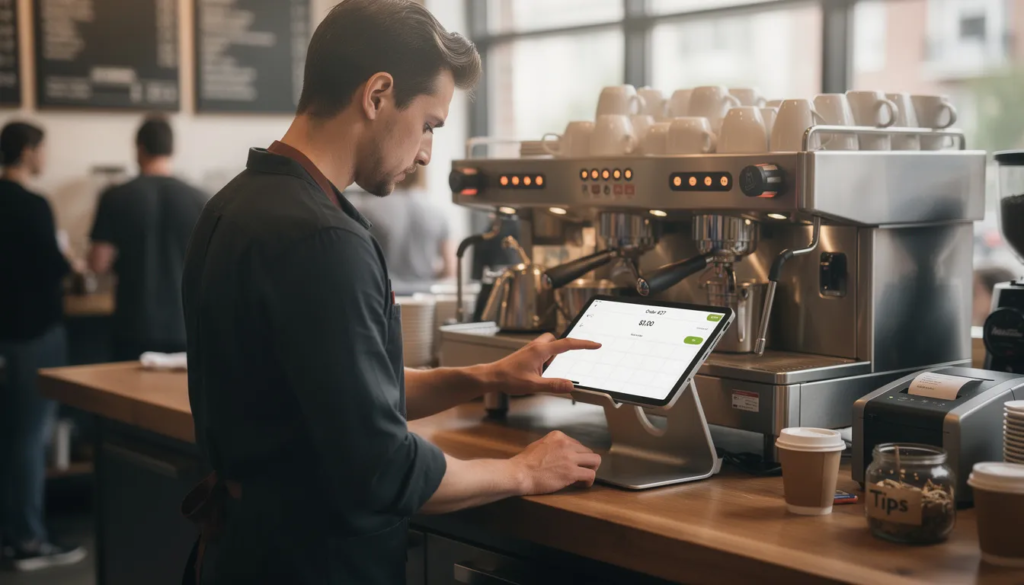
Choosing the right POS for coffee shop operations can mean the difference between a chaotic morning rush and a smooth, profitable service. An all-in-one solution can simplify operations for cafe owners by integrating sales, inventory, and customer management into a single, easy-to-use platform. This guide breaks down everything cafe owners need to know about selecting, implementing, and optimizing a comprehensive POS system for their coffee shop in 2026—from handling complex drink modifiers to integrating split-flap TV displays that keep your customers informed and your baristas focused.
The morning coffee rush doesn’t have to feel chaotic
It’s 7:47 a.m. on a Wednesday, and the line at your downtown coffee bar already stretches past the door. A modern coffee shop pos system transforms this scene from stressful to seamless—processing mobile payments, routing drink orders to the bar, and displaying queue status on a split-flap TV-style board that tells customers exactly when their oat milk latte will be ready.
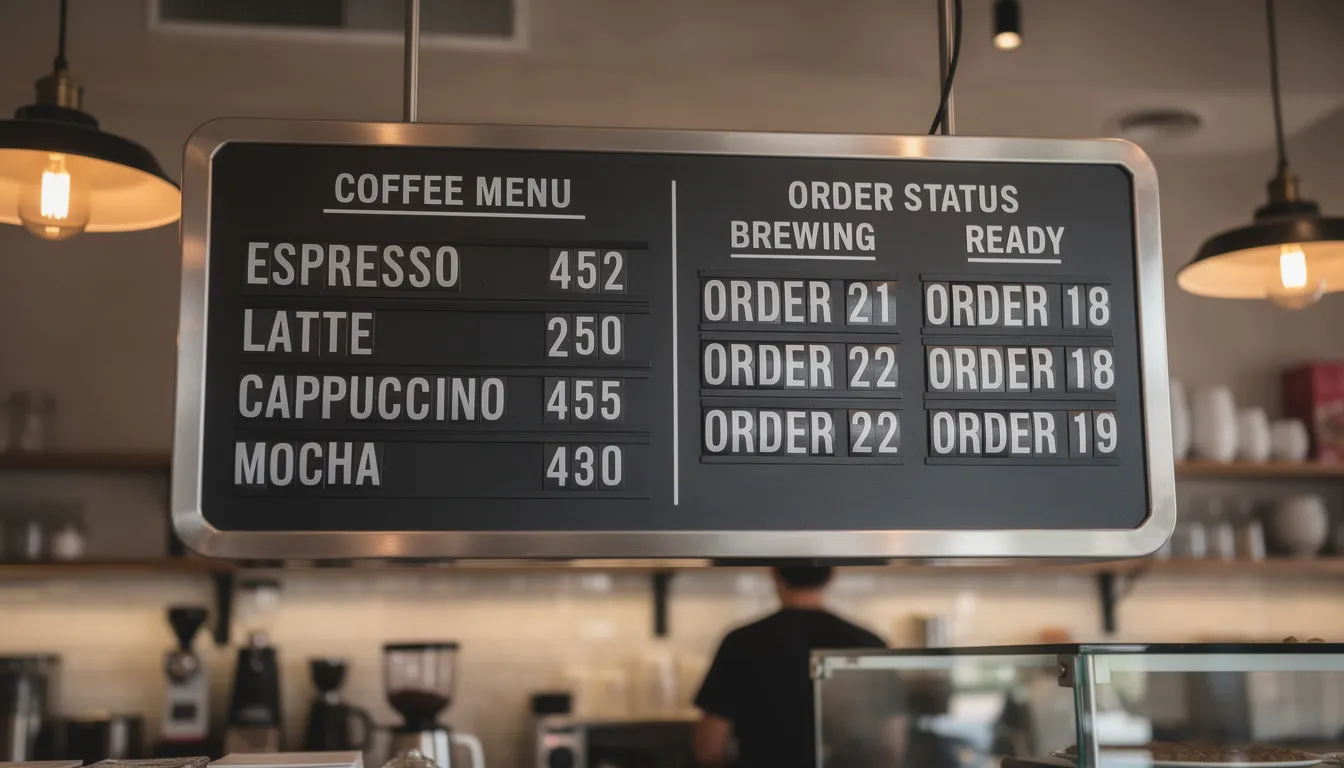
Picture this: a customer walks in, taps their phone to pay before reaching the counter, and watches the split-flap display flip to show “Order 147 – Now Brewing.” They grab a seat, glance up two minutes later, and see their order move to “Ready for Pickup.” No shouted names. No crowding at the handoff station. Just efficient flow during peak hours that would have overwhelmed a traditional setup. A robust POS system designed for food service environments ensures uninterrupted order processing even during the busiest times, keeping operations smooth for both staff and customers.
This matters because coffee drinks are complex. A double ristretto, half caf, extra hot, with oat milk and one pump of vanilla isn’t just a mouthful to say—it’s a recipe for errors without the right point of sale infrastructure. The best pos system for coffee translates that order into clear instructions on the kitchen display system, ensuring your barista pulls exactly two ristretto shots, steams the oat milk to 180°F, and adds precisely one pump of vanilla. No miscommunication, no remakes.
The immediate benefits stack up fast. Loyal customers who used to budget 8 minutes for their morning ritual now get in and out in under 3 minutes. Baristas spend less time asking clarifying questions and more time crafting drinks. And those 10-15 seconds saved per transaction? Over 250 weekday orders, that’s enough extra capacity to serve 15-20 more customers before the morning rush ends. Modern POS systems can also take payments offline, so even if internet service is down during the morning rush, transactions can continue without disruption.
“I used to dread Mondays,” one café owner told me about life before upgrading her cafe pos software. “Now they’re actually our most profitable mornings because the system just handles everything.”
What is a POS system for a coffee shop, really?
A coffee shop pos system is the command center that links ordering, payments, production, and pickup for cafes and espresso bars. Think of it as the operational heartbeat—processing transactions while simultaneously managing inventory, routing orders to baristas, tracking customer loyalty, and feeding you the business insights you need to make smart decisions.
In 2026, even a 500 square foot micro-coffee kiosk relies on integrated pos to manage online ordering, pickup shelves, and walk-up traffic simultaneously. The hardware and software have evolved dramatically since legacy cash registers, and understanding what’s actually included helps you make better buying decisions.
Core components of a modern cafe pos system:
-
- Touchscreen terminal or iPad pos – The primary interface where orders are entered, payments processed, and customer data captured
-
- Receipt printer and label printer – For customer receipts and drink labels that travel with cups to the bar
-
- Kitchen display system (KDS) – Screens at the bar showing incoming orders with all drink modifiers clearly displayed
-
- Split-flap TV or digital menu board – Customer-facing displays showing menus, prices, and real-time order status
-
- Payment terminal – Card readers supporting tap, chip, swipe, and mobile payments
-
- Cloud software – The backend connecting everything, accessible from anywhere, syncing data across multiple locations
-
- Handheld devices – Tablets for line-busting during busy periods or table service in café-style setups
The difference between generic retail POS and a cafe pos designed for coffee is significant. Retail systems optimize for scanning barcodes and handling returns. Coffee-focused systems prioritize drink modifiers, tipping workflows, rapid order entry, and the kind of line-busting handhelds that let you take orders before customers even reach the counter. Similarly, a bakery pos system shares many of these needs, such as speed, accuracy, and menu management, making them well-suited for both bakeries and coffee shops.
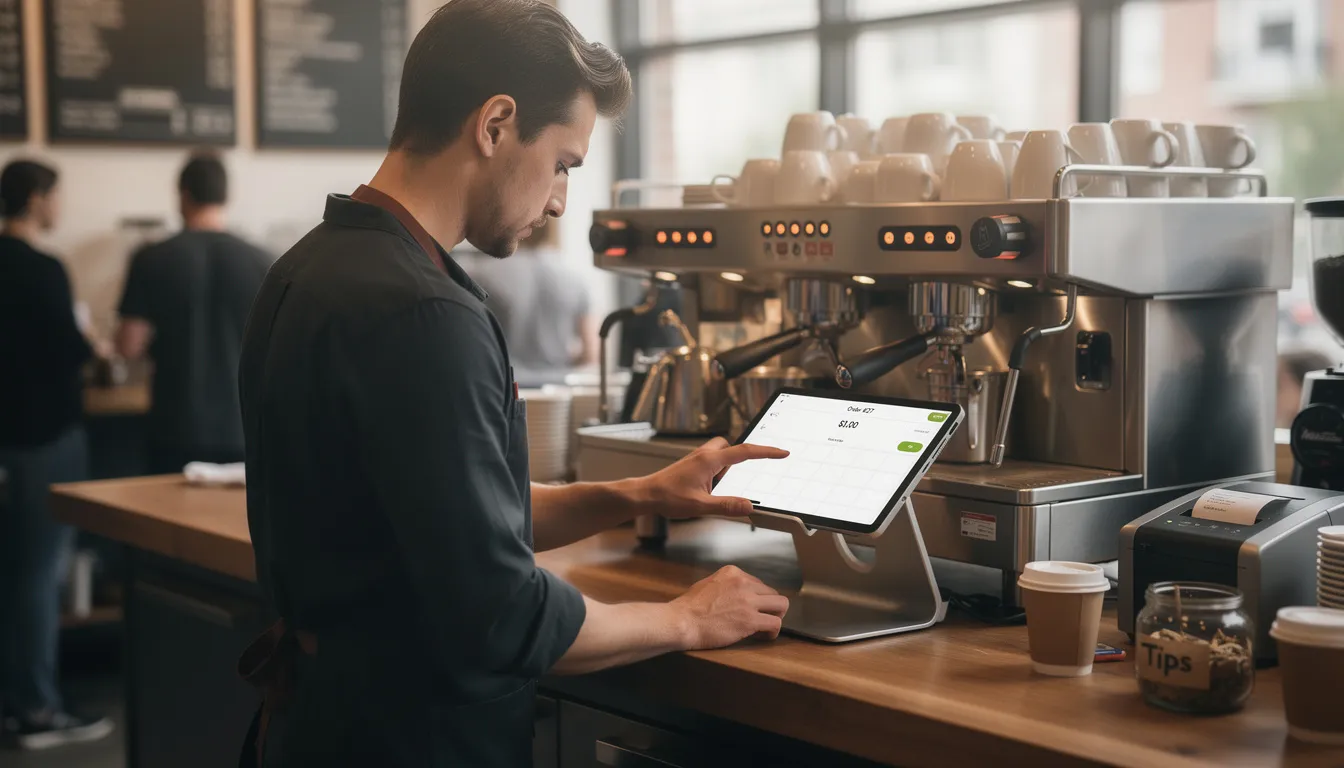
Cafes, like restaurants, need to track inventory closely to manage costs and ensure product availability.
How a POS system helps coffee shops run smarter every day
A busy coffee shop serves different crowds throughout the day: morning commuters grabbing espresso shots on their way to work, mid-day laptop warriors nursing cold brews for hours, and weekend brunch crowds lingering over cortados and pastries. Your pos system needs to support all of these patterns while giving you the data to optimize each one.
The main value pillars of a well-implemented coffee shop pos break down into speed, accuracy, customer loyalty, inventory control, and staff efficiency. These aren’t abstract benefits—they translate directly into faster lines, fewer wasted drinks, more repeat visits, lower food costs, and happier employees who can focus on crafting great coffee instead of wrestling with clunky technology.
Consider how a single pos dashboard can synchronize orders from Uber Eats, your branded mobile ordering app, in-store kiosks, and walk-up customers. Without integration, you’d have three or four separate tablets cluttering your counter, each requiring manual entry into your main system. With the right cafe pos software, everything flows through one interface, one inventory count, one reporting suite.
Take the example of a small independent shop that opened in late 2023 with a basic tablet setup. Within 18 months, their pos data showed clear demand patterns: cold brew outselling drip coffee 3:1 in summer, oat milk accounting for 40% of all milk usage, and Tuesdays consistently underperforming other weekdays. Armed with this data, they launched a “Double Points Tuesday” campaign, adjusted their cold brew batching schedule, and renegotiated their oat milk contract based on documented volume. By early 2025, they’d opened a second location—confident in their numbers because the pos system had been tracking everything from day one.
Fast order entry for long lines and busy queues
During the morning rush, speed is everything. A good coffee shop pos lets baristas tap common drink builds in under 2 seconds—a 12 oz latte appears with standard shot count and milk type pre-selected, requiring only a “send to bar” tap to complete.
Workflow optimizations that keep lines moving:
-
- Pre-built drink templates for your top 10 sellers (hot 12 oz latte, iced 16 oz cold brew, etc.) with default modifiers applied
-
- Handheld ordering at the door during peak hours, so customers are already in the queue before reaching the counter
-
- Customer-facing screens confirming orders in real time, reducing “wait, did you get that?” conversations
-
- Split-flap TV displays showing “Now Brewing” and “Ready for Pickup” so customers self-manage their wait
Consider the math: your busiest window is 7:00-9:00 a.m. on weekdays. Shaving 10 seconds off each transaction across 180 orders means 30 extra minutes of capacity—enough to serve another 25-30 customers without adding staff.
Clean menu layouts matter too. Organize by drink category—espresso, filter, cold, tea, pastries—so new hires can navigate confidently after just one training shift. When a customer orders a “medium vanilla latte,” your barista shouldn’t be hunting through nested menus to find the right button.
Custom modifiers and menu flexibility for every drink build
Coffee shops in 2026 need deep modifier logic. Customers expect to customize milk types, espresso shots, syrups, sweetness levels, temperature, and decaf options—and they expect it without slowing down the line.
Structured modifier groups that work:
| Category | Examples | Default Setting |
|---|---|---|
| Milk & Alt Milk | Whole, 2%, Oat, Almond, Soy, Coconut | Whole (editable) |
| Espresso Shots | Single, Double, Triple, Decaf, Half Caf | Double for medium |
| Sweetness & Flavors | Vanilla, Caramel, Hazelnut, Sugar-Free | None |
| Temperature | Hot, Iced, Extra Hot, Light Ice | Based on drink |
| Toppings & Extras | Whipped Cream, Chocolate Drizzle | None |
| Seasonal specials should be easy to add and archive. When fall 2026 brings your pumpkin spice lineup, you shouldn’t need to rebuild your entire pos layout—just create the seasonal menu, set start and end dates, and let the system handle activation and removal automatically. |
The impact on order accuracy is substantial. Clear instructions appear on KDS screens and split-flap TV status boards: “Iced Oat Vanilla Latte – Extra Shot – Light Ice.” Baristas know exactly what to make. Customers see their customizations confirmed. Remakes drop, and customer satisfaction climbs.
Pro tip: keep modifier names short and scannable. “OF Oat” reads faster than “Oatly Oat Milk Full Fat” when you’re processing 200 drinks before 9 a.m. Consider color-coding in the UI—green for hot, blue for iced, orange for decaf—to help baristas process orders at a glance.
Loyalty programs, subscriptions, and regulars
Customer loyalty programs built into your cafe pos track visits, drink preferences, and total spend using phone numbers or QR codes. This isn’t just about rewarding repeat customers—it’s about understanding who they are and what they want.
The 2025-2026 trend toward coffee subscription passes has changed what pos systems need to handle. Fixed-price plans offering one drink per day require the pos to validate subscriptions at the register, track redemptions, and prevent double-dipping—all without adding friction to checkout.
Loyalty capabilities to look for:
-
- Points-based rewards (e.g., 1 point per dollar, free drink at 50 points)
-
- Visit-based rewards (e.g., 10th drink free)
-
- Birthday offers automatically triggered by customer profile
-
- Bonus points campaigns for slow periods (“Double points before 8 a.m.”)
-
- Integration with email or SMS for targeted promotions
Pos-powered campaigns can get surprisingly targeted. Identify your “drip coffee regulars” and send them a promo for alternative milks. Find customers who always order pastries on weekends and offer them a weekday pastry discount to boost slower days.
Some shops create a “Regulars Board” on their split-flap TV—pulling data from pos loyalty profiles to display fun milestones. “Congratulations Jess – 100 visits!” or “Marcus just unlocked Gold status!” It’s a small touch that makes loyal customers feel recognized and encourages others to sign up, and you can achieve a similar effect using modern split-flap display alternatives that run on standard screens.
A three-location café chain in Portland implemented visit-based loyalty in early 2025 and saw average visit frequency increase from 2.1 to 2.8 times per week within six months. Their pos data confirmed the program was working—and showed exactly which rewards drove the most redemptions.
Real-time inventory and waste control
Inventory management through your coffee shop pos tracks every component: espresso beans, drip roasts, alternative milks, syrups, cups, lids, and bakery items. Each closed order automatically depletes stock, giving you accurate counts without manual tracking.
Auto-depletion logic works like this: a 12 oz latte subtracts one double shot (roughly 18g of espresso) and 8 oz of milk. A 16 oz subtracts the same shot count but 12 oz of milk. Over hundreds of drinks, this precision helps you forecast weekly bean and milk orders with real confidence.
Concrete inventory workflow example:
Your pos shows oat milk inventory at 6 cartons Friday evening. Based on recent Saturday volumes, the system flags this as below par level and sends an alert: “Oat Milk below weekend threshold – current: 6, recommended: 12.” You have time to run to the supplier or adjust your Saturday prep.
Waste tracking catches the drinks you had to remake and the pastries that expired before selling. Modern cafe pos software lets you log reasons—customer complaint, barista error, expired product—so weekly reports reveal patterns. Maybe your chocolate croissants consistently expire on Tuesdays because Monday’s batch is too large. Adjust prep volumes, and track inventory more accurately to reduce waste by measurable percentages.
The key is building standard recipes into your pos. If the system doesn’t know that a large mocha uses 2 oz of chocolate sauce, it can’t track chocolate inventory accurately. Take the setup time to configure precise measurements—grams of beans, milliliters of milk, pumps of syrup—and your reporting stays useful.
Sales reports and shift-ready insights
Modern coffee pos systems provide detailed reporting that goes far beyond daily totals. You can see best-selling drinks, busiest 30-minute windows, average ticket size, and which drink modifiers customers actually pay extra for.
Reports worth checking regularly:
| Frequency | What to Review | Why It Matters |
|---|---|---|
| Daily | Sales vs. yesterday, top 5 drinks, voids/refunds | Spot immediate issues |
| Weekly | Busiest windows, modifier popularity, waste logs | Adjust staffing and prep |
| Monthly | Revenue trends, loyalty program metrics, inventory costs | Strategic planning |
| Quarterly | Year-over-year comparison, seasonal patterns | Pricing and menu decisions |
| Compare Monday vs. Friday performance. Compare weekday mornings to weekend afternoons. Look at Q1 2025 against Q1 2026 to understand whether your pricing changes or new menu items actually moved the needle. |
Some shops display live KPIs on a split-flap TV or screen in the back of house: orders in queue, drinks ready, sales today vs. yesterday at the same time. It keeps the team focused and creates friendly competition between shifts, using the same attention-grabbing principles that make Split-Flap TV business signage so effective in airports and retail stores.
For accountants, export detailed CSVs with transaction-level data. For managers doing in-store planning, visual dashboards showing peak periods and sales performance make more sense than spreadsheets.
Staff management, tips, and training
Your pos can handle team management beyond just transactions. Track clock-ins and clock-outs, assign roles (barista, cashier, supervisor), and calculate sales per labor hour for each shift to understand true labor costs.
Tip distribution setup varies by shop. Some use pooled tips split evenly, others weight by hours worked, and some do individual tips by transaction. Your pos should support your preferred model and make distribution transparent to the team—building trust and reducing disputes.
Training advantages of a well-designed pos:
-
- Labeled buttons with drink names and icons reduce memorization burden
-
- Simplified flows let new hires in 2026 become productive within one or two training days
-
- Test mode allows practice without affecting real sales data
-
- Built-in prompts guide order entry and reduce errors during the learning curve
Consider shift dashboards that display target ticket times—say, average order completion under 90 seconds—and track actual performance. It’s not about pressure; it’s about giving teams clear goals and celebrating when they hit them. Post results on an in-store screen and watch baristas start optimizing their own workflows.
Time tracking tied to pos login also simplifies payroll. When Sarah clocks in at 6:55 a.m. and out at 2:03 p.m., the system knows her hours precisely, reducing manual timesheet corrections.
Key features to look for in a coffee shop POS
Not every pos fits the rapid-fire, modifier-heavy pace of coffee shops. Systems designed primarily for retail or full-service restaurants often feel clunky when you’re trying to ring up a “triple-shot iced oat vanilla latte, light ice, no whip” in under 5 seconds.
Core feature categories to evaluate:
-
- Speed-focused UI with minimal taps for common orders
-
- Deep modifier management for milk, shots, flavors, temperature
-
- Built in loyalty tracking and customer profiles
-
- Reporting and advanced analytics for sales and inventory
-
- Inventory management with real-time depletion
-
- Online ordering integration with your website and apps
-
- Reliable hardware that survives daily café environments
When evaluating systems, test during simulated rushes—not quiet demos. Ask the salesperson to role-play 15 rapid-fire orders while you watch the screen. If the workflow feels slow or confusing during a demo, imagine how it feels at 8:15 a.m. on a Monday.
The following sections examine each key feature in more depth with specific coffee examples.
Speed, simplicity, and ease of use
For 2026, expect concrete speed benchmarks: under 3 taps for your top 10 drinks, and under 5 seconds to start and complete a basic transaction. Anything slower creates bottlenecks during peak hours.
User friendly interface characteristics:
-
- Large buttons organized by drink sizes and temperatures (Hot 12 oz, Iced 16 oz)
-
- Color-coded sections for espresso, cold brew, tea, food
-
- Clear “send to bar” and “pay” steps without nested menus
-
- Consistent layouts across main counter terminal, ipad pos, and handheld devices
Test the system with new staff, not just experienced users. Time how long it takes a first-timer to ring up a complex drink—something like “16 oz iced oat mocha with sugar-free vanilla and light ice”—without errors. If they can do it confidently after 10 minutes of training, the interface is doing its job.
Avoid systems that bury common actions behind multiple screens. If adding an extra shot requires three taps instead of one, you’ll feel it during every rush.
Menu architecture and modifier logic
Structure your menu in the pos by drink families: espresso-based, batch brew, cold brew, teas, seasonal specials. Each family should have modifiers grouped logically beneath it.
Effective menu structure example:
Espresso Drinks
├── Latte (Hot/Iced)
│   └── Modifiers: Size, Milk, Shots, Flavor, Temperature
├── Cappuccino
├── Americano
├── Mocha
└── Seasonal (Pumpkin Spice, Peppermint)

Cold Drinks
├── Cold Brew
├── Iced Coffee
├── Refreshers
└── Blended

Food
├── Pastries
├── Breakfast Sandwiches
└── Grab & Go
Use default builds whenever possible. A medium latte should auto-populate with two shots and whole milk—the barista only edits when the customer requests oat milk or an extra shot. Building every drink from scratch wastes precious seconds.
Support special menus like limited-time collaborations (a 2026 local roaster feature month) with pre-programmed start and end dates. When the promotion ends, the items automatically disappear from the menu without manual intervention.
Ensure back-of-house and front-of-house see identical terminology. If the cashier taps “Med Vanilla Oat Latte,” the KDS ticket and split-flap TV order label should display the same words—not a confusing abbreviation or code.
Loyalty, marketing, and customer data
Must-have loyalty functions connect directly to customer profiles in your pos:
-
- Visit-based rewards (10th drink free)
-
- Points per dollar (100 points = $5 reward)
-
- Birthday offers triggered automatically
-
- Free drink milestones tied to the register
The pos should capture emails or phone numbers at checkout without slowing the line. A simple “Phone number for rewards?” prompt that takes 3 seconds keeps things moving while building your customer data.
Sample marketing calendar built from pos reports:
| Month | Campaign | Target Segment | Offer |
|---|---|---|---|
| January | New Year Reset | Lapsed customers (no visit in 30+ days) | Free drip coffee on return visit |
| March | Spring Cold Brew Launch | Previous cold brew purchasers | Double points on any cold drink |
| July 2026 | Summer Pastry Push | Morning coffee-only customers | Free pastry with any cold brew |
| October | Fall Seasonal Launch | All loyalty members | Early access to pumpkin spice menu |
| December | Holiday Gifting | High spenders ($100+/month) | Bonus gift card with purchase |
| Use pos data to identify segments: “daily drip” regulars who come every weekday morning vs. “weekend treat” customers who visit Saturday afternoons for fancy lattes. Market to each differently based on their customer behavior. |
Mobile, online ordering, and pickup workflows
Modern coffee shops need ordering from multiple channels: website, mobile ordering app, QR code on tables, and traditional walk-in. Your pos must consolidate all channels into one queue.
Sample online order flow:
-
- Customer places order via mobile at 8:05 a.m.
-
- Order appears on barista’s KDS within 3 seconds
-
- Split-flap TV in pickup area shows “Order 241 – Brewing”
-
- Customer arrives at 8:12 a.m., sees their order flip to “Ready”
-
- Customer grabs drink from labeled pickup shelf
Throttling matters during extreme rushes. The best cafe pos software lets you limit simultaneous online tickets—say, maximum 15 mobile orders per 15-minute window during peak hours—to avoid overwhelming the bar while walk-in customers stack up.
Ensure the system automatically separates “for here” vs “to go” vs “delivery” on both KDS tickets and printed labels. A local delivery order needs different packaging than a dine-in cortado, and baristas shouldn’t have to guess.
Inventory, costing, and supplier management
Build recipes into your pos with precise measurements: 18g espresso per shot, 8 oz milk for a small latte, 12 oz for a large. This precision calculates per-drink cost and gross margin automatically.
Weekly inventory routine:
-
- Monday morning: Review bean usage vs. sales (are you over-dosing shots?)
-
- Tuesday: Check milk and pastry sell-through rates
-
- Wednesday: Generate reorder list for weekend stock
-
- Thursday: Submit purchase orders to suppliers
-
- Friday: Receive deliveries and update pos inventory counts
Use quarterly pos data to negotiate supplier contracts. If your Q2 2026 volume shows 200 lbs of espresso monthly, you have leverage to request volume pricing from your roaster. Same for alternative milks, cups, and syrups.
Even single-location coffee bars benefit from basic low-stock alerts, purchase order exports, and wastage logging. You don’t need enterprise-level features to track your 5 lb espresso bags and 2L syrup bottles accurately.
Security, offline mode, and reliability
Critical security standards for 2026 include PCI-DSS compliance for payment processing, encrypted transactions (SSL/TLS), and role-based access that limits who can comp items, change pricing, or access sales reporting.
Offline mode example:
Your café loses Wi-Fi at 8:30 a.m. on a Thursday—peak rush. With proper offline mode, the pos continues processing card payments locally, queuing transactions until connectivity returns. When Wi-Fi restores 30 minutes later, everything syncs automatically. No lost sales, no angry customers.
Require separate staff logins or PINs for accountability. When someone voids a transaction or applies a discount, you should see exactly who did it and when. This isn’t about distrust—it’s about tracking errors and preventing fraud.
Plan for hardware redundancy: at least one backup tablet and a battery-powered mobile hotspot. If your main terminal dies, you shouldn’t be dead in the water during your busiest hour.
Popular POS options coffee shop owners consider in 2026
Coffee shops in 2026 typically evaluate well-known systems like Square, Toast POS, Lightspeed Restaurant, Clover, and niche cafe-focused tools. Each has strengths depending on your shop’s size, complexity, and growth plans.
The goal isn’t to crown one winner—it’s to help you map your specific needs to common solution types. A single-counter micro-kiosk has different requirements than a 10-location regional chain with a roastery and wholesale arm.
When possible, run time-limited pilots (30-60 days) before committing to hardware contracts. Most providers offer trial periods or month-to-month options initially. Use this time to stress-test during actual rushes, not just quiet afternoons.
For small coffee bars and kiosks
Typical profile: single counter, 2-4 baristas per shift, limited back-of-house space, monthly revenue under $60k, opened between 2021-2025 with modest budgets.
Why tablet-based pos works best here:
-
- Single ipad pos with compact receipt printer and card reader
-
- Optional split-flap TV or basic display for menu and status
-
- Low monthly software fees ($0-$79/month range)
-
- Simple DIY menu editing for seasonal specials
-
- Quick onboarding for new hires without extensive training
Focus on core features: speed, basic loyalty tools, mobile payments, and simple reporting. You don’t need complex operations management or enterprise multi location management controls. Prioritize flexible hardware options that let you start lean and add equipment as revenue grows, and consider affordable split-flap boards for cafés if you want eye-catching digital signage without a huge upfront investment.
Setup time for small shops typically runs 3-5 days for a basic configuration—faster if you’re just doing espresso drinks and pastries without elaborate modifier structures.
For multi-location cafés and roasteries
Brands with 3-15 locations—possibly including a roastery—need centralized menu management and consolidated sales reporting. Leadership should see all locations from a single dashboard without logging into separate systems.
Multi-location requirements:
-
- Central price and recipe control with optional local specials
-
- Role-based permissions (regional managers vs store-level staff)
-
- Synchronized split-flap TV menu designs across all stores
-
- Consolidated inventory tracking and purchasing
-
- API availability for custom integrations
Different store formats (flagship café, grab-and-go satellite, coffee truck for events) may need different pos configurations while sharing the same backend. Evaluate how easily the system adapts to varied setups.
Scalability matters here. Adding location #6 shouldn’t require rebuilding everything from scratch. Look for systems designed for growth, not just single-store simplicity.
For hybrid coffee + retail concepts
Cafes that also sell whole-bean bags, brewing gear, mugs, apparel, and local goods need features beyond quick-service coffee pos.
Hybrid requirements checklist:
-
- Barcoded inventory and SKU-level tracking
-
- Purchase orders, returns, and stock counts
-
- eCommerce sync for online store integration
-
- Bakery pos features for weighted items and display-case products
-
- Both quick-service drink workflow and slower retail checkout capability
Consider a roastery café that launched an online store in early 2025. Their pos syncs inventory between the physical location and website—when someone buys the last bag of Ethiopian single-origin online, it immediately shows “sold out” in-store. The same system powers a split-flap TV section that rotates featured retail items alongside the drink menu.
For high-volume drive-thru coffee shops
Drive-thru operations prioritize speed at the window, clear order confirmation, and accurate communication from outside ordering stations to baristas inside.
For drive-thru lanes, pairing your pos with customizable split-flap TV for bars and cafés gives you flexible, highly visible confirmation screens that reinforce orders and highlight promos without slowing service.
Drive-thru workflow essentials:
-
- Headset integration with pos order entry
-
- Order confirmation screens visible to drivers
-
- Tickets tagged with car position (first, second, third in line)
-
- Timed drive-thru metrics (average seconds per car)
-
- Small split-flap or digital display after order post confirming customizations
Effective kitchen operations are critical for drive-thru coffee shops. A pos for coffee shop that integrates with kitchen management tools can help coordinate orders between the front and back of house, improving service speed and workflow efficiency.
The pos should report daily on drive-thru times, identifying when slowdowns occur and which drink types take longest. If your “16 oz iced caramel latte” consistently adds 20 seconds vs. a simple drip coffee, you have data to consider menu simplification or additional staffing during rushes.
A display after the order speaker reassures customers: “Your order: Medium Iced Oat Latte, Extra Shot, Light Ice – $6.25.” Fewer window corrections mean faster throughput.
Designing your coffee shop around the POS and split-flap TV
Layout matters. Where your pos sits determines customer flow. Where your displays hang determines how customers understand what’s available and when their order is ready.
Split-flap TV-style displays have emerged as both a design statement and a functional communication tool. The retro aesthetic—mechanical flip-letters updated digitally—creates visual and auditory interest while serving genuine operational purposes, especially when you use a modern Split-Flap TV digital display that mimics the classic boards found in train stations and airports.
Recommended positioning:
-
- Pos terminals at the entrance flow, where customers naturally queue
-
- Split-flap menu display above or beside the bar, visible from the ordering line
-
- Second split-flap or screen near pickup showing “In Progress” vs “Ready”
-
- KDS screens positioned for barista sight lines, not customer viewing
When pos data feeds these displays, you reduce shouted names and counter crowding. Customers self-manage their wait, checking the board instead of hovering and asking “Is my drink ready yet?”
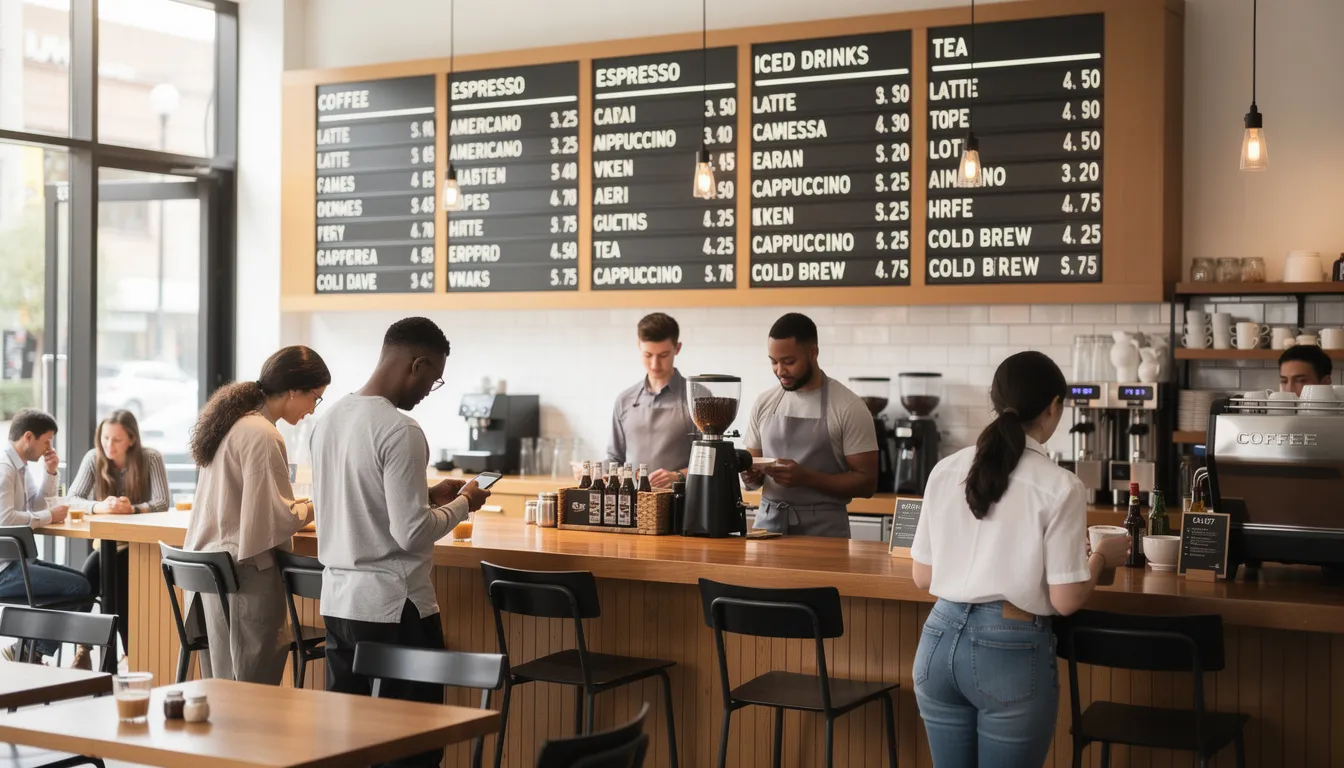
Using split-flap TV displays as a live menu and queue board
A split-flap TV-style board uses retro flip-letter aesthetics while updating digitally—letters and numbers “flip” with satisfying sound and motion, creating café ambience while displaying useful information. This kind of revolutionary Split-Flap TV display blends old-school charm with modern control via apps and real-time updates.
By following a structured rollout plan, you can avoid disruption and make your new displays an immediate asset to your workflow, much like the step-by-step approach in guides to implementing split-flap displays in business settings.
Linking split-flap displays to your pos enables:
-
- Automatic menu updates when prices change or items sell out (86’d items disappear immediately)
-
- Real-time order queue (“Order 241 – Brewing,” “Order 242 – Ready”)
-
- Seamless seasonal specials rotation without manual board changes
-
- Customer-facing order confirmations reducing anxiety and repeated questions
Design content zones for maximum utility: one column for espresso drinks with current prices, one for batch and cold brew options, one for seasonal specials and add ons, and a running band across the bottom showing order status, following best practices for digital split-flap displays that maximize visibility and engagement.
Morning vs afternoon display example:
| Time | Zone 1 | Zone 2 | Zone 3 | Status Band |
|---|---|---|---|---|
| 7am-11am | Espresso Menu | Breakfast Pastries | Morning Specials | Order Queue |
| 11am-2pm | Full Menu | Lunch Items | Cold Drinks Feature | Order Queue |
| 2pm-Close | Full Menu | Afternoon Treats | Happy Hour Promo | Order Queue |
| The flip sound and motion become part of your café’s character. Customers notice when letters flip—it draws attention to new orders ready and creates moments of delight that static digital signage doesn’t provide. |
Implementation: rolling out a new POS in your coffee shop
Rolling out a new pos follows a logical sequence: choose a system, configure menus, train staff, soft-launch on a quiet day, then fully switch over for regular operations.
Sample implementation timeline for single location:
| Week | Tasks |
|---|---|
| Week 1 | Sign contract, receive hardware, set up accounts |
| Week 2 | Build menu structure, modifiers, and recipes in pos |
| Week 3 | Train staff, run soft launch, gather feedback |
| Week 4 | Full go-live, monitor KPIs, iterate as needed |
| For a shop planning to launch before a specific event—say, the Mother’s Day rush—back-plan from that date. Sign in early April, configure through mid-April, train and soft-launch late April, go fully live early May. |
Build recipes, modifiers, and loyalty rules in advance. Testing during off-peak hours reveals issues before they matter. Use your split-flap TV to announce “New ordering system coming [date]” so regulars know to expect minor changes.
Training baristas and front-of-house teams
Structure training in three phases:
-
- Classroom session (1-2 hours): Walk through the system on a projector, explain menu structure, demonstrate common transactions
-
- Practice session (1-2 hours): Staff uses test mode to ring up orders without affecting real data
-
- Supported live shift: New hires work a real shift with an experienced team member nearby for questions
Create a simple cheat sheet showing common drinks, button paths, and how to fix mistakes. Laminate it and keep one at every register.
Practice these order entry scenarios until comfortable:
-
- Triple-shot iced oat vanilla latte, light ice
-
- Decaf cappuccino with almond milk, extra hot
-
- Large cold brew with cream and two pumps of hazelnut
-
- Add a chocolate croissant to an existing order
Train baristas to mark drinks as ready in the pos so the split-flap TV updates immediately. If the board says “Ready” but the drink isn’t actually on the counter, customers get frustrated. Workflow discipline matters.
Testing, feedback, and continuous improvement
Run a soft launch on a quieter day—Tuesday afternoon works for most shops—before using the new pos across a Saturday rush. This limits the blast radius of any issues.
First-week feedback collection:
-
- Ask baristas what’s slowing them down or confusing them
-
- Watch customers at the register—where do they hesitate?
-
- Note any button layouts that feel unintuitive
-
- Track voids and remakes to spot system-related errors
Monitor specific KPIs after go-live: average ticket time, void rate, remakes, and daily sales vs. your pre-switch baseline. If ticket times increase significantly, investigate whether it’s learning curve or system design issues.
Iterate on how orders display on the split-flap TV based on customer response. Some shops prefer names (“Sarah”), others prefer numbers (“Order 147”), and some use short drink codes. Test different approaches during your first month and settle on what works best for your space and customer base.
Treat your pos as an evolving tool. The best operators revisit their menu structure, modifier logic, and display configurations quarterly—not just at initial setup.
Costs, contracts, and budgeting for a coffee shop POS
Understanding pos system cost requires looking beyond the monthly subscription price. Total cost of ownership includes software, hardware, payment processing fees, and any integration expenses.
Typical 2025-2026 cost ranges:
| Category | Low End | Mid Range | High End |
|---|---|---|---|
| Monthly software | $0-$60 | $100-$200 | $250+ |
| Terminal/tablet | $400 | $700 | $1,200+ |
| Receipt printer | $150 | $300 | $500 |
| KDS screen | $250 | $400 | $600 |
| Split-flap TV integration | $800 | $1,500 | $2,000+ |
| Payment processing | 2.6% + $0.10 | 2.9% + $0.15 | 3.2% + $0.15 |
| Common contract structures include month-to-month (more flexible, sometimes higher fees), annual commitments (lower rates, early termination fees), and multi-year agreements (best pricing, least flexibility). Hardware may be purchased outright or leased through 24-36 month payment plans. |
Payment processing fees often exceed software costs over time. A shop doing $50,000/month in card transactions pays $1,300-$1,600 monthly just in processing fees. Model this carefully—a system with lower software fees but higher processing rates may cost more overall.
Calculate total cost of ownership over 3 years, including credit approval requirements and all fees, before comparing options.
Calculating ROI on a new POS
Quantify time saved per transaction and multiply by daily order volume. If your current system takes 8 seconds per basic transaction and a new system takes 5 seconds, you’re saving 3 seconds per order.
ROI calculation example:
-
- Daily orders: 250 (weekdays)
-
- Time saved per order: 10 seconds
-
- Total daily time saved: 42 minutes
-
- Additional capacity: 15-20 more orders possible
-
- Average ticket: $7
-
- Potential daily revenue increase: $105-$140
-
- Monthly impact: $2,100-$2,800 (assuming 20 weekdays)
Measure remake reduction using pos reports. If you currently remake 8% of drinks and a clearer modifier system drops that to 3%, calculate the saved cost of wasted beans, milk, and labor. A $5 latte that’s remade costs you $10 in ingredients and time.
Track loyalty program participation through pos data. If sign-up rates increase and visit frequency climbs from 2 to 2.5 times per week, that’s measurable return. Revisit ROI calculations at 3 months and 12 months using actual pos data—not just projections.
Frequently asked questions about POS for coffee shops
This section answers the questions coffee shop owners most often ask before switching or implementing their first system. Answers are grounded in 2024-2026 realities: multi-channel sales, rising labor costs, and increasing customer expectations for speed and customization.
Skip directly to topics that matter most to you—each FAQ provides concrete timelines and real examples rather than abstract explanations.
What makes a POS system specifically “for coffee shops”?
A cafe pos prioritizes speed, modifiers, and small-ticket, high-frequency workflows over complex table service or extensive inventory management designed for full-service restaurants.
Coffee-specific differentiators:
-
- Quick-mod screens for milk types, drink sizes, shot counts, and flavors
-
- Support for line-busting handhelds during morning rush
-
- Built-in tip prompts optimized for quick-service transactions
-
- Integration with split-flap TVs or KDS for real-time order display
-
- Pre-built drink templates that require minimal taps
Generic pos systems optimized for retail struggle with modifiers—they’re designed to scan barcodes, not customize a half caf oat milk latte with sugar-free vanilla. Full-service restaurant pos systems include table management features you don’t need and add unnecessary complexity.
Workflows that generic pos often struggles with:
-
- Adding extra espresso shots without navigating multiple screens
-
- Applying “light ice” or “extra hot” modifications quickly
-
- Displaying clear drink builds on KDS tickets
-
- Processing 3+ transactions per minute during peak rushes
How long does it take to set up a coffee shop POS?
Realistic timelines depend on complexity:
| Setup Type | Timeline |
|---|---|
| Basic single-location | 3-7 days |
| With online ordering integration | 2 weeks |
| With loyalty and split-flap TV | 2-3 weeks |
| Multi-location chain (phased) | 1-3 months |
| Setup tasks breakdown: |
-
- Choose and order hardware (1-3 days shipping)
-
- Create account and configure basic settings (1-2 hours)
-
- Enter menu items and build modifier structures (2-4 hours)
-
- Connect payment processing (same day, usually)
-
- Test transactions in test mode (1-2 days)
-
- Train staff (2-4 hours per team)
-
- Soft launch and iterate (1-2 days)
Back-plan from your target go-live date. Avoid switching during your busiest periods—don’t go live the Saturday before a local festival or during holiday weekends.
How much does a POS system cost for a coffee shop?
Entry systems run $0-$60/month in software fees with higher processing rates (around 2.9% + $0.30 per transaction). Mid-tier options cost $100-$200/month with lower processing fees and more advanced features. Enterprise solutions exceed that for multi-location chains.
Sample budget comparison for a single location:
| Component | Budget Setup | Mid-Range Setup |
|---|---|---|
| Monthly software | $29 | $149 |
| Terminal/tablet | $500 | $900 |
| Printer | $200 | $350 |
| Card reader | $49 | $199 |
| Split-flap TV | $0 (basic screen) | $1,200 |
| Year 1 total | ~$1,100 hardware + $348 software | ~$2,650 hardware + $1,788 software |
| Many providers bundle hardware and software into monthly payment plans over 24-36 months. Read fine print carefully—look for PCI fees, chargeback fees, support tier limitations, and early termination penalties. |
Can I switch POS systems without disrupting my regulars?
Yes, with careful planning. The key is communication and timing.
Switching strategy:
-
- Choose a historically slow day for full go-live (Tuesday or Wednesday often works)
-
- Consider dual-running old and new systems for one day if critical
-
- Post clear signage: “New system this week – thanks for your patience!”
-
- Display transition messages on split-flap TV
-
- Offer a small “bear with us” promo (bonus points during first week)
Migrate loyalty balances and gift card credits before switching. Most pos providers have import tools or manual entry processes. Verify customer credits transferred correctly before announcing the change.
Your regulars will notice differences, but explaining “we upgraded to serve you faster” frames the change positively. Most forgive minor hiccups during the first few days.
What hardware do I really need to start?
Minimal viable setup:
-
- 1-2 tablets or terminals
-
- 1 receipt printer
-
- 1 payment reader (tap/chip/swipe)
-
- Stable router or access point
Recommended additions:
-
- KDS or barista screen for order visibility
-
- Second payment device for line-busting
-
- Split-flap TV or digital menu board
-
- Backup tablet in case primary fails
-
- Battery-powered mobile hotspot for outages
Start lean and expand as revenue justifies. Choose a pos that supports add ons without requiring complete system replacement.
Hardware footprint comparison:
| Shop Size | Recommended Hardware |
|---|---|
| 600 sq ft kiosk | 1 tablet, 1 printer, 1 card reader, basic display |
| 1,500 sq ft café | 2 tablets, 1 receipt printer, 1 label printer, KDS, split-flap TV, 2 card readers |
| Avoid overbuying on day one. You can always add equipment—but returning unused hardware is often complicated. |
Bringing it all together: choosing the right POS for your coffee shop
The best pos for your coffee shop depends on your specific situation: shop size, order volume, complexity of your menu, growth plans, and budget. Start by identifying your shop type—small kiosk, multi-location chain, hybrid retail concept, or high-volume drive-thru—and prioritize features accordingly.
Decision framework:
-
- Speed and modifiers come first for any coffee operation
-
- Loyalty and customer data matter for building regulars
-
- Inventory management prevents waste and enables smart ordering
-
- Online ordering integration is essential for 2026 operations
-
- Split-flap TV or display integration enhances customer experience and reduces counter chaos
Take demos seriously. Don’t just watch a salesperson click through features—simulate your actual morning rush. Build your real menu. Test custom pricing on seasonal specials. Enter a complex order with multiple drink modifiers and see how it flows. Ask every vendor to demonstrate offline mode and show exactly how their system handles your specific use cases.
Create a decision matrix ranking 3-5 candidate systems against your must-have criteria. Weight what matters most to you—maybe speed trumps everything, or maybe certain features like advanced reporting justify slightly higher costs.
A well-chosen pos becomes a long-term partner, powering your growth into 2027 and beyond rather than just processing payments. The time you invest in selecting and implementing the right system pays dividends every morning rush for years to come.
Integrating your POS system with other tools
Running a successful coffee shop in 2026 means more than just serving great espresso—it’s about connecting every part of your business for maximum efficiency and growth. That’s where a modern cafe pos system shines: by integrating seamlessly with the other tools you rely on, your point of sale becomes the central hub for your entire operation.
Accounting software integration is a game-changer for busy coffee shop owners. When your coffee shop pos system syncs directly with platforms like QuickBooks or Xero, daily sales, expenses, and even tips flow automatically into your books. This eliminates manual data entry, reduces errors, and gives you a real-time view of your business finances—so you can make smarter decisions and stay tax-ready year-round.
E-commerce integration is essential if you sell beans, merch, or bakery items online. A connected pos system ensures your inventory stays accurate across both your physical cafe and your online store. When a customer buys a bag of single-origin beans online, your in-store stock updates instantly, preventing overselling and keeping your shelves organized.
Social media and email marketing integrations help you turn customer data into business growth. With the right cafe pos, you can automatically add customers to segmented email lists based on their purchase history or loyalty program status. Launch a campaign for your new seasonal drink, send bonus points to your most loyal customers, or promote a flash sale on Instagram—all powered by the insights from your pos system. Social media integrations also make it easy to share real-time menu updates or special offers, driving more foot traffic and online orders.
By connecting your pos system with these essential tools, you unlock a 360-degree view of customer behavior, track sales performance across every channel, and manage inventory with confidence. The result? Streamlined operations, more effective loyalty programs, and the ability to make data-driven decisions that keep your coffee shop thriving in a competitive market.
Accounting software, e-commerce, social media, and email marketing integrations
Best practices for using your coffee shop POS
Getting the most out of your coffee shop pos system isn’t just about having the latest technology—it’s about using it strategically to streamline operations and delight your customers. Here are some best practices to ensure your pos system works as hard as you do:
1. Prioritize staff training: Make sure every team member—from new baristas to seasoned supervisors—knows how to use the pos system efficiently. Well-trained staff can process orders faster, minimize mistakes, and keep lines moving during the morning rush.
2. Keep your menu and pricing up to date: Regularly review and update your menu in the pos system to reflect seasonal specials, new offerings, or price changes. This ensures accurate order entry and helps you respond quickly to customer preferences and market trends.
3. Leverage inventory management features: Use your pos system’s built-in inventory management tools to track stock levels in real time. Set up low-stock alerts, automate reordering, and log waste to optimize your ordering process and reduce costs.
4. Implement customer loyalty programs and mobile ordering: Take advantage of integrated loyalty programs to reward repeat customers and encourage more frequent visits. Enable mobile ordering to offer convenience and capture more sales, especially during peak hours.
5. Monitor sales reporting and analytics: Dive into your pos system’s sales reporting to identify best-sellers, slow movers, and peak times. Use these insights to adjust staffing, plan promotions, and make data-driven decisions that boost profitability.
By following these best practices, you’ll maximize the value of your coffee shop pos system—improving efficiency, enhancing customer satisfaction, and driving long-term business success.
Common mistakes to avoid when choosing a coffee shop POS
Selecting the right coffee shop pos system is a critical decision, but it’s easy to fall into common traps that can hold your business back. Here’s what to watch out for:
1. Overlooking your shop’s unique needs: Not every pos system is built for the fast-paced, modifier-heavy world of coffee. Make sure the system you choose supports multi location management if you plan to expand, and can handle complex operations like custom drink builds and inventory tracking for both drinks and bakery items.
2. Ignoring scalability and flexibility: Your business will evolve—so should your pos. Choose a system that can grow with you, whether you add new locations, launch online ordering, or introduce new menu categories.
3. Underestimating the importance of user-friendliness: A steep learning curve can slow down your team and frustrate new hires. Look for a pos system with an intuitive interface and robust training resources to keep your staff productive from day one.
4. Failing to consider total cost of ownership: Don’t just compare monthly software fees. Factor in hardware costs, payment processing rates, support fees, and potential add ons. Unexpected expenses can eat into your margins if you’re not careful.
5. Neglecting customer support and offline mode: Even the best systems can experience hiccups. Reliable customer support and a strong offline mode are essential to keep your coffee shop running smoothly during technical issues or internet outages.
By avoiding these common mistakes, you’ll be better positioned to choose a coffee shop pos system that fits your business, supports complex operations, and sets you up for long-term success.
Coffee shop POS systems and business growth
A modern coffee shop pos system is more than just a cash register—it’s a powerful engine for business growth. By streamlining daily operations and providing deep insights into customer behavior and sales performance, your pos system helps you make smarter decisions and scale with confidence.
With advanced features like online ordering, mobile payments, and built-in loyalty programs, you can reach customers wherever they are—whether they’re ordering from their phone on the way to work or earning rewards for their daily latte. These tools not only boost customer satisfaction but also increase repeat visits and average ticket size.
Inventory management is another key driver of growth. By tracking every bean, syrup, and pastry in real time, your pos system helps you manage complex operations, reduce waste, and optimize ordering. This means lower costs, higher margins, and more cash to reinvest in your business.
As your coffee shop grows—adding new locations, expanding your menu, or launching local delivery—a scalable pos system makes it easy to manage everything from a single dashboard. You can track sales performance across multiple locations, analyze customer data to spot trends, and adjust your strategy on the fly.
Ultimately, the right coffee shop pos system empowers you to streamline operations, deliver exceptional customer experiences, and make data-driven decisions that fuel long-term business growth. Whether you’re running a single busy coffee shop or managing a multi-location chain, investing in a powerful pos system is one of the smartest moves you can make for your business’s future.