
How to Replace Paper Notice Boards
May 18, 2026 · Captain
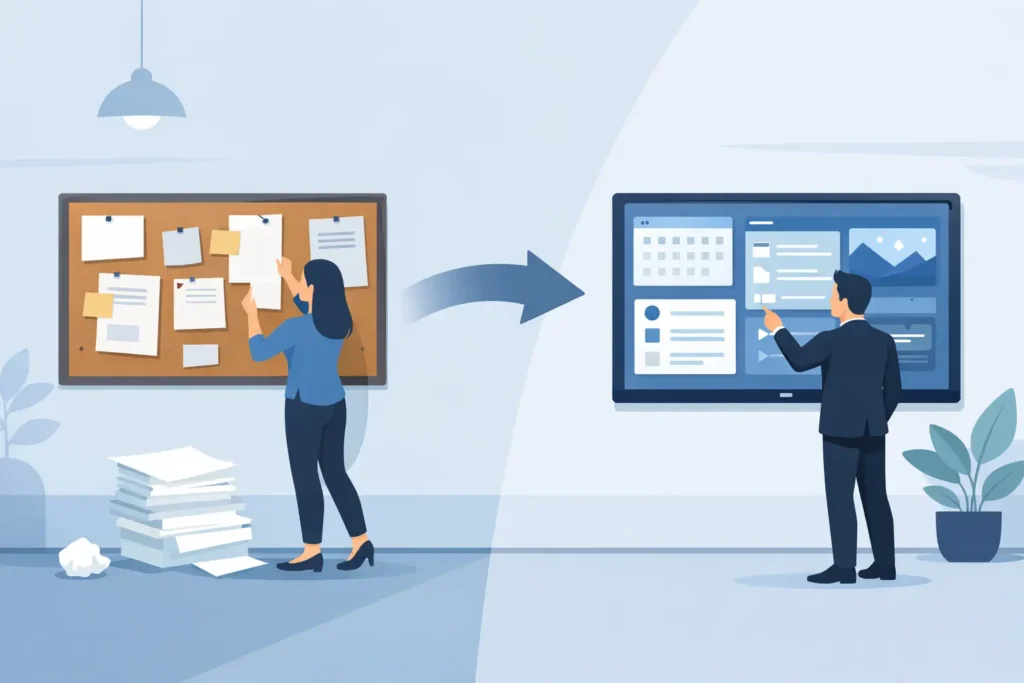
By the time a paper notice board starts looking busy, it usually already looks behind. Curling corners, crossed-out hours, faded flyers, and one urgent update taped over another do not just create visual clutter – they quietly tell customers and staff that information might be out of date. If you are figuring out how to replace paper notice boards, the real goal is not simply going digital. It is creating a cleaner, easier way to keep the right message visible at the right time.
For shops, restaurants, boutique hotels, and offices, that shift matters more than it used to. Hours change. Menus rotate. Specials come and go. Internal notices need to be seen without becoming wallpaper. A paper board can hold information, but it cannot keep up. A digital notice system can, especially when it is simple enough to update during a lunch rush or from home after closing.
How to replace paper notice boards without creating more work
The biggest mistake businesses make is assuming the replacement has to be complicated. It does not. The best setup is usually the one your team will actually use. That means starting with the role the notice board plays in your space, not with hardware specs.
Ask what your board currently communicates. In many businesses, it is a mix of practical updates and filler: opening hours, Wi-Fi details, specials, events, policy reminders, staff notes, room schedules, or daily announcements. Some of that is customer-facing, some of it is internal, and some of it probably should not share the same wall anymore.
Once you separate those use cases, the replacement becomes clearer. A customer-facing display near the entrance needs to be attractive, readable, and on-brand. A staff communication display in a back office needs speed and clarity more than theater. One system can handle both, but the content should be planned for each audience.
That is why replacing paper notice boards is less about swapping cork for screens and more about redesigning how information moves through your business.
Start with the messages people actually need
Before you mount anything, make a short list of the recurring messages you update most often. For a cafe, that could be the days specials, sold-out items, and weekend hours. For a hotel, it might be breakfast times, event schedules, and local information. For an office, it could be room bookings, visitor instructions, and internal reminders.
This step helps you avoid overbuilding. If your notices are mostly text-based and time-sensitive, you do not need a flashy content machine. You need a display that makes words feel intentional, visible, and easy to change.
That is exactly why split-flap style signage stands out. It is digital, but it does not feel generic. The familiar click-clack rhythm and timetable-inspired layout give even simple text updates a sense of occasion. In a public-facing space, that matters. People actually look at it.
There is a trade-off, of course. Split-flap style is strongest when the message is concise. It is ideal for schedules, announcements, menu highlights, welcome messages, and rotating notices. It is not the right format for dense policy documents or long-form instructions. If your current board is overloaded with paragraphs, the better move is to edit the content first, then digitize what deserves attention.
Decide what should stay permanent and what should rotate
Most paper boards blur everything together. A printed fire notice sits next to a handwritten special and a flyer from three months ago. Digital displays work better when content has hierarchy.
Keep core information consistent, then schedule the rest. Your hours, house rules, or front desk details may stay visible all day. Promotions, announcements, and reminders can rotate by time or day. That way the screen stays useful without becoming noisy.
This is where app-based control changes the game. Instead of reprinting signs or asking staff to update the wall manually, you can schedule messages once and let the display change automatically. The result is not just neater. It is far easier to manage.
Choose a display format that fits the room
If you are working out how to replace paper notice boards, placement is as important as the technology itself. A front-of-house display has a different job from a staff-room screen. Think about viewing distance, lighting, and how long people will look.
A compact screen near a register can handle quick reminders or queue messaging. A larger display at an entrance can welcome guests, show opening times, or highlight current offers. In hospitality spaces, a split-flap board can also create atmosphere in a way standard digital signage often does not. It feels designed, not default.
That visual character is a practical advantage, not just an aesthetic one. People tend to ignore screens that look like advertisements. They notice displays that feel part of the space. A retro-style text board has presence. It catches the eye without shouting.
Still, there is an it-depends factor here. If your business relies heavily on photography, motion graphics, or product video, a text-led notice display may be one part of your signage mix rather than the whole answer. But if the job is replacing taped notices, changing schedules, menu updates, or front desk information, a text-first display is often exactly the right tool.
Make updates easy enough for real life
A notice system only works if updating it feels easier than grabbing a marker and a sheet of paper. That is the standard. If your team needs special training, extra software, or too many steps, paper signs will creep back.
Look for a setup that is plug-and-play and controlled through a simple app. The point is speed. You should be able to change a message in seconds, whether you are behind the bar, in the office, or off-site. For busy operators, convenience is not a nice extra. It is the whole reason to switch.
This is where a purpose-built split-flap system earns its place. You get the visual drama of old transit boards, but the management is modern: layouts, pages, scheduling, colors, timing, and live updates from one control point. It revives the charm of classic public displays without the maintenance burden of mechanical hardware.
For teams that worry digital means technical, this matters. The ideal experience is simple: install the screen, open the app, publish the message. Done.
Build a content rhythm, not just a screen
Once the display is live, decide who updates it and when. Maybe the opening manager handles daily messages. Maybe marketing schedules weekly promotions while operations controls service notices. Clarity prevents the screen from becoming another forgotten asset.
It also helps to create a few content categories so updates stay consistent. Think welcome messages, operational info, limited-time promotions, and event-based notices. When the structure is clear, the display remains polished even when the content changes fast.
That consistency is especially valuable for brands that care about atmosphere. A messy paper board says temporary. A well-managed digital notice display says intentional.
What businesses gain when paper boards disappear
The obvious benefit is visual cleanup. Walls look better. Counters feel less cluttered. The space becomes more premium almost immediately. But the bigger gain is operational control.
You stop reprinting. You stop taping corrections over old information. You stop wondering whether the sign by the entrance still matches the latest update. When one person can change the message centrally, accuracy improves and staff spend less time answering preventable questions.
There is also a brand benefit that paper cannot offer. A distinctive display style becomes part of the customer experience. In the right setting, that nostalgic split-flap motion and click-clack sound can turn a routine message into a small moment of attention. It is functional, but it is also memorable.
That balance is why businesses use systems like Split Flap TV in spaces where design matters as much as efficiency. The display does the practical job paper used to do, but with far more polish and far less friction.
How to replace paper notice boards and avoid common missteps
The smartest rollout is usually gradual. Replace the highest-maintenance board first – the one with the most frequent changes or the biggest visibility problem. Test what people actually read. Refine the wording. Then expand.
Do not try to transfer every scrap of paper onto a screen. Edit hard. Short messages work better. Clear timing works better. Strong placement works better. Digital gives you flexibility, but that does not mean more content is better content.
And do not treat the display as a one-time install. Think of it as a live communication surface. Its value comes from being current. If your business changes often, your signage should keep pace without dragging your team back into scissors, tape, and last-minute printouts.
A good replacement does more than modernize the wall. It gives your information a better stage, your staff an easier workflow, and your space a little more presence every single day.