
If you’ve ever stared at a faded chalkboard menu from across a dimly lit bar, squinting to read prices that may or may not be current, you already understand the problem. A digital TV menu board solves this by turning an ordinary television into a dynamic, backlit display that shows your food and drink offerings with clarity and style.
This guide is designed for restaurant owners, bar managers, and hospitality professionals looking to modernize their menu displays and enhance customer engagement. By adopting digital TV menu boards, you can improve menu visibility, streamline operations, and create a memorable customer experience that sets your venue apart.
It’s a straightforward concept with three core components: a display (your TV or monitor), a media source (USB stick, media player, or app), and digital content (images, videos, or layouts you create). At your site, digital signage hardware typically includes not just the display, but also playback devices and mounting systems to ensure a versatile and functional setup. Display devices for digital signage come in various technologies, such as LCD, LED, and OLED formats, allowing you to choose the best fit for your site.
In this guide, we’ll walk through exactly what a digital TV menu board is, why it makes sense for your venue, and the three main approaches you can take—from simple USB slideshows to sophisticated cloud-based systems to the nostalgic charm of Split-Flap TV.
What is a digital TV menu board?
A digital TV menu board is simply a television (or professional display) used to show dynamic food and drink menus instead of printed boards or chalkboards. It’s a straightforward concept with three core components: a display (your TV or monitor), a media source (USB stick, media player, or app), and digital content (images, videos, or layouts you create).
These systems first gained traction in the quick-service restaurant sector in the mid-2010s, driven by falling flat-panel prices and the rise of digital split-flap display and networked media players. Today, digital menu boards are standard in restaurants, cafés, bars, hotel lobbies, food trucks, breweries, and taprooms—essentially anywhere customers need to see current offerings and prices at a distance.
The key difference from traditional printed menus comes down to flexibility. Digital boards are:
- Instantly updatable – Change a price in seconds, not days
- Animated – Subtle motion captures attention without printed reprints
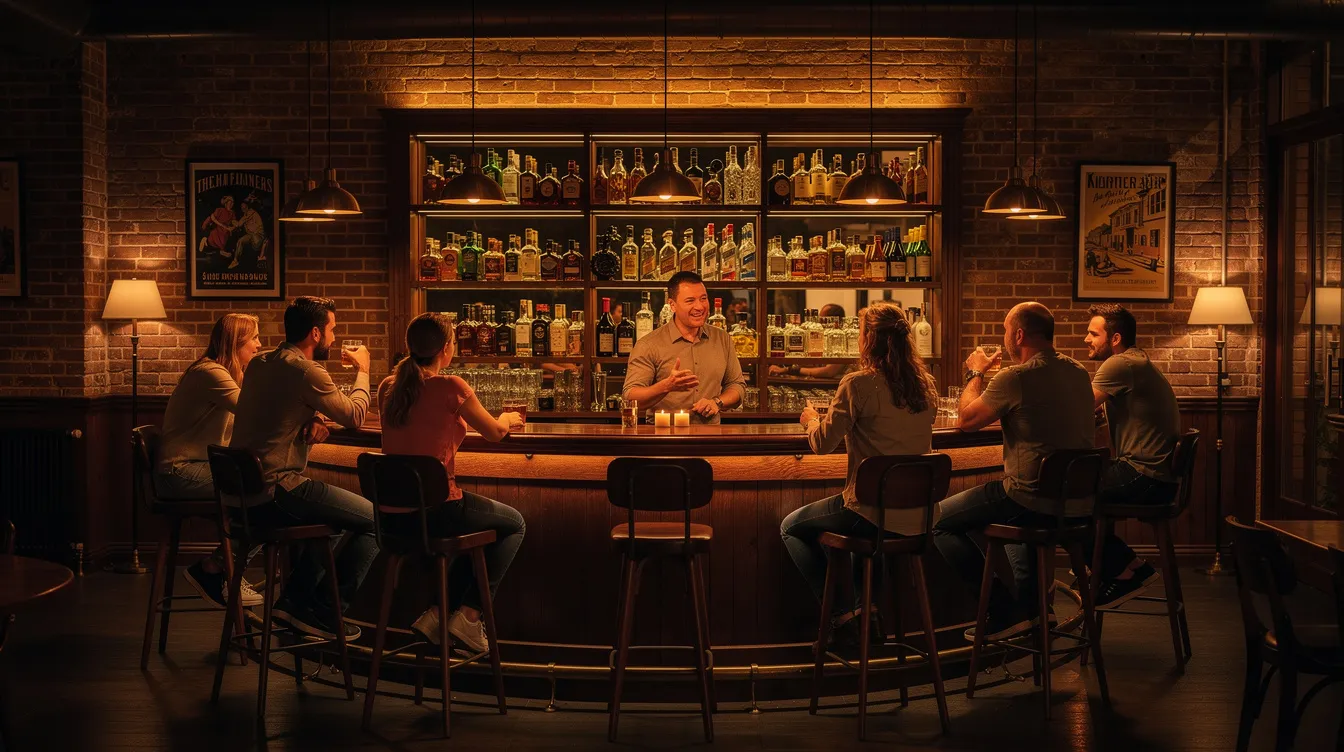
- Highly legible – Backlit screens work beautifully in dim environments like cocktail bars
- Centrally controlled – Manage multiple screens from one dashboard
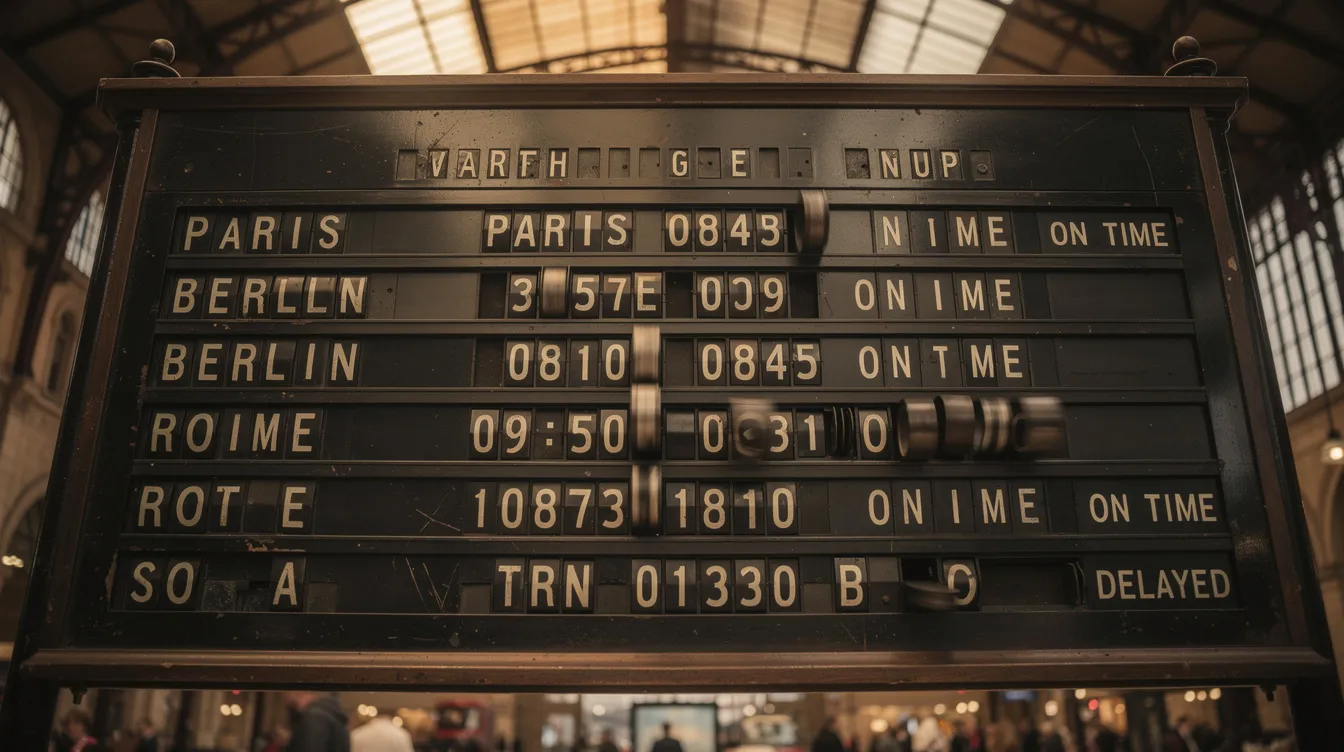
Split-Flap TV takes this concept further by focusing specifically on nostalgic, split-flap–style digital menu boards that look like classic 1960s train station and airport departure boards. Instead of generic templates, you get animated tiles that flip with mechanical charm—all running on modern software.
Why switch from static boards to a digital TV menu?
Digital menu boards enhance customer experience by providing dynamic and visually appealing content. They allow for real-time updates, enabling restaurants to change their offerings quickly and efficiently. These boards can display a variety of content, including images, videos, and interactive media, to engage customers. Restaurants can use digital menu boards to promote special offers and new items effectively, and they can improve operational efficiency by reducing the time staff spend on updating static menus.
Rising food costs and supply chain volatility in 2024–2025 mean restaurants and bars need true menu agility. Quarterly or yearly print cycles simply can’t keep up when ingredient prices shift weekly and seasonal specials rotate constantly. A digital TV menu board gives you that flexibility.
Here’s what makes the switch worthwhile:
- Flexibility – Update prices, items, and specials in seconds without reprinting boards or hiring designers for every change. When your avocado supplier raises prices overnight, your menu reflects it by morning.
- Customer experience – Brighter, clearer, and more legible menus reduce decision fatigue, especially in dim bars or busy quick-service counters. Studies suggest that many Gen Z customers experience stress when ordering, and clearer menus help them choose faster.
- Sales uplift – Digital menu boards are commonly used to increase average ticket size via upsells. Featuring combos, add-ons, and seasonal drinks at strategic moments can drive significant lift in categories like sides, desserts, and premium beverages.
- Branding consistency – Consistent fonts, colors, and imagery across multiple screens and locations. This matters especially for franchise operations where each print run can introduce subtle variations or errors.
- Operational efficiency – Staff no longer climb ladders or tape paper signs. Managers can push changes centrally at specific times of day, reducing labor and eliminating version control headaches.
Even the simplest setup—a TV plus USB images—already delivers many of these benefits with minimal cost. You don’t need an enterprise budget to get started.
Technical requirements for digital TV menu boards
Setting up a digital TV menu board is more than just plugging in a screen—it’s about crafting a meaningful experience that breathes life into your space and creates those wonderful “wow moments” that customers remember long after they leave. Whether you’re designing for a cozy restaurant, an elegant retail environment, or any space where human connection matters, understanding these thoughtful requirements will help you create something truly special—a system that feels alive and purposeful.
**Network and Operating Systems:**Think of your network as the quiet heartbeat that keeps everything flowing seamlessly—it’s that invisible magic that ensures your beautiful displays stay fresh, responsive, and perfectly synchronized across your entire space. The wonderful thing about modern systems is their graceful flexibility—they embrace Android, Windows, Linux, and even those charming proprietary TV platforms with equal enthusiasm. This gives you the freedom to choose hardware that feels right for your environment, your vision, and your story. The key is finding that perfect harmony between your existing screens and devices—like pieces of a thoughtful puzzle coming together.
**Hardware Components:**At the soul of every digital menu board lives a beautiful relationship between display and device—your TV or monitor becomes the canvas, while your media device (perhaps a smart TV, streaming stick, or elegant mini PC) serves as the artist’s brush. The magic often happens through something as simple as an HDMI cable, creating connections that feel both sophisticated and wonderfully straightforward. When you’re selecting these components, consider how they’ll live in your space—screen size that commands attention without overwhelming, resolution that makes every detail crisp and inviting, and durability that stands gracefully against the daily rhythm of busy, vibrant environments.
**Content Creation and Delivery:**This is where the real enchantment begins—dynamic content transforms your displays from mere information into living, breathing experiences that captivate and inspire. Through the artistry of video tags, you can weave together videos, animations, and striking graphics that don’t just inform but truly engage the soul of your audience. High-contrast designs become your visual poetry, while clear, beautiful typography ensures every message reaches its intended heart. These engaging visuals don’t just drive sales—they tell your story, strengthen your brand’s voice, and create those precious moments of connection.
**Software and Content Management:**The most elegant solutions feel almost effortless—robust software that lets you create, schedule, and nurture your content across every screen with the same care you’d tend a garden. The finest systems offer real-time updates that feel like magic, daypart scheduling that understands the rhythm of your space, and multi-location support that keeps your brand’s voice consistent yet personal wherever your story unfolds. Many thoughtful companies extend their care beyond just software, offering content creation and management services that feel more like creative partnerships than mere technical support.
**Environmental Considerations:**Embracing digital menu boards is like choosing a more thoughtful path—one that reduces your reliance on endless print cycles and packaging waste, creating a gentler footprint on our shared world. While digital signage brings this beautiful sustainability in paper and ink usage, it invites us to consider the full lifecycle thoughtfully—the energy our screens consume and how we’ll care for these devices when their journey with us ends. Look for displays that sip rather than gulp energy, and plan for responsible recycling that honors both innovation and environmental stewardship.
**User Experience and Engagement:**Touch screens transform your displays into something truly magical—interactive experiences where customers don’t just view your menu but explore it, discovering nutritional details, browsing with curiosity, even placing orders through gentle touches that feel natural and intuitive. Regular software updates and loving maintenance become acts of care that keep your system humming beautifully, ensuring your content remains as fresh and engaging as the day you first fell in love with the possibilities.
**Practical Setup and Support:**The setup process can feel surprisingly intimate—connecting your device to the display through HDMI, introducing it to your network, and installing the software that will bring your vision to life. The most wonderful providers understand that this is about more than just technical support—they offer training that feels like mentorship, customer care that anticipates your needs, and thoughtful discounts for those ready to embrace digital signage across multiple locations. It’s about building relationships, not just installing hardware.
**Lifecycle and Sustainability:**Consider the full journey of your digital menu board—from that first moment of possibility through years of daily service to eventual graceful retirement. Choose hardware and software that feel built to last, with energy-conscious features and the wisdom to grow with your changing needs. By planning with both sustainability and emotional investment in mind, your business can enjoy all the magic of digital signage while treading lightly on the world we all share.
By embracing these thoughtful requirements, companies can create digital TV menu boards that don’t just look stunning but feel alive—delivering real-time experiences that improve daily operations while supporting the deeper goals of brand storytelling and genuine human connection in today’s beautifully complex retail and hospitality landscape.
Option 1: Using a USB stick with images on your TV
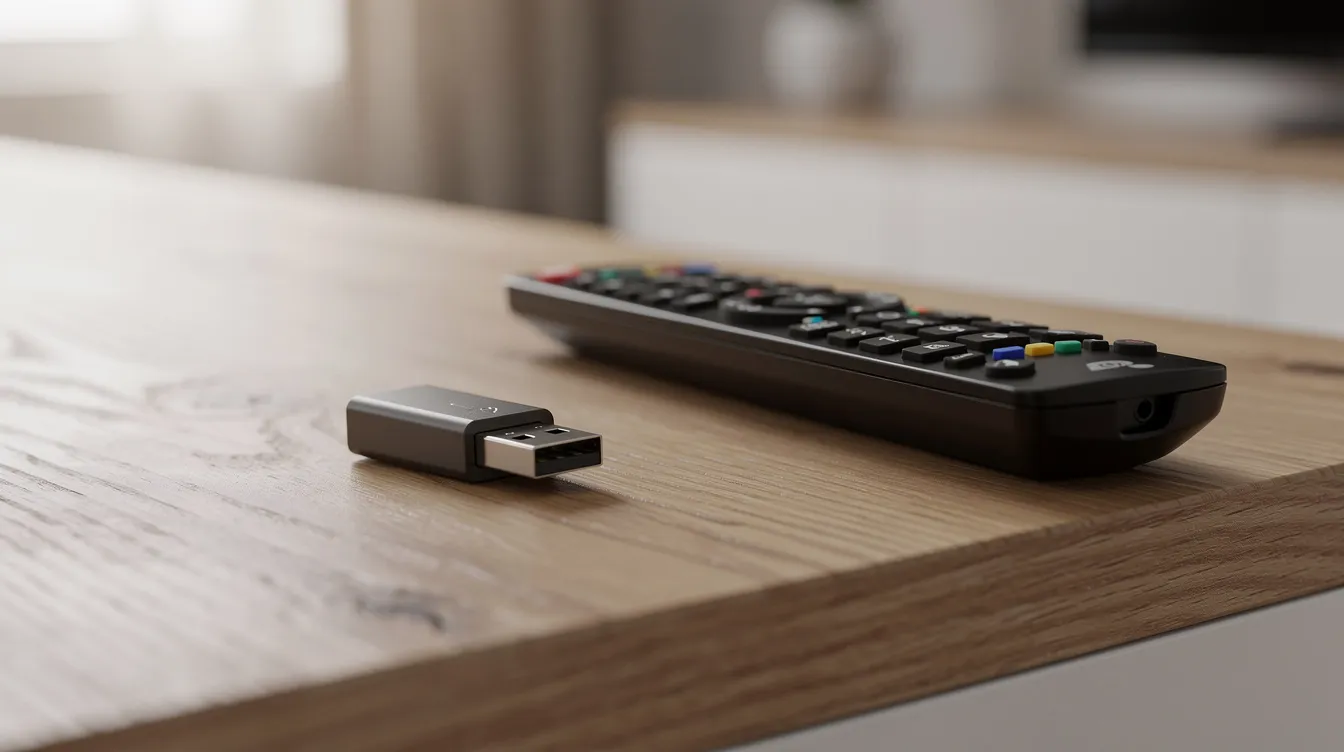
This is the fastest, cheapest way to create a digital TV menu board with hardware most venues already have. If you own a TV with a USB port (which nearly all modern sets include), you’re halfway there.
The setup
- Buy or reuse a TV (40”–65” depending on your space)
- Design menu images at 1920×1080 resolution (JPG or PNG files work best)
- Save them to a USB stick
- Plug the USB into the TV and enable slideshow mode
Typical usage involves one image per menu page—Breakfast, Lunch, Drinks, Specials—rotating every 10–15 seconds so customers can catch the full cycle while queuing.
Advantages
- Low upfront cost (use existing hardware)
- No monthly subscription fees
- Works completely offline
- Easy for small cafés or food trucks starting out
Disadvantages
- Every price change requires re-editing images, exporting, and reloading the USB
- Risk of outdated prices displaying for days or weeks
- No central control for multiple TVs—each needs manual updates
- Limited scheduling (can’t auto-switch from breakfast to dinner menus)
- Basic or abrupt transitions only
- No real time content like weather, social counters, or rotating announcements
This option works acceptably for very small menus or venues that change items only a few times per year and don’t mind manual updates. Pop-up events, farmers’ markets, and seasonal kiosks often rely on USB slideshows because the temporary nature doesn’t justify ongoing subscriptions.
Design tips for USB menus
- Use high contrast colors (light text on dark background, or vice versa)
- Set large font sizes for prices—viewers will be standing 2–4 meters away
- Limit each slide to 10–15 items maximum for quick scanning
- Avoid ornate script fonts that reduce legibility at distance
Option 2: Using general digital signage or menu board software
The next step up from USB is to use digital signage or menu board software running on a smart TV, media player (Android box, Amazon Fire TV Stick, Apple TV, or small PC connected via HDMI). Many digital signage systems offer plug & play media players designed for seamless content playback and reliable, 24/7 operation, making it easy to deploy and play your digital tv menu board content.
This approach introduces cloud connectivity and centralized management. Interactive digital signage options are also available, allowing users to interact directly with displays using input methods like touch, gestures, or even voice commands.
Typical setup
- A commercial or consumer TV mounted in your preferred orientation
- A media player (Android box, Amazon Fire TV Stick, Apple TV, or small PC connected via HDMI)
- A cloud-based content management system with a monthly or yearly subscription
Many operating systems support signage apps directly—Samsung Tizen, LG webOS, and Android TV all offer built-in app platforms that can connect to your chosen CMS.
Features to look for
|
Feature |
Why it matters |
|---|---|
|
Drag-and-drop layout designer |
Create menus without design expertise |
|
Daypart scheduling |
Auto-switch between breakfast, lunch, and dinner |
|
Playlist rotation |
Mix menus with promotional content |
|
Template libraries |
Pre-built layouts for food and beverage menus |
|
Multi-location management |
Push updates to all screens from one dashboard |
Benefits
- Centralized updates across multiple locations—manage everything from your phone or laptop
- Automatic scheduling by time of day and day of week
- Ability to mix images, videos, and text in dynamic layouts
- Support for live data feeds (weather, social media, news tickers)
Possible drawbacks
- Steeper learning curve than USB slideshows
- Monthly or yearly subscription costs
- Requires stable internet connectivity for remote updates
- Generic visual styles may not match a cozy or retro interior aesthetic
This route suits restaurants and chains that update menus weekly or daily and want more control without having to edit static images each time. However, many organizations find that templated designs feel too corporate for intimate venues like speakeasies, craft breweries, or themed bars.
Option 3: Creating a nostalgic digital TV menu with Split-Flap TV
Split-Flap TV is a digital signage solution that recreates the charm of 1960s split-flap airport and train station boards on modern TVs. Instead of generic slideshows, you get the distinctive aesthetic of mechanical flaps flipping to reveal letters and numbers—all powered by software that runs on devices you likely already own.
Visual style
The split flap display aesthetic is unmistakable: each character appears on a tile that “flips” with an animated sequence when content changes. Layouts can be configured as grids, columns, or rows perfect for:
- Beer tap lists with ABV and IBU data
- Coffee specials and seasonal drinks
- Cocktail menus with ingredient highlights
- All-day brunch offerings
- Rotating announcements and events
How it works
- Install the Split-Flap TV app on a smart TV, media player (like Amazon Fire TV Stick), or tablet
- Connect to the internet
- Manage all content from a web dashboard
Changes you make in the dashboard—updating a price, marking an item sold out, adding a daily special—appear on your screens within moments, with the signature flipping animation playing as characters update.
Menu-specific features
- Rotating menu pages – Cycle through multiple boards automatically
- Daily specials blocks – Highlight today’s offerings prominently
- Happy hour countdowns – Build anticipation with live timers
- Date/time panels – Keep customers oriented without extra clutter
- Weather integration – Show current conditions alongside your menu
- Social media counters – Display Instagram or TikTok follower milestones
Subscription model
Split-Flap TV offers a 7-day free trial so you can test the aesthetic in your actual space using existing hardware. Multiple subscription tiers (Economy, Business, Cockpit) provide flexibility for different business sizes, with monthly billing that suits SMB budgets—no large capital expenditure required.
Compatibility
The software works on a wide range of screens and devices:
- Android TV
- Apple TV
- Amazon Fire TV
- External media players via HDMI
- Smart TVs with compatible app stores
This makes it easy to repurpose existing TVs rather than purchasing specialized hardware. Plug in a $30 streaming stick, download the app, and you’re ready to deliver a distinctive menu experience.
Split-Flap TV combines the practicality of digital menu boards with a retro aesthetic that stands out against bland templates—perfect for bars, breweries, and venues that treat ambiance as a core part of their brand.
Advantages of Split-Flap TV for digital TV menu boards
When you compare Split-Flap TV against generic signage tools and simple USB slideshows, several distinct advantages emerge across branding, operations, and cost-effectiveness.
Branding advantage
The split-flap look is instantly recognizable—it evokes classic airport and railway boards from the 1960s, creating nostalgic atmosphere that generic digital signs simply cannot match. This aesthetic works particularly well for:
- Speakeasies and craft cocktail bars
- Breweries with rotating tap lists
- Themed cafés and retro diners
- Hotel lobbies with character
- Venues that compete on ambiance, not just price
Operational benefits
|
Capability |
How Split-Flap TV delivers |
|---|---|
|
Real-time updates |
Change prices, items, and messages from any browser |
|
Multi-screen sync |
All connected screens update simultaneously |
|
No physical access needed |
Staff don’t need to touch the TV to make changes |
|
Cloud storage |
Content is stored securely and backed up automatically |
Content scheduling
Define automatic dayparting rules so your menu boards switch between breakfast, lunch, dinner, and late-night without manual intervention. Set up recurring events—trivia nights, live music, game-day specials—with precise start and end times. The system handles transitions while your staff focuses on customers.
Engagement features
The flipping animation naturally draws attention in ways static slides cannot. As characters rapidly change, viewers instinctively look toward the motion—making it ideal for surfacing specials or time-limited offers. Live data panels (time, date, weather, social counters) can run alongside menu items, keeping your boards dynamic and engaging throughout the day.
Reliability and cost-effectiveness
Traditional mechanical split-flap boards from premium manufacturers cost thousands of dollars, require custom installation, and need ongoing maintenance when flaps wear out or motors fail. Split-Flap TV eliminates all of this:
- Runs on off-the-shelf TVs and media players
- No custom hardware manufacturing required
- No moving parts to maintain or replace
- Content stored in the cloud, accessible anywhere
For 2024–2025 environments where menus and pricing change frequently due to supply costs, this combination of visual distinctiveness and operational flexibility makes Split-Flap TV particularly valuable.
Step-by-step: how to set up your first digital TV menu board
Whether you choose USB slideshows, general signage software, or Split-Flap TV, this actionable checklist will guide you through the process.
For businesses seeking advanced features, modern digital signage systems can incorporate audience analytics, IoT sensors, or AI-driven personalization to optimize content delivery. Audience measurement may use cameras to detect and count viewers and estimate demographics such as age and gender, enabling businesses to better understand their audience and tailor messaging accordingly. Additionally, context-aware digital signage can adjust displayed content based on environmental or audience data, ensuring more relevant and engaging information for viewers.
Step 1 – Choose your screen
Screen size depends on viewing distance and space constraints:
|
Venue type |
Recommended size |
|---|---|
|
Small cafés, food trucks |
40”–55” |
|
Larger bars, restaurants |
55”–65” |
|
Open lobbies, large venues |
65”–75” |
|
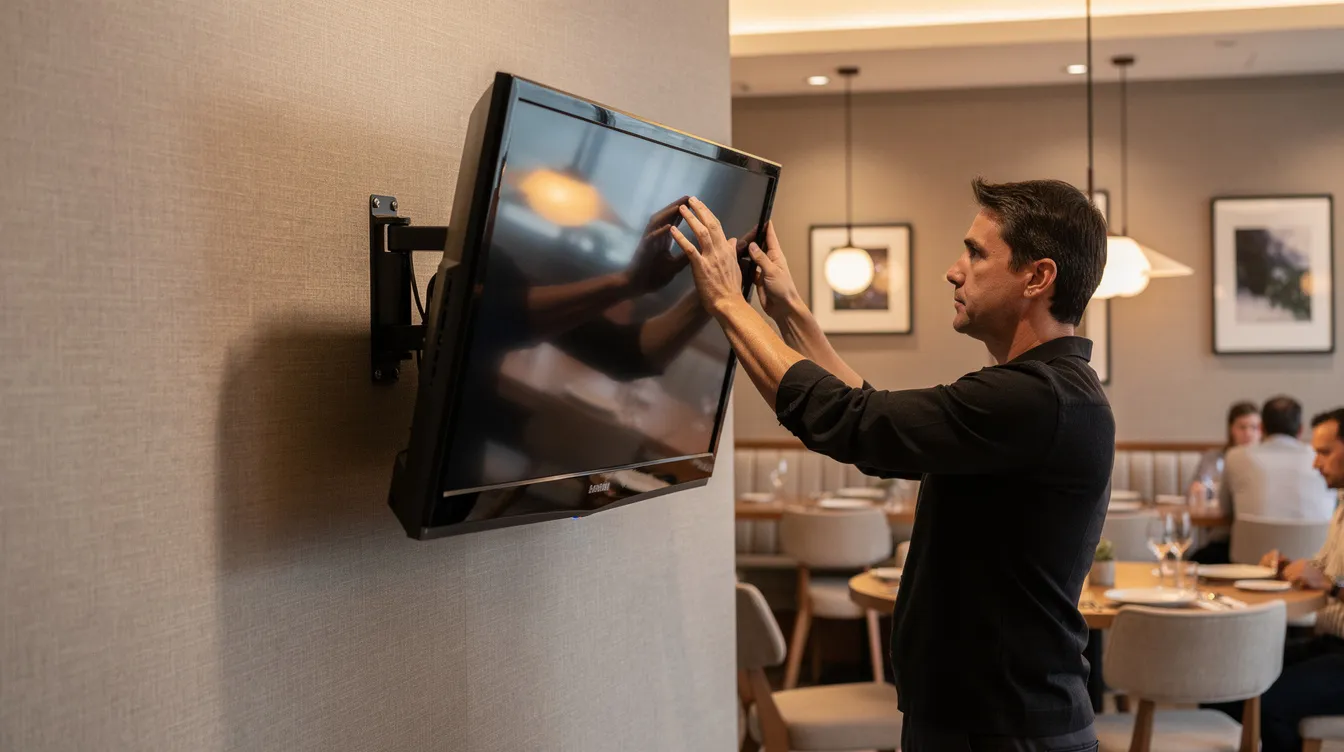
Wall-mount the TV above your counter at a slight downward angle aimed at average eye level. Use VESA-compliant mounts with tilt adjustment for optimal positioning. |
|
Step 2 – Decide your content source
Match your choice to your situation:
- USB slideshow – Very small operations with rare menu changes
- General signage software – Growing venues needing frequent updates and multi-screen management
- Split-Flap TV – Brand-focused venues wanting distinctive retro aesthetics plus digital convenience
Step 3 – Plan your menu layout
Group items logically—mains, sides, drinks, desserts—so customers can scan quickly. Limit each screen to 10–15 items to preserve readability. Place high-margin or signature dishes at eye level or in central positions where viewers naturally look first.
Step 4 – Design your visuals
Effective menu board design prioritizes legibility:
- High contrast (dark background with light text works well)
- Large pricing fonts visible from 2–4 meters
- Consistent typography across all screens
- Minimal clutter—leave breathing room around text
For Split-Flap TV, choose a board theme and column structure that matches your brand’s personality. A monochrome flip board suits minimalist cocktail bars; colored variants work for playful cafés.
Step 5 – Configure scheduling
Define your daypart rules:
- Breakfast: Open until 11:00 AM
- Lunch: 11:00 AM – 3:00 PM
- Dinner: 3:00 PM – Close
- Happy hour: 4:00 PM – 6:00 PM (if applicable)
Add weekly events like Taco Tuesday, Wine Wednesday, or Sunday brunch with automatic on/off rules. This eliminates manual switching and ensures the right content appears at the right times.
Step 6 – Test in real conditions
Stand where your customers will queue—typically 2–4 meters from the screen, sometimes at oblique angles. Check that all text is legible, contrast is sufficient, and dwell times feel natural. Adjust font sizes and slide durations based on this in-situ testing. What looks perfect on your laptop may be unreadable from across the room.
Step 7 – Train staff
Show managers and key staff how to:
- Quickly correct price errors
- Mark items as sold out
- Push urgent announcements
- Schedule temporary promotions
For Split-Flap TV, this means a brief walkthrough of the web dashboard. For USB setups, create clear instructions for editing images and updating the storage device.
USB stick vs. Split-Flap TV: which should you choose?
Many venues start with USB because it’s familiar—just plug in a stick and go. But once you feel the friction of manual updates, outdated prices, and generic visuals, the limitations become clear.
Comparing the two approaches
|
Factor |
USB stick |
Split-Flap TV |
|---|---|---|
|
Initial effort |
Very low |
Low (app install + account setup) |
|
Ongoing effort |
High (manual edits for every change) |
Very low (edit from any browser) |
|
Update speed |
Hours to days |
Seconds |
|
Multi-screen sync |
Manual per TV |
Automatic across all screens |
|
Visual style |
Generic templates or custom graphics |
Distinctive retro split-flap aesthetic |
|
Scheduling |
Limited or manual |
Full dayparting and event scheduling |
|
Live data |
Not available |
Weather, time, social counters |
|
Monthly cost |
None |
Subscription-based |
When USB makes sense
- Pop-up events and temporary installations
- Very small operations with menus that rarely change
- Tight budgets with no room for subscriptions
- Venues where retro aesthetics aren’t a priority
When Split-Flap TV makes sense
- Bars, restaurants, hotels, and retailers that care about ambiance
- Venues that frequently change prices or specials
- Multi-location businesses needing centralized control
- Brands wanting a recognizable, conversation-starting aesthetic
- Environments where sustainability of printed materials is a concern (eliminating constant reprints)
Try before you commit
The best way to know which approach fits your space is to experience it firsthand. Split-Flap TV offers a 7-day free trial—install the app on an existing TV, connect to your local network, and run a test board alongside your current setup using the latest Split-Flap TV interface. Compare the customer engagement, the operational workflow, and the visual impact without any hardware investment.
Key takeaways
- A digital TV menu board combines a display, media source, and digital content to create dynamic, updatable menus
- USB slideshows offer low upfront cost but require significant manual effort for every change
- General digital signage software adds scheduling and central control but may look generic
- Split-Flap TV delivers the practicality of digital menus with distinctive 1960s-inspired retro charm
- Proper setup includes choosing the right screen size, planning layouts for readability, and configuring automatic scheduling
- Testing in real conditions—from where customers actually stand—is essential before launch
Conclusion
A digital TV menu board doesn’t have to look like every other restaurant’s generic slideshow. With Split-Flap TV, you get the operational benefits of modern digital signage—real-time updates, automatic scheduling, multi-screen synchronization—wrapped in timeless retro charm that makes your space memorable.
Whether you’re running a cozy café with a single TV or a brewery taproom with boards throughout, the right menu display transforms how customers experience your venue. Start with the 7-day free trial, connect your existing screen, and see how the split-flap aesthetic brings new life to your menu—no ladders, no reprints, no outdated prices.
Ready to build a menu board that customers actually notice? Try Split-Flap TV free for 7 days and bring the nostalgic charm of 1960s departure boards to your space.