
How to Update Cafe Announcements Remotely
June 23, 2026 · Captain
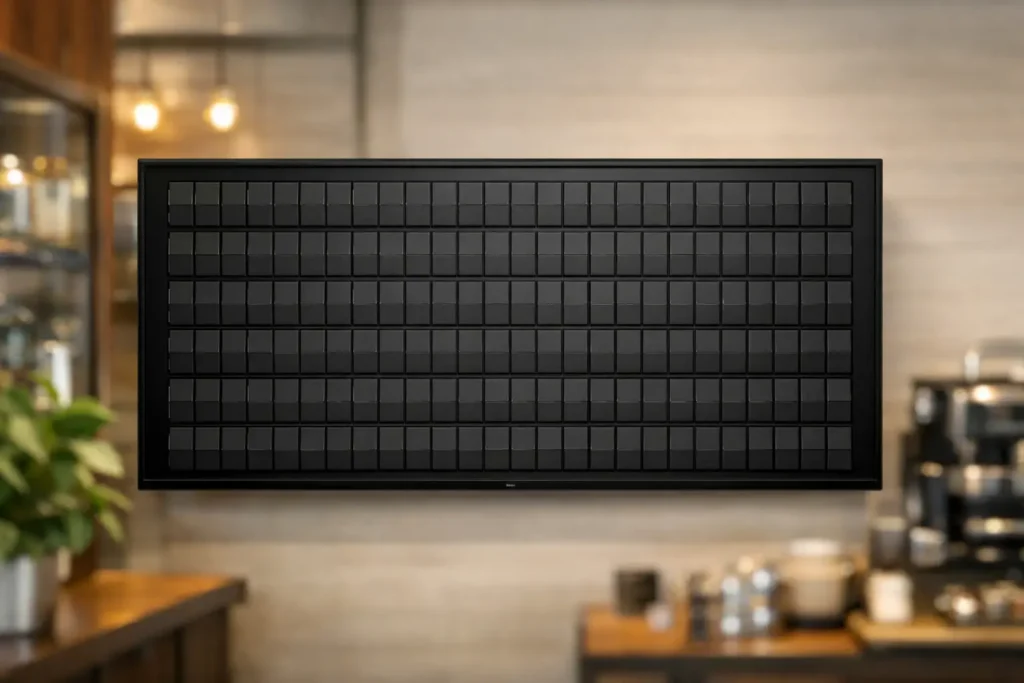
The morning rush is already three orders deep, someone asks if the oat milk is back, and your handwritten sign still says yesterday’s soup. That is exactly why so many owners look up how to update cafe announcements remotely – not because signage is glamorous, but because stale information creates friction fast.
For a busy cafe, announcements change constantly. Hours shift on holidays. A pastry sells out early. Wi-Fi details need to go up. A live music night gets added. If your communication depends on chalk markers, taped paper, or hoping staff remembers to swap a sign, the system breaks the moment the line gets long.
Remote updates fix that. More specifically, a cloud-managed display lets you change messaging from your phone, tablet, or computer without standing in front of the screen. That means you can publish a breakfast special before opening, switch to lunch at 11, post a same-day closing notice during bad weather, or update tomorrow’s event from home. The cafe looks polished, the message stays accurate, and staff gets one less thing to manage by hand.
How to update cafe announcements remotely without adding work
The simplest setup is not a flashy screen filled with motion and clutter. In a cafe, text-first communication usually works better. Customers are glancing up while ordering, waiting for drinks, or looking for one quick answer. They want to know what’s changed, what’s available, and what they should notice right now.
That is where split-flap style digital signage has a real advantage. The format feels familiar, almost cinematic, with that classic click-clack rhythm people associate with station boards and old public displays. But behind the retro charm is a very modern workflow – one screen in your cafe, controlled through an app, with content you can update from anywhere.
In practice, the process is straightforward. You install the display, connect it to the internet, and manage its content through a cloud dashboard or app. Once that is set up, you no longer need to physically rewrite signs every time something changes. You open the app, edit the message, publish it, and the board updates on location.
That sounds simple because it is. The real question is how to make it useful during an actual cafe day.
Start with the announcements that change most often
Remote control is most valuable when it replaces repetitive manual work. For most cafes, that starts with daily specials, sold-out notices, hours, event messaging, and service updates.
If you run brunch on weekends, schedule that message in advance. If your bakery case changes by the hour, swap in short sold-out notices as needed. If your espresso machine is temporarily down, you can post a clear line of text immediately rather than forcing staff to repeat the same apology to every guest.
The key is not to treat your announcement display like a giant menu. A good remote signage setup focuses on timely information. Short lines are easier to read, easier to update, and more likely to influence customer behavior. “Pumpkin loaf sold out” works. “Live jazz tonight 7 PM” works. “Kitchen closes at 3” works. The board becomes a calm, elegant layer of communication instead of another busy surface competing for attention.
There is a trade-off here. If you try to fit every detail on one board, readability suffers. If you keep the messaging selective, it becomes much more effective.
What belongs on a remotely updated cafe board
The best content is usually operational or time-sensitive. Think store hours, today’s specials, limited items, event reminders, pickup instructions, Wi-Fi information, or simple brand moments like “Fresh cinnamon rolls at 8 AM.” These are the updates that save staff time and reduce repeat questions.
Long policy text, oversized menus, or dense promotional copy are usually a poor fit. A split-flap style board shines when it says a little, clearly, and with presence.
The practical setup behind remote announcements
If you are wondering how to update cafe announcements remotely in a way that feels manageable, the answer is less about technical complexity and more about choosing a system designed for non-technical teams.
A strong setup has three parts: a display in the cafe, a content management app, and a reliable internet connection. Once connected, the screen becomes a destination for messages you control off-site. You might update it from the back office, from another store, or from your couch after closing. The point is that the content is no longer tied to your physical presence.
This matters most for owner-operators and small teams. You may not be in the cafe every hour, but your messaging still needs to be current. Remote control gives you that continuity.
A well-designed system also lets you schedule content ahead of time. That means breakfast can roll into lunch automatically, weekday messaging can differ from weekend messaging, and holiday hours can appear on the right dates without anyone remembering to change the sign mid-shift.
Scheduling is one of those features that sounds small until you use it. Then you realize how much cafe communication is predictable. Once you automate the predictable parts, your manual updates are reserved for real-time changes only.
Why the format matters as much as the technology
Not every digital sign belongs in a cafe. Some displays are too bright, too visual, or too generic for a space that depends on atmosphere. Cafes are built on mood as much as function. The signage should support that.
A split-flap display does something standard screens rarely do – it turns text into an experience. The movement catches the eye, the typography feels intentional, and the overall look adds character without overwhelming the room. It reads as part utility, part design object.
That matters if your brand is carefully considered. A taped printer sheet may communicate the message, but it also communicates stress. A thoughtfully designed display says the business is in control.
There is also a practical benefit to the old-school format. Text-first boards help you stay disciplined. You are less likely to over-design the message and more likely to keep it concise. For announcements, that is usually a win.
Who should control the updates
This depends on how your cafe runs. In some shops, only the owner should publish announcements. In others, shift leads need access because they know what is sold out or delayed in real time.
The best approach is usually shared responsibility with simple rules. Owners or managers can handle recurring schedules, hours, and event promotion. Staff on site can update immediate service notices such as item availability or early kitchen close times. That balance keeps the information accurate without turning every message into a management bottleneck.
What you want to avoid is ambiguity. If everyone assumes someone else changed the board, no one changed the board.
A good remote signage workflow is less about permissions and more about clarity. Decide who owns daily updates, what types of announcements are allowed, and how short messages should be written. That keeps the board useful and on-brand.
Common mistakes when cafes update announcements remotely
The biggest mistake is using remote signage only in emergencies. If the board only changes when something goes wrong, it starts to feel like a problem screen. You want it to be part of the daily rhythm of the space.
Another mistake is writing announcements like emails. Customers will not read full sentences with background context while standing at the register. Keep messages brief, direct, and visible from a few steps away.
The third mistake is forgetting timing. A message that is accurate at 8 AM may be irrelevant by 1 PM. Remote access helps, but only if someone actually uses it. That is why scheduling plus occasional live edits is such a practical combination.
And finally, some cafes choose a display style that does not match the room. If the signage feels harsh or overly commercial, it can work against the experience you are trying to create. A retro-modern board with a clear text layout often lands better because it feels intentional, not improvised.
A better standard than chalk and tape
Remote cafe announcements are not about adding more tech for the sake of it. They are about removing avoidable friction. When your display can be updated from anywhere, the right information shows up at the right time, and your team spends less energy repeating themselves.
That is the real appeal. You keep the warmth and personality of a well-designed cafe, but the communication runs with modern precision. A split-flap style system adds a little theater to the room – the classic click-clack, the public-display nostalgia, the sense that information matters – while quietly solving a very current problem.
If you want customers to notice the message and trust it, your announcements should feel as considered as your coffee program. Update them remotely, keep them brief, and let the board do what good signage has always done: make the space easier to navigate and more memorable to be in.