
How to Manage Multi Location Screens
May 8, 2026 · Captain
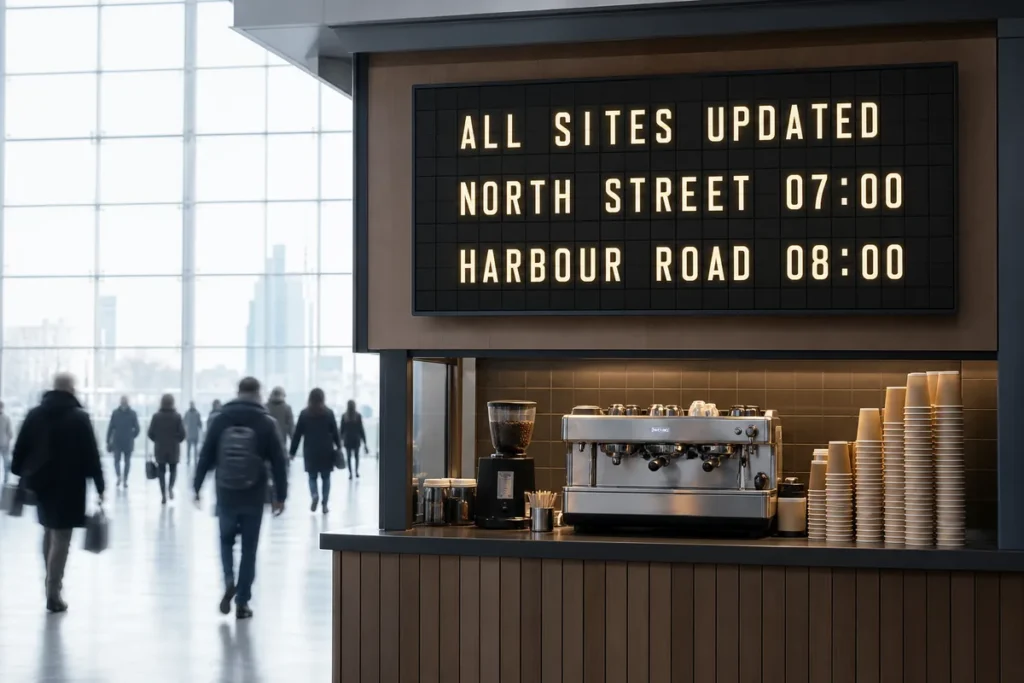
A screen in one location is easy. Ten screens across cafés, hotels, offices, or retail counters is where things get messy fast. If you are figuring out how to manage multi location screens, the real challenge is not just pushing content live – it is keeping every location accurate, on-brand, and easy to update when the lunch rush hits or a schedule changes at the last minute.
For most operators, the problem starts small. One screen shows hours. Another shows specials. A third gets used for events or house rules. Then locations multiply, teams get busy, and suddenly every screen is saying something slightly different. That is when digital signage stops being a nice visual touch and becomes an operations system.
What makes multi-location screen management harder than it looks
The biggest mistake is treating every screen like a standalone display. That works for a while, but it creates extra labor and invites inconsistency. If one store updates holiday hours and another forgets, customers notice. If one bar changes a happy hour menu but the downtown location still shows last week’s version, staff spend the evening explaining the mismatch.
Managing multiple locations well means balancing two needs that often pull against each other. You want central control so the brand looks tight and polished. You also want local flexibility so each site can respond to its own hours, inventory, events, and traffic patterns. Too much control from the center, and local teams get stuck waiting on approvals. Too much freedom, and the whole network starts to feel random.
That tension is why a good system matters more than a flashy screen. The goal is not to make every location identical. It is to make every location feel intentional.
How to manage multi location screens without creating extra work
Start by deciding what content should be universal and what should be local. Universal content usually includes brand messaging, recurring announcements, design standards, and evergreen information. Local content includes store hours, daily specials, room changes, event schedules, or any message tied to one site’s operations.
Once that line is clear, your workflow gets simpler. Headquarters or your brand lead controls the shared framework. Individual locations adjust only the content that actually needs local ownership. That structure prevents the classic problem where every manager builds signage from scratch.
It also helps to think in layers. The layout, colors, rhythm, and overall display style should stay consistent across locations. The text inside that framework can change based on what each site needs to communicate. This is especially effective for split-flap style displays, where clarity and timing matter more than stuffing too much information onto the screen. A well-managed board feels deliberate. A cluttered one loses the very charm that makes people look up when they hear that click-clack effect.
Build a content system before you build a screen network
If your first step is buying hardware, you are starting too late. Before screens go live, define a simple content system that anyone on your team can follow.
Begin with categories. Most businesses only need a few: welcome messaging, hours, featured items, directional information, events, service updates, and brand moments. When every message has a category, it becomes easier to assign ownership and avoid duplication.
Then set rules for length and readability. This matters even more with text-led displays. A split-flap inspired screen is not trying to be a giant animated billboard. Its strength is focused information with strong visual character. Short lines, clean pacing, and clear hierarchy beat dense paragraphs every time.
You should also decide how often each category changes. Some messages can stay up for weeks. Others may rotate daily or hourly. Once you know the natural lifespan of your content, scheduling gets much easier and your team stops making manual edits for things that could have been automated in advance.
Use templates, but leave room for local character
Templates are what make scale possible. They save time, reduce formatting errors, and keep your brand recognizable from one location to the next. But there is a difference between consistency and sameness.
A coffee shop in a hotel lobby and a neighborhood wine bar may both belong to the same company, but they do not need to communicate in exactly the same way. One may need event listings and breakfast hours. The other may need rotating pours and live music announcements. The smartest template systems keep the visual language consistent while allowing the message to reflect the room it lives in.
That is why modular layouts tend to work better than rigid ones. Keep the structure familiar, then swap content blocks based on use case. One location might use a board for arrivals and departures. Another might use the same format for specials, reservations, or house notes. The screen still feels connected to the brand, but not detached from the real needs of the site.
Scheduling is where remote screen management pays off
If you are still updating every screen manually, multi-location management will eventually break down. Scheduling is what turns signage into a system instead of a chore.
Think through the week in patterns. Morning content is different from evening content. Weekday traffic is different from weekend traffic. Holiday periods, private events, and seasonal campaigns all create predictable shifts. Once those patterns are mapped, you can preload changes instead of relying on someone behind the counter to remember them.
This is especially valuable for businesses with frequent updates but limited staff time. Restaurants can schedule menu callouts by daypart. Hotels can rotate check-in notes, event reminders, or breakfast hours. Offices can update visitor messaging around meetings and building access. Retail teams can shift messaging around launches, promotions, or store events.
The practical benefit is simple: fewer last-minute scrambles, fewer outdated signs, and fewer customer questions caused by old information lingering on screen.
Set permissions so the right people control the right screens
One reason multi-location signage gets chaotic is that nobody defines who is allowed to change what. If everyone can edit everything, mistakes spread quickly. If only one person can make updates, requests pile up.
A better setup uses tiers of control. Central teams manage brand standards, shared templates, and network-wide campaigns. Local managers handle site-specific edits inside that structure. That gives you speed without giving up consistency.
It also creates accountability. When a screen is wrong, you know whether the issue came from the shared template, the local edit, or the schedule itself. Without that clarity, troubleshooting turns into guesswork.
The best screen strategy is often less visual, more useful
There is a common temptation to overload digital signage with motion, promotions, and too much design. That is not the strength of a split-flap style display. Its power comes from restraint.
Text-forward screens work best when they communicate one thing cleanly, then move to the next. The nostalgic split-flap look draws people in because it feels physical, rhythmic, and public. It has presence. But that presence only works when the information is crisp.
For multi-location operators, this is actually good news. Useful signage is easier to manage than overly complex signage. You do not need each location to produce endless creative assets. You need a strong visual format, a clear content plan, and a way to update messaging remotely when reality changes.
That is where a cloud-managed approach makes a real difference. A prepared screen, paired with app-based control, gives teams a simpler route: set the layout, assign the messaging, schedule the content, and publish without turning every update into an AV project. For businesses that want something more elegant than taped paper signs and more distinctive than generic digital boards, that balance matters.
Measure success by fewer questions and faster updates
The best way to judge your multi-location screen setup is not by how impressive it looks in a screenshot. It is by what happens on the floor.
Are staff answering the same basic questions less often? Are location updates happening in minutes instead of hours? Are promotions, hours, and announcements more consistent across sites? Do screens still look polished even when different managers are updating them?
If the answer is yes, your system is doing its job.
Learning how to manage multi location screens is really about designing for real life. Busy teams need control without complexity. Customers need information without confusion. And your space should still feel memorable while doing the practical work of communication. When you get that mix right, the screen stops being decoration and starts becoming part of how the business runs.