
What Size TV for Menu Board Screen?
May 2, 2026 · Captain
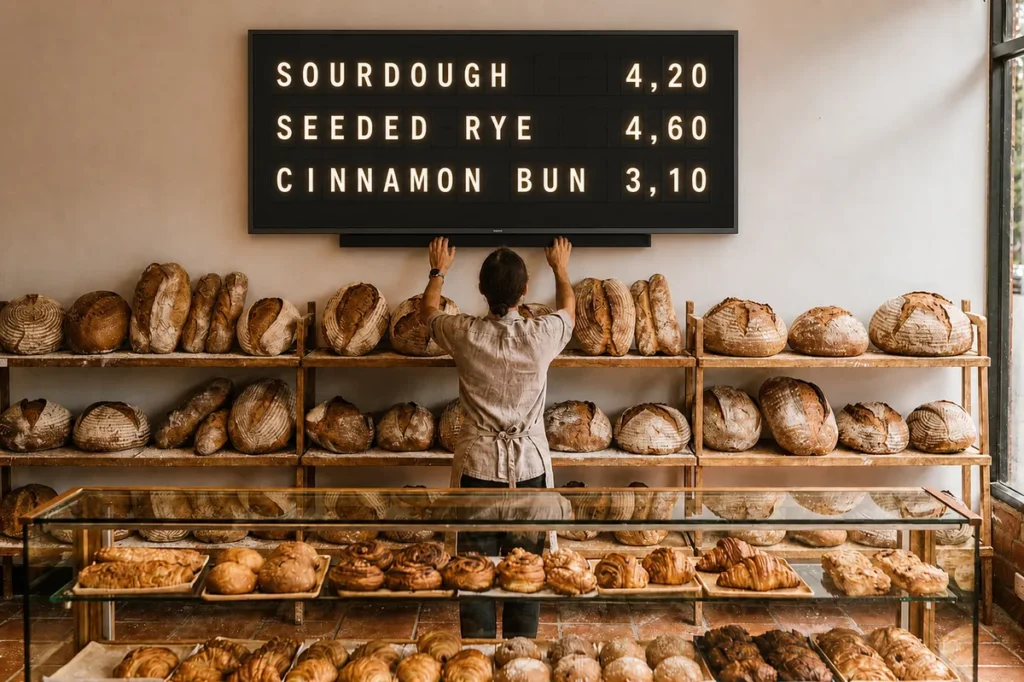
A menu board that is too small makes customers squint. One that is too large can dominate the room, throw off your layout, and make simple text feel oddly hard to scan. If you are asking what size TV for menu board screen makes sense, the answer starts with one practical question: how far away will people read it?
For restaurants, cafes, bars, hotel counters, and retail spaces, screen size is less about chasing the biggest panel and more about matching the display to the space, the content, and the pace of the customer interaction. That matters even more with split-flap style signage, where text clarity, rhythm, and visual presence do the heavy lifting.
What size TV for menu board screen depends on
The right screen size usually comes down to four variables: viewing distance, how much text you need to show, the shape of your wall, and whether the display is the main focus or a supporting sign.
If customers are standing 4 to 6 feet away, a 32-inch or 43-inch screen is often enough for concise menus, specials, pickup instructions, or service messages. If they are reading from 6 to 10 feet away, 43-inch to 55-inch screens tend to be the sweet spot. Once you get beyond that, especially in larger dining rooms, lobbies, or open-plan venues, 55-inch to 65-inch screens become more practical.
That said, distance alone does not decide it. A compact coffee menu with a few categories needs less real estate than a bar menu with rotating beers, happy hour messaging, and event updates. A narrow wall behind the register creates one set of limits. A large feature wall near the entrance creates another.
Start with reading distance, not screen specs
Most business owners begin by looking at available TV sizes. It is better to start on the floor with a tape measure.
Stand where your customer stands when they order. Measure the average distance to the wall where the menu board will go. Then think about customer behavior. Are they reading while moving through a line, or do they have a few seconds at a host stand or counter? Fast-glance environments need larger, simpler displays. Slower environments can support a bit more density.
For text-based digital signage, legibility matters more than cinematic scale. That is especially true for split-flap inspired layouts, which are designed to feel iconic and theatrical but still rely on clean, readable messaging. The goal is not to pack the screen edge to edge. The goal is to let the content breathe.
A practical size guide by distance
At 3 to 5 feet, 24-inch to 32-inch screens can work for highly focused messages, but 43-inch usually feels more polished in a commercial setting.
At 5 to 8 feet, 43-inch is a strong baseline. It gives enough presence for menu categories, pricing, and rotating notices without feeling oversized.
At 8 to 12 feet, 50-inch to 55-inch becomes safer, especially if the board includes multiple sections or sits above eye level.
At 12 feet and beyond, 65-inch may be the better choice, but only if the wall and room can support it without overwhelming the space.
These are not hard rules. They are starting points. A minimalist board with large type can work farther away on a smaller screen. A dense menu may need a larger panel even in a smaller room.
The biggest mistake is choosing size before layout
A menu board is not a living room TV. It has a job to do.
If your screen will mainly show text, categories, pricing, and a few rotating updates, the layout should lead the decision. Think in rows, columns, and message blocks. A retro split-flap board style naturally favors short lines, clear hierarchy, and strong spacing. That means you do not always need a massive display to make an impact. In fact, going too large can expose too much empty space or tempt you to cram in more content than customers can absorb.
There is a trade-off here. A larger screen gives you more flexibility and stronger visibility. But if your content is simple, a smaller screen can feel sharper, cleaner, and more intentional.
When 43-inch is the sweet spot
For many small to mid-sized venues, 43-inch is the easiest recommendation. It fits comfortably in tight service areas, works well at common viewing distances, and supports menu content without demanding a huge wall. It is especially effective for coffee shops, bakeries, bottle shops, smaller hotel desks, and retail counters where customers are relatively close.
A 43-inch display also suits businesses that want the board to feel elegant rather than overpowering. With split-flap style visuals, that restraint often works in your favor. The display catches attention through motion, contrast, and that familiar click-clack personality, not just raw size.
When 55-inch makes more sense
A 55-inch screen earns its place when the room is wider, the queue sits farther back, or the board needs to carry more operational information. Think bars with food and drink listings, quick-service counters with several categories, or hotel and office lobbies displaying schedules, welcome messaging, and directional notes.
This size gives your layout more breathing room. It also creates stronger visual presence in spaces where the board is part communication tool, part brand moment.
The trade-off is proportion. In a compact interior, a 55-inch screen can feel visually heavy if the wall is narrow or the ceiling is low. It is worth mocking up the dimensions with painter’s tape before you commit.
Orientation matters more than many people expect
Not every menu board should be horizontal.
If your content is mostly stacked text, short announcements, hours, Wi-Fi info, specials, or wayfinding, a vertical screen can be surprisingly effective. Portrait orientation often works well in entryways, next to a host stand, or in corners where a wide panel would be awkward.
Horizontal screens still make sense for traditional menu layouts with multiple sections side by side. But if your messages are concise and change often, vertical can feel cleaner and more editorial.
This is where a flexible signage system matters. If you can control layouts, timing, pages, and message structure from an app, the same screen size can do different jobs over the course of a day.
One large screen or multiple smaller ones?
If you are debating between one 65-inch screen and two 43-inch screens, the room usually decides.
One large screen creates a bold focal point and is easier to manage visually. It is a strong fit when there is a clear feature wall and customers naturally face one direction. Two smaller screens can work better when the wall is wide, the customer flow spans a longer counter, or you want to separate content into distinct zones such as food on one side and drinks or updates on the other.
With split-flap style content, multiple screens can feel especially composed if each board has a clear role. What you want to avoid is fragmentation. If people have to scan all over the room just to understand your offering, the display stops helping.
Fit the screen to the experience you want
Menu boards are operational tools, but they also shape the room.
A boutique hotel may want a board that feels like part of the interior design, subtle but memorable. A busy lunch spot may need immediate readability from the door. A bar may want a display with enough scale to anchor the back wall while still keeping text legible in low light.
This is why there is no single perfect answer to what size TV for menu board screen works best. The best size is the one that suits the space and the tempo of the interaction. Bigger is not always better. Better is better.
For many businesses, that means choosing a screen that keeps messaging crisp, leaves room for clean layout decisions, and feels intentional in the environment. A well-sized display does more than show information. It makes updates easier, reduces sign clutter, and turns everyday communication into something customers actually notice.
If you want a simple rule to start with, begin at 43 inches for close-range menu boards and move to 55 inches when distance, wall size, or content density clearly asks for more. Then test the view from the customer position, not the manager’s desk.
The right screen should feel like it belongs in the room. When it does, your menu board stops looking like a TV on a wall and starts working like part of the brand.