
How to Use TV as a Digital Sign
April 30, 2026 · Captain
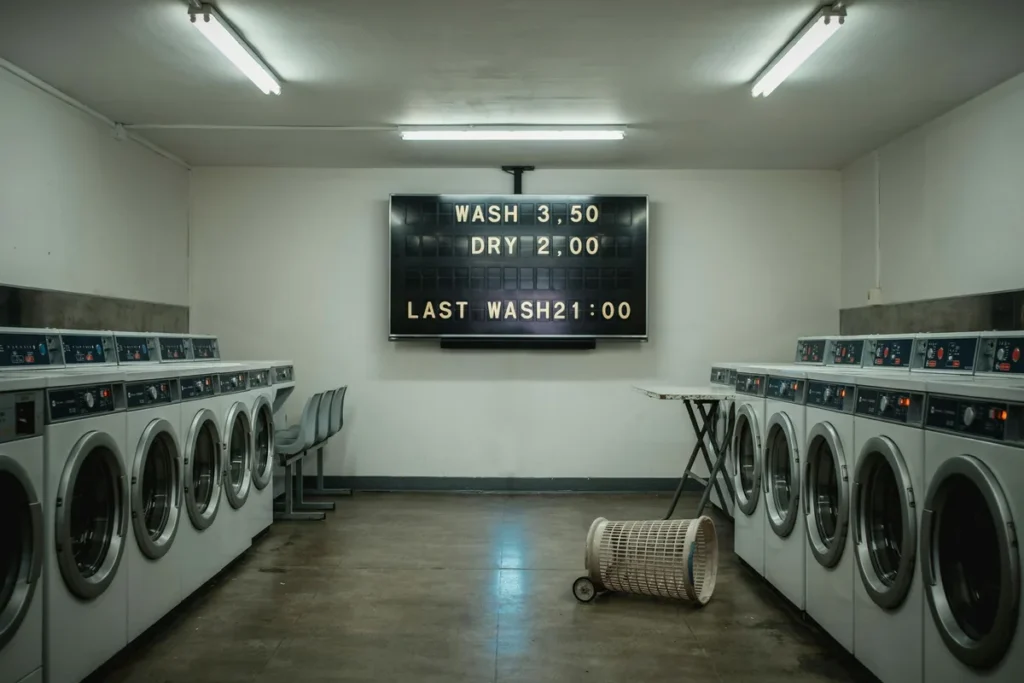
That extra TV on the wall might be doing almost nothing for your business. Maybe it is stuck on cable no one watches, showing a static slide, or sitting dark between promotions. If you are wondering how to use TV as a digital sign, the good news is that the hardware is often the easy part. The real difference comes from what you show, how often you update it, and whether the display actually fits the feel of your space.
For a restaurant, hotel lobby, retail shop, or office, a TV can absolutely become a useful sign. But not every digital sign should look like a giant ad screen. In many customer-facing spaces, especially where design matters, text-first signage can do a better job. It answers questions fast, looks intentional, and avoids the visual noise that comes with generic slide decks and overdesigned promo loops.
How to use TV as a digital sign without overcomplicating it
The basic setup is simple. You need a screen, a way to display content on that screen, and a system for updating content without turning every change into a mini IT project. That is where many businesses get stuck. A TV by itself is only a monitor. To make it useful as signage, it needs software or a connected device that controls what appears, when it appears, and how it is formatted.
In practice, that means choosing between a few different paths. Some businesses use a USB stick with a looping slideshow. That can work for very static content, but it becomes frustrating the moment your hours change, a special sells out, or you want to schedule different messages for morning and evening. Others connect a small media player or use a smart display app so content can be updated remotely.
If your goal is quick communication rather than flashy video, a split-flap style system makes a lot of sense. It turns the TV into a cloud-managed message board with real personality. You get the clean, public-information clarity of old transit and timetable boards, but without the maintenance and limits of mechanical hardware. The result feels more premium than handwritten signs and more memorable than a standard digital screen.
Start with the job the sign needs to do
Before you mount anything, decide what the TV is supposed to accomplish. This sounds obvious, but it prevents a lot of bad signage.
A cafe might need to show rotating specials, Wi-Fi info, and pickup status. A boutique hotel may need to display check-in notes, breakfast hours, and local recommendations. An office might need visitor directions, event schedules, or internal announcements. These are different jobs, and each one changes the layout that works best.
If people need to read the message in a few seconds while walking by, keep it short and text-led. If they will stand and wait, like at a host stand or reception area, you have a little more room for multiple pages or scheduled content. The best digital signs are not trying to say everything at once. They reduce repeat questions and keep information current.
Pick the right TV and placement
Almost any modern flat-screen TV can work as a digital sign, but placement matters more than size alone. A giant screen is not helpful if glare washes it out or if customers only see it from a sharp side angle. On the other hand, a smaller display in exactly the right location can quietly do a lot of work.
Think about sightlines first. Put the screen where people naturally pause – near the entrance, at the counter, above a host stand, behind reception, or in a waiting area. Height matters too. If the sign is meant to be read, not treated like ambient background content, mount it so the main message sits close to eye level.
Brightness and reflection are worth considering. A TV in a sunlit storefront may need a different spot than one in a dim bar or hallway. And if the display is part of your brand experience, the frame, mount, and surrounding wall all affect how polished it feels. Good signage should look like it belongs there.
Choose content that works on a TV
This is where many businesses miss the point. A TV is not automatically a good sign just because it is digital. The content has to be built for quick public reading.
That usually means fewer words, stronger hierarchy, and frequent updates. Customers should be able to glance up and understand the message without effort. Hours, specials, event times, room assignments, featured items, waitlist info, and short service messages all work well. Long paragraphs do not.
For many venues, text-based signage is underrated. It is fast to scan and easier to keep current than graphic-heavy layouts. It also tends to age better. A split-flap format is especially effective because it gives plain information a sense of movement and occasion. The click-clack rhythm and board-style transitions catch attention without turning the space into a billboard.
That matters in design-conscious businesses. If your interior has character, a generic slide presentation can feel like an afterthought. A retro-inspired display can feel intentional, almost architectural, while still doing the practical work of answering questions and guiding guests.
How to use TV as a digital sign for daily updates
The biggest benefit of digital signage is not that it is digital. It is that it is editable.
When you use a TV as a sign, the win is being able to update information instantly instead of printing, taping, erasing, or rewriting. That is especially useful if your menu changes often, your team runs shift-based promotions, or customers keep asking the same five questions every day.
A good system lets you make updates from a phone, tablet, or computer without standing in front of the screen. You should be able to change a message in seconds, schedule content ahead of time, and create layouts that stay consistent with your brand. If multiple locations or departments need access, centralized control becomes even more valuable.
This is where purpose-built signage software earns its keep. It removes friction. Instead of treating the TV like a workaround, you treat it like an actual communication tool. With Split Flap TV, for example, the setup is designed to be plug-and-play: get the screen in place, download the app, and publish messages in a format built for clean, eye-catching public display.
Match the style to the setting
Not every business needs the same visual language. A sports bar can get away with more energy than a boutique hotel lobby. A coffee shop may want warmth and charm, while an office reception area may want clarity and restraint.
That is why the design system matters. Rows, columns, colors, timing, multiple pages, and scheduled content should serve the room, not overpower it. The old split-flap aesthetic is especially useful here because it carries visual character without requiring video, flashing graphics, or constant motion. It feels classic, but still current when the software is flexible enough to adapt to modern needs.
There is also a practical trade-off to keep in mind. A highly visual display can show off photography and branding, but it may be slower to read from a distance. A text-forward board sacrifices some image-driven storytelling, but it often performs better when the goal is quick understanding. If your sign is replacing handwritten notes, menu inserts, or taped reminders, clarity wins.
Common mistakes to avoid
The first mistake is treating the TV like a dumping ground for every message in the building. When a screen tries to show too much, people stop reading it.
The second is forgetting that content has to stay current. A dark screen looks bad, but an outdated screen is worse. If yesterday’s special is still up or your holiday hours never changed, the sign starts working against you.
The third is choosing a style that clashes with the space. If your shop or lobby has a distinct personality, signage should support it. Customers notice when the display feels thoughtful, and they notice when it feels generic.
Finally, do not underestimate ease of use. If only one person knows how to update the screen, the whole setup becomes fragile. The best signage systems are simple enough to use during a busy shift, not just during a quiet planning session.
When a TV works well as a digital sign
A TV is a strong choice when you already have wall space, need frequent updates, and want one display to handle changing messages throughout the day. It is especially effective in places where customers queue, pause, or repeatedly ask for the same information.
It may be less effective if the screen is too far away, the content is too dense, or your business really needs highly visual merchandising rather than concise information display. It depends on the use case. But for many small and mid-sized businesses, a well-placed TV with the right signage system can replace a surprising amount of manual work while making the space look more composed.
The best version of this setup does more than digitize a sign. It turns routine information into part of the atmosphere. When the display feels elegant, readable, and alive with that familiar click-clack cadence, customers do not just notice it – they remember it.