
Custom Digital Signage Layouts: Rows and Columns
April 22, 2026 · Captain
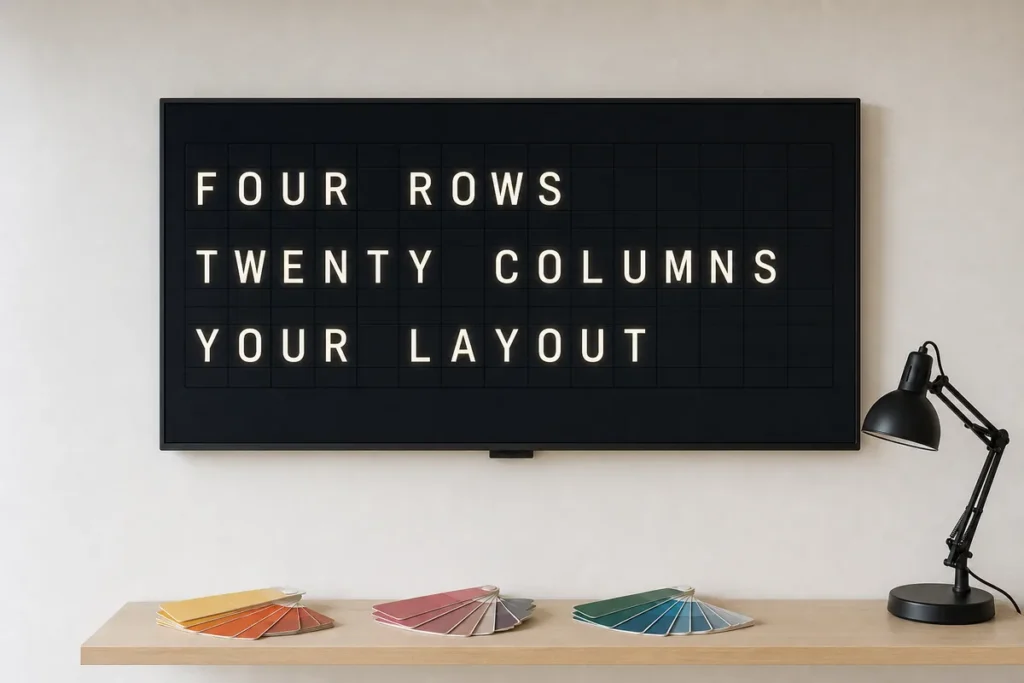
A display can have the right message and still miss the room if the layout feels off. Too many columns, and guests stop reading. Too few rows, and you waste valuable screen space. When people search for custom digital signage layouts rows columns, what they usually want is simpler than it sounds – a board that looks intentional, reads fast, and can keep up with real business changes.
That matters even more with split-flap style signage. This is not the place for crowded widgets and flashy motion competing for attention. The charm comes from restraint: clear text, balanced spacing, and that familiar click-clack rhythm that makes people look up in the first place. A good layout is not decoration. It is the system that turns a beautiful display into a useful one.
Why custom digital signage layouts rows columns matter
Rows and columns decide how people scan information. In a cafe, that might mean seeing coffee specials in one glance. In a hotel lobby, it might mean finding check-in details, event times, or Wi-Fi information without walking to the desk. In an office, it could mean making room bookings and announcements readable from across the room.
The structure changes the experience. A wide layout with fewer rows feels bold and calm, which works well for rotating headlines, welcome messages, or short service updates. A taller layout with more rows can hold schedules, menu items, or multi-line notices, but only if the text remains easy to read at the distance your audience will actually stand.
This is where many businesses overbuild. They try to fit every update into one screen, and the result feels more like a spreadsheet than signage. Split-flap boards have always worked best when they respect hierarchy. Give the main message room. Let secondary information support it, not compete with it.
Start with viewing distance, not screen size
It is tempting to think layout starts with the screen itself. In practice, it starts with where people are standing and how long they have to read.
If your display sits behind a counter and customers only glance at it for a few seconds, a simpler grid wins. Fewer rows and fewer columns create larger characters, stronger contrast, and quicker comprehension. If your screen is in a waiting area or lobby where people have more time, you can support a denser layout, especially for schedules or lists.
The old airport and train-station logic still applies. People do not read public displays like web pages. They scan for landmarks: a time, a name, a category, a destination, a special. Your layout should help their eyes land on the right place fast.
Choosing the right row and column balance
There is no universal best grid because the right setup depends on the kind of message you need to show repeatedly. Still, patterns emerge.
A low-row, wide-column layout is often the strongest option for headline-style content. Think greetings, branded statements, store hours, simple promos, or directional messaging. It feels premium because it is selective. You are choosing what deserves attention.
A medium grid works well for restaurants, bars, and service businesses that update information throughout the day. You can dedicate one area to categories and another to details, which keeps the board structured without making it feel rigid.
A higher-row layout makes sense when information changes often and needs to be listed in sequence. Daily schedules, event lineups, room assignments, class times, and shift notices all benefit from extra rows. The trade-off is obvious: the more you fit in, the smaller and less dramatic each line becomes.
Rows control pacing
Rows do more than add capacity. They shape the visual tempo of the board. Fewer rows create a slower, more theatrical feel, which suits a split-flap display beautifully. More rows feel more functional and information-heavy. Neither is wrong, but they serve different jobs.
For venues leaning into atmosphere, fewer rows usually create a stronger effect. For operations-heavy spaces, extra rows may be worth the sacrifice in visual drama.
Columns control language length
Columns determine how much each line can say before it feels cramped. This matters for menu items, room names, event titles, and any messaging that cannot be reduced to one or two words.
Short phrases can thrive in narrow columns. Longer names need breathing room. If your content regularly includes detailed item names or branded wording, a layout with more columns prevents awkward abbreviations and keeps the board from feeling clipped.
Designing for use cases, not theory
The smartest custom digital signage layouts rows columns are built around repeatable tasks. A restaurant should not use the same grid as a hotel concierge desk just because the screen dimensions match.
For menus and specials, clarity beats volume. A few highlighted items with clean spacing usually outperform a packed list of everything available. If your menu changes often, a layout that can swap categories or rotate pages gives you flexibility without turning the display into clutter.
For schedules and directories, consistency is everything. Keep alignment predictable so viewers know where to look each time. One column for the time, one for the event or destination, and one optional detail area can create a calm, readable structure.
For office announcements, the best layouts usually separate permanent information from changing updates. A header row can anchor the display while the remaining rows rotate through messages, meeting notes, or reminders.
For retail, less often works harder. A few rows dedicated to promotions, seasonal notes, or customer guidance can feel more elevated than a busy digital board trying to imitate a website.
The split-flap factor
This is where layout decisions get more interesting. Split-flap style displays do not behave like glossy animated ad screens, and that is exactly the point. They are built for text-first communication with presence. The motion is memorable, but the content must still be disciplined.
That means rows and columns should support the split-flap experience rather than fight it. Dense layouts can work, but they reduce the elegance that makes this format special. Wider spacing, cleaner groupings, and a tighter editing hand usually create a better result.
With Split Flap TV, the value is not just that you can customize rows, columns, pages, colors, and timing. It is that you can shape the display around how your space actually works. A boutique hotel can create a board that feels like part of the interior design. A bar can update specials in seconds without handwritten signs taped to the wall. An office manager can publish announcements remotely and still keep the display looking polished.
Common layout mistakes to avoid
The most common mistake is trying to say too much at once. Public signage is not a brochure. If viewers need to stand still and decode the layout, the board is asking too much.
The second mistake is ignoring content rhythm. Some businesses have short, punchy updates. Others have longer operational text. A grid that looks good in setup can break down quickly when real content starts flowing through it.
The third is treating every row equally. Not every message deserves the same weight. A good layout creates emphasis naturally through spacing, placement, and restraint.
How to test your layout before you commit
The best approach is simple: mock up real content, not placeholder text. Put in actual menu names, actual event titles, actual room labels, actual store announcements. Then step back to the distance where customers will read it.
If the board feels crowded, reduce the amount of information before you increase the complexity. If it feels empty, ask whether the display is meant to be ambient or informational. Both can be valid. Not every screen needs to be full.
It also helps to test how often the content changes. A layout that looks great for static messaging may feel slow if multiple lines are updating too frequently. On a split-flap style board, motion should feel intentional. Too much movement turns character into distraction.
A better question than how many rows or columns
Most businesses begin by asking, how many rows do we need, or how many columns will fit? The better question is what should people understand in three seconds.
That answer usually reveals the right structure. If the goal is immediate recognition, go simpler. If the goal is reference information, add density carefully. If the display also needs to support the mood of the space, protect the elegance of the layout even when you are tempted to squeeze in more.
A well-designed split-flap board does something rare. It feels nostalgic and current at the same time. The click-clack catches attention, but the layout earns trust. And when rows and columns are chosen with purpose, the display stops being just another screen and starts acting like part of the experience.
The right grid is the one that lets your message breathe while still doing the daily work of keeping customers informed.