
Can I Control Digital Signage From My Phone?
March 29, 2026 · Captain
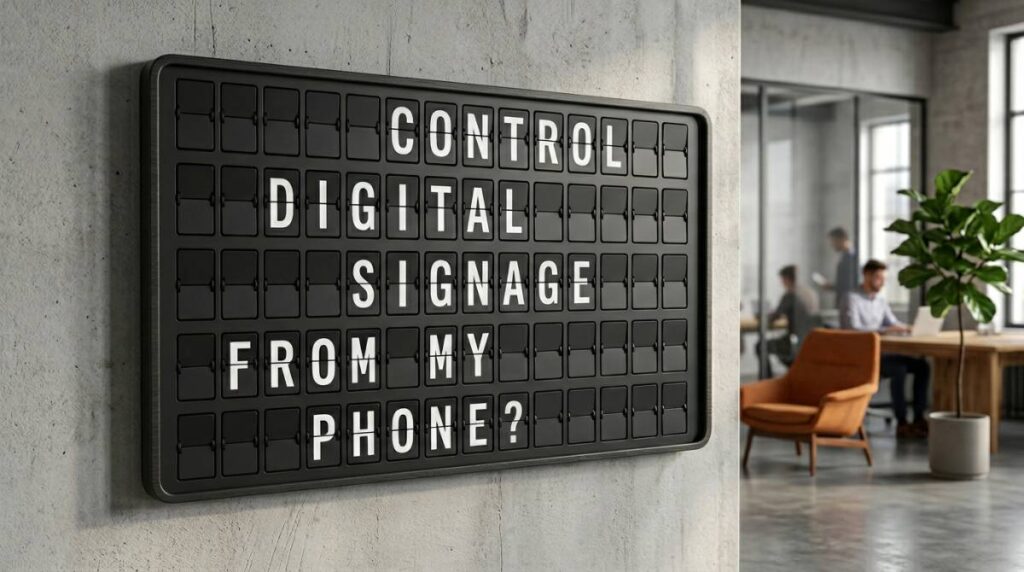
A lunch rush is the worst time to realize your specials board is wrong. The soup changed, happy hour starts early, and the handwritten sign by the register still says yesterday. If you have ever asked, can I control digital signage from my phone, the short answer is yes – and for busy hospitality, retail, and workplace teams, that changes everything.
Phone-based control takes digital signage out of the back office and puts it where real decisions happen: on the floor, behind the bar, at the host stand, between meetings, or halfway through opening prep. You do not need to walk over to every screen with a USB stick or wait until someone gets back to a desktop. You make the update, publish it, and the display changes.
Can I control digital signage from my phone? Yes, but it depends on the setup
The idea is simple, but the experience depends on what kind of signage system you are using. In general, if your display runs through a cloud-connected app or content management platform, you can control it from your phone. That usually includes changing messages, switching layouts, updating schedules, and publishing new content remotely.
If the system is older or relies on local hardware only, phone control may be limited or clunky. Some setups still expect you to be on the same network. Others make mobile editing possible but painful, with tiny menus clearly designed for a desktop. So the real question is not just whether phone control exists. It is whether it is practical enough to use during a real workday.
For most small and mid-sized businesses, practical beats technical. You want to change a message in under a minute, not troubleshoot an AV stack while customers are waiting.
What controlling signage from your phone actually lets you do
A good mobile-controlled signage system should cover the jobs that matter most in customer-facing spaces. That includes quick text edits, scheduled updates, and the ability to manage more than one screen without being physically present.
For a cafe or bar, that might mean changing menu items when something sells out, posting a last-minute event, or updating Wi-Fi details without rewriting a chalkboard for the third time that day. For a boutique hotel, it could mean adjusting welcome messaging, event timing, or lobby announcements from the front desk. For an office manager, it may be as simple as changing a meeting room notice or internal message before people arrive.
This is where a split-flap style display has a different kind of value. It is not trying to mimic a flashy video wall. It is built to communicate concise information with presence. Text-first signage works especially well when the message needs to be read quickly and remembered. The familiar click-clack rhythm and retro board aesthetic slow people down just enough to notice what changed.
That matters in public spaces. A screen that looks like every other generic display often blends into the background. A split-flap style board feels more like a living part of the room.
Why phone control matters more than people expect
Most businesses do not struggle because they lack screens. They struggle because updating those screens feels like a chore.
When content takes too many steps, it gets neglected. The daily special stays outdated. The store hours are wrong after a holiday. A printed notice curls at the corners and keeps hanging there long after it should have been replaced. Phone control fixes that by shrinking the distance between noticing a problem and correcting it.
There is also a brand experience angle here. Clean, accurate signage tells customers you are paying attention. That may sound small, but it adds up. A tidy message board with current information feels intentional. It makes the space look managed, not improvised.
And for teams that care about design, mobile control means you do not have to choose between convenience and aesthetics. You can keep the look elevated while making updates on the fly.
Can I control digital signage from my phone if I have multiple locations?
Usually, yes. In fact, this is where mobile control becomes especially useful.
If you manage more than one location, or even just more than one screen inside the same venue, central control saves a huge amount of time. You can push one message to several displays, change timing across locations, or customize content per site without visiting each one. A restaurant group might update brunch hours at one location and dinner messaging at another. A retailer could run a shared campaign while still adjusting store-specific notes.
The trade-off is that multi-location control only works well if the software is organized clearly. If navigation is messy, mobile access can become one more layer of complexity. The best systems keep screen groups, templates, and publishing controls simple enough to use from a phone without second-guessing every tap.
What to look for in a phone-controlled signage system
If phone control is a priority, there are a few things worth checking before you commit. The first is whether the mobile experience is truly built for mobile, not just technically available on a browser. There is a difference between something that opens on your phone and something that feels natural to use there.
You also want cloud-based publishing. That is what lets you make a change from anywhere and have the screen update without local intervention. Scheduling is another big one. Being able to set content by time of day or day of week prevents repetitive manual edits.
For text-driven displays, layout flexibility matters too. You may want different row counts, pacing, colors, multiple pages, or rotating messages depending on the space. A lobby board needs a different rhythm than a coffee counter. A concise specials screen is different from an event schedule.
Finally, reliability matters more than flashy features. The real test is whether your team will actually use it during a busy shift.
Why split-flap style signage works so well with phone control
Split-flap boards have always had a kind of public drama to them. They were never just information systems. They were part performance, part architecture, part announcement. That is why people still look up when they hear that mechanical click-clack.
A modern split-flap style digital display keeps that feeling but removes the upkeep. Instead of manually changing letters or maintaining mechanical hardware, you update content through an app. You keep the nostalgia, the motion, and the visual discipline of a text-first board, but gain instant control.
That combination is especially useful for businesses that change messaging often but do not want the space to feel cluttered with temporary signs. A split-flap style display can show menus, hours, greetings, countdowns, schedules, and simple live information in a way that feels premium rather than improvised.
For brands that care about atmosphere, that is the point. The signage should do a job, but it should also belong in the room.
A realistic example of mobile control in action
Picture a neighborhood wine bar before service. The team learns one bottle is unavailable, trivia starts at 8 instead of 7:30, and the kitchen is pushing a new small plate. Those are small changes, but they affect what guests order and ask about.
With phone control, the manager updates the specials screen while walking the floor. The event timing changes on the host stand display. A second screen near the bar rotates to tonight’s featured pours. No printing, no tape, no crossed-out notes.
Now picture the same setup in a boutique office lobby. A staff member updates a visitor welcome message from their phone while heading down in the elevator. Later, they schedule a shift to after-hours information so the display changes automatically at closing. The board stays current without becoming another task someone forgets.
That is the real value. Not novelty. Less friction.
Where a system like this fits best
Phone-controlled signage is strongest in spaces where information changes often and presentation matters. Restaurants, bars, cafes, hotels, studios, retail shops, and offices all fit naturally. The common thread is that these places need to communicate clearly without making the environment feel temporary or messy.
A split-flap style system is especially effective when the goal is concise, high-visibility messaging rather than dense visual content. If you need endless video playback and highly animated promos, that is a different category. But if you want text-led communication that feels memorable, elegant, and easy to update, this format earns its place.
At Split Flap TV, that is the idea: reviving the magic of classic boards on modern screens and tablets, then giving businesses phone-based control so the charm never comes at the expense of convenience.
The best signage system is the one your team can actually use in real life. If your phone is already where decisions happen, your display controls should be there too.