
How to Build Looping Message Playlists
March 8, 2026 · Captain
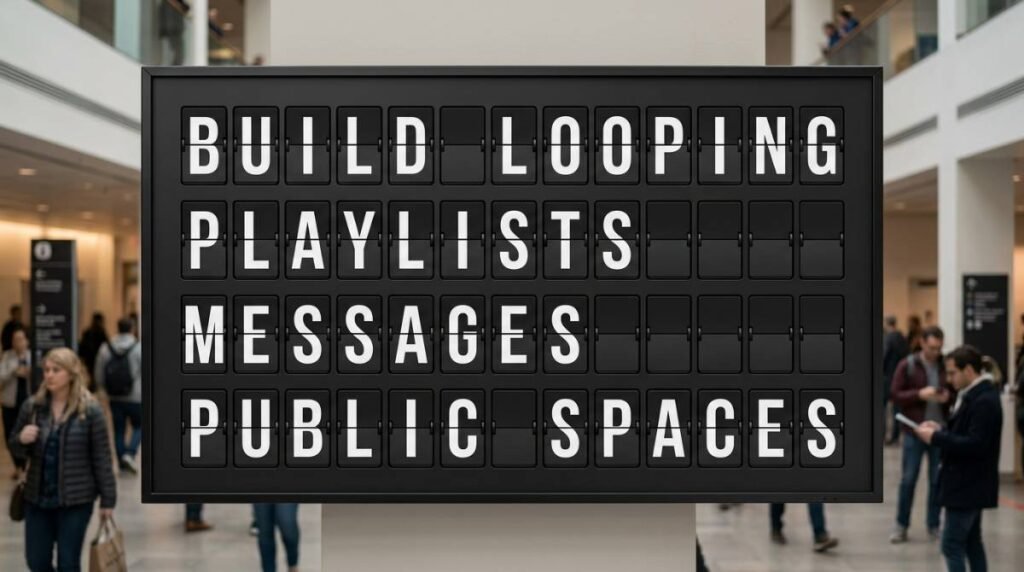
If your staff is answering the same three questions all day – What are today’s specials? What time do you close? Where’s the Wi-Fi? – your signage should be doing more of the work.
That is exactly where looping message playlists shine. Instead of relying on a single static sign, you can rotate the right messages at the right pace, keep information current, and give your space a more considered visual rhythm. Done well, a looping playlist feels less like advertising and more like a living part of the room – especially on a split-flap display, where each click-clack transition turns routine updates into something people actually notice.
What looping message playlists actually do
If you are figuring out how to create looping message playlists, start with the job they need to do. A playlist is simply a sequence of messages or layouts that repeats automatically. One screen might cycle through hours, specials, events, house rules, branded phrases, and social prompts. Another might rotate meeting schedules, welcome notes, announcements, and live updates.
The value is not just movement. It is message control. A good loop lets you say more without cramming everything into one screen, and it keeps content readable because each message gets its own moment.
That matters in busy places. Restaurants need to swap promos by daypart. Boutique hotels need elegant guest communication without paper signs at the front desk. Offices need a polished way to share room schedules, welcomes, and internal notices. In each case, the playlist becomes a quiet operations tool dressed as design.
Start with the messages people need most
The biggest mistake is treating a playlist like a dumping ground for every idea. A looping display is not better just because it has more slides. If the loop is too long or too crowded, customers miss the message that actually matters.
Start with the questions people ask most often and the updates your team changes most often. For a cafe, that might be seasonal drinks, Wi-Fi info, order pickup instructions, and closing time. For a bar, it could be happy hour timing, featured pours, event nights, and a reminder to ask about the specials. For an office lobby, it may be guest welcomes, meeting room assignments, and directional information.
A useful filter is simple: if a message saves staff time, reduces confusion, or shapes the atmosphere, it belongs in the loop. If it does none of those things, it probably does not.
How to create looping message playlists without losing attention
Once you know what belongs in the rotation, the next step is sequencing. Order matters more than many people expect.
Put your highest-priority message near the front of the loop, and repeat it often enough that people do not have to wait long to see it. If your most important notice appears once every two minutes, many viewers will never catch it. A tighter cycle usually works better, especially in spaces where people glance up for only a few seconds.
That does not mean every message needs equal time. Some deserve frequent placement, while others can appear once per loop. Your hours, current special, or immediate callout should show up more often than a secondary brand message.
A practical rhythm often looks like this in prose: lead with the must-know message, follow with one or two supporting items, then add a lighter brand or atmosphere piece before returning to the core update. This keeps the loop useful without feeling mechanical.
Keep each message short enough to read once
Looping playlists work best when each screen can be understood at a glance. That usually means one idea per page, written with discipline.
A split-flap style display is especially strong here because it rewards brevity. The format has presence. It has motion. It has that old-school transit-board authority. But it is not the place for paragraphs. Short lines, clean hierarchy, and strong word choices will always outperform dense copy.
If a message feels too long, break it into two screens only if both screens still make sense on their own. Otherwise, rewrite it. “HAPPY HOUR 4-6 PM” lands faster than “Join us every weekday for happy hour from 4 PM to 6 PM.” The second version says more, but the first version gets seen.
That is the trade-off with any public display. Precision beats completeness.
Match timing to the pace of the room
When businesses ask how to create looping message playlists, they often focus on design first and timing second. In practice, timing is what makes the playlist feel polished.
A quick-service counter usually needs shorter display durations because customers are moving, ordering, and looking up in brief bursts. A hotel lobby or waiting area can support slightly longer holds because people have more time to absorb the content. An office break room may sit somewhere in the middle.
There is no single perfect number of seconds. It depends on viewing distance, text length, and traffic flow. But the rule is consistent: long enough to read comfortably, short enough to keep the display alive.
This is where scheduling becomes powerful. Morning messages should not linger into dinner service. Event promos should disappear after the event starts. Holiday content should not still be flipping in February. The best playlists are not just looping – they are timed to the business day.
Design for atmosphere, not just information
A great looping playlist informs people. A memorable one also changes how the space feels.
This is why split-flap displays stand apart from generic screen slideshows. The motion has theater. The typography feels intentional. The click-clack animation adds a public-display energy that static signage cannot fake. In the right setting, the board becomes part of the brand experience, not just a utility.
Still, atmosphere should not come at the expense of clarity. Strong color contrast, clean layouts, and consistent formatting matter. If every page looks unrelated, the playlist feels chaotic. If every page looks exactly the same, viewers tune out.
The sweet spot is a consistent visual system with enough variation to keep attention. Maybe your specials use one layout, your operational notices use another, and your branded phrases use a third. That creates rhythm without confusion.
Build different loops for different moments
One playlist can do a lot, but it does not need to do everything.
Many businesses benefit from separate loops for separate purposes. A weekday morning playlist might feature breakfast items, opening hours, and commuter-friendly messaging. A weekend playlist could shift toward brunch, events, and slower-paced brand moments. A private event playlist might become almost entirely custom, welcoming guests and sharing directional details.
The same principle applies beyond hospitality. Retail stores can rotate seasonal merchandising messages. Offices can switch from employee communications during the day to guest-facing welcomes during events. Hotels can alternate between amenity reminders, local recommendations, and check-in guidance.
If your platform allows cloud-based control, this gets much easier. You are no longer climbing a ladder, rewriting chalkboards, or taping fresh printouts to the wall. You are updating a system built to change with the pace of the business. That is where a product like Split Flap TV earns its keep – the vintage look stays intact, but the content behaves like modern signage should.
Test the loop where customers actually see it
A playlist that looks perfect on a laptop screen can behave very differently from ten feet away.
Before you settle on the final version, watch the loop in the real environment. Stand where customers stand. Walk by it at normal speed. See what you catch on the first glance and what you miss entirely. If a message is only readable when you stop and stare, it probably needs revision.
This is also the moment to notice operational friction. Are staff still answering the same questions? Are customers reacting to the special you want to push? Does the playlist feel premium, or does it feel busy? Good signage should reduce friction, not add another layer of noise.
Small edits usually make a big difference. Tighten a line. Shorten the loop. Repeat one key message more often. Remove the page that looked clever but says very little.
How Long Should a Loop Be?
Loop length is where good content often gets lost. If the rotation runs too long, people miss the page they need and walk away before it comes back. If it cycles too quickly, the display feels restless. For most lobbies, a full rotation of around 30 to 60 seconds is a sensible starting point: long enough to hold several core messages, short enough that nobody waits long for the one they care about. Faster-moving spaces such as a coffee counter or a retail entrance usually call for a shorter loop, while hotel lobbies and office receptions, where people linger, give you a little more room.
Page count follows the same logic. Base it on how long people naturally look at the display. If customers only have a few seconds at a host stand, a ten-page loop is too much. For individual pages, a helpful test is whether the message stays up long enough to be read comfortably twice. Very short lines can flip by quickly and feel lively; anything with hours, dates, or locations needs more time. Before adding a page, ask whether the message deserves its own moment. If it does, give it one. If not, combine it with another page or cut it.
Keeping the Loop Fresh for Staff, Not Just Guests
A guest might watch the board for a minute. Your team watches it all day. When the same three messages flash every few seconds, staff fatigue sets in fast, and a tired loop tends to get neglected. Keep the core information recurring, but vary the order through the day, switch the welcome line by time block, or schedule content that reflects the current shift: breakfast and early checkout reminders in the morning, bar hours or next-day notices in the evening.
A light maintenance rhythm makes this manageable:
- Evergreen pages such as a welcome line or Wi-Fi details stay stable.
- Time-sensitive pages such as specials or schedules change weekly or daily.
- Event-driven pages appear only while the event is relevant.
If several people will manage content, set some guardrails. Too many pages without a clear structure lead to inconsistent tone, outdated notices, and repeated messages. Let what staff hear guide your edits: if they keep answering the same question, add or elevate that page; if guests seem confused at certain times of day, adjust the schedule.
Fit the Layout and Placement to the Room
A narrow entryway usually works best with fewer rows and larger text, while a larger hotel lobby or restaurant waiting area can support more lines and a slightly richer sequence. A display at a host stand, seen from a few feet away, can carry more detail than one viewed from across a lobby. Adjusting rows, columns, colors, and page timing to the space is far easier than forcing the space to fit a fixed board.
Placement matters just as much. Even a well-written loop underperforms if the screen hangs where nobody pauses. Put it where people wait, queue, decide, or would otherwise ask a question.
Two habits undermine an otherwise solid loop. The first is too much rotation: more movement does not mean more attention, and a board that flips constantly reads as busy rather than useful. The second is over-branding. Logos, taglines, and several brand colors on every page crowd out the actual announcement. A little identity goes a long way, and the message itself should remain the focus.
The best playlists are maintained, not just made
Creating the loop is only the start. The businesses that get the most from digital signage treat playlists as living content.
That does not mean constant tinkering. It means reviewing the loop often enough that it stays relevant. Menus change. Events pass. Seasonal messaging expires. The display should reflect what is true now, not what was true six weeks ago.
That freshness is part of the appeal. A split-flap board carries nostalgia, but it should never feel stuck in time. The real magic is combining that retro charm with instant control – the soul of an old arrival board with the flexibility of modern publishing.
If you build your looping message playlist around what customers need, what staff repeats, and what your space wants to feel like, the screen stops being decoration. It starts pulling real weight, one click-clack at a time.
The smartest playlist is usually the one that makes your space feel calmer, sharper, and easier to run by this afternoon.