
Ideas for Menu Boards: From Classic Chalk to Split-Flap Digital (2026)
May 21, 2026 · Captain
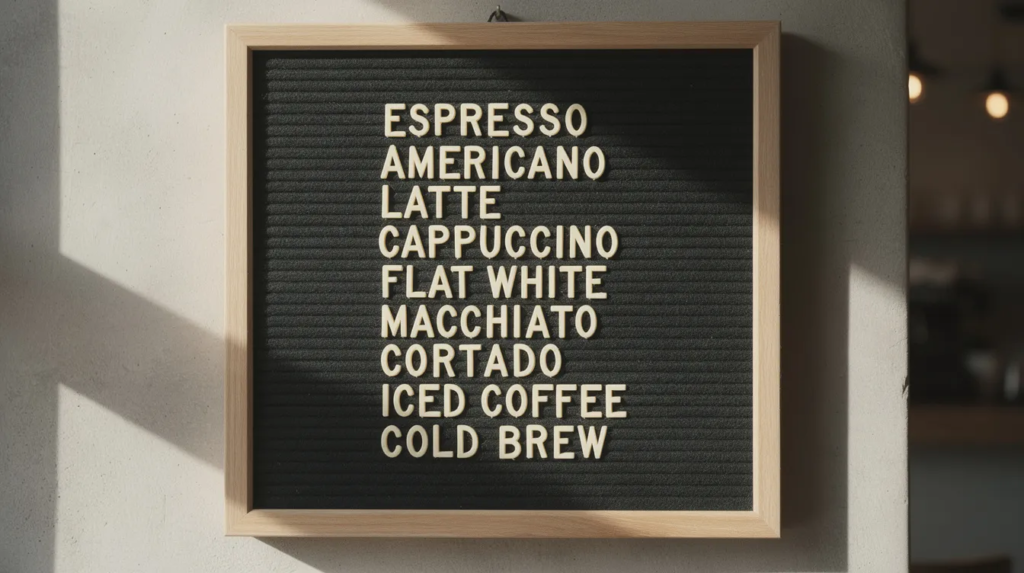
Menu boards have evolved far beyond simple price lists. In 2026, they are core to branding, guest flow, and revenue across cafés, restaurants, bars, and food halls. Whether you run a neighborhood coffee shop, a fast casual chain, a food truck at summer festivals, or a hotel lobby café, your menu board shapes how customers perceive your space and make decisions.
Related reading: Food Truck Menu Board – Complete Guide to Printed & Digital Signs
This ultimate guide covers both traditional tactile boards and advanced digital options, including a split-flap display concept as a special digital signage idea inspired by classic mechanical split-flap displays. Each idea focuses on flexibility, ease of updates, and how the board actually looks on your wall or above the counter.
Introduction to Menu Boards
A menu board is much more than a simple list of food and drink options—it’s a powerful tool that shapes the way customers interact with your business. Whether you operate a cozy coffee shop, a bustling quick service restaurant, or a modern fast casual eatery, your menu board is often the first point of contact between your brand and your customers. A thoughtfully designed menu board not only communicates your offerings but also sets the tone for your brand, guides the ordering process, and enhances the overall customer experience.
Menu board design plays a crucial role in reinforcing brand consistency, ensuring that every visual element—from typography to color palette—aligns with your business identity. The right menu board can streamline decision-making, highlight signature menu items, and even influence purchasing behavior. With so many options available, from classic chalkboards to cutting-edge digital menu boards, it’s important to choose a style that fits your brand and meets your operational needs. In this guide, we’ll explore the importance of menu boards, the different types available, and the key principles that make a menu board truly effective.
Related reading: Antique Menu Board – History, Styles & Collecting Guide
Quick-Start: Picking the Right Menu Board for Your Space
Before diving into specific formats, consider three variables that will guide your choice:
Menu change frequency: How often do you update prices, add seasonal items, or swap daily specials? Daily changes favor chalk and kraft paper. Weekly or seasonal tweaks work well with slats, rails, and magnetic letters. Multi-daypart and multiple locations benefit from digital screens and split-flap displays.
Interior style: Your menu board design should match your store’s interior design. Industrial spaces lean toward metal rails and clean lines. Rustic concepts favor wooden chalkboards and kraft paper. Minimal interiors call for sparse letterboards. Retro concepts thrive with pegboards and analog-inspired digital.
Budget level: DIY chalk walls and paper rolls cost very little. Mid-tier slat systems and letterboards require moderate investment. Digital screens and SplitflapTV-style displays demand higher upfront capital but offer lower ongoing costs per change.
Here are three concrete scenarios to illustrate:
- 40-seat brunch café with daily specials: A large chalkboard behind the counter handles the full menu, while a kraft paper roll near the entrance highlights that day’s pastry or coffee flight. Staff update both in under 10 minutes during opening.
- 3-location fast casual burger chain with dayparted content: Digital menu boards use a CMS to schedule breakfast (7:00–10:30), main menu (10:30–16:00), and evening deals (16:00–22:00). Headquarters can push price changes and limited-time offers across all stores instantly. Using centralized templates ensures quick, consistent updates and cohesive branding across every location.
- Hotel bar with rotating monthly cocktails: Hanging printed panels show classic cocktails and house wines, while a digital split-flap-style screen dedicates space to “This Month’s Cocktails” and “Tonight’s Event.”
Principles of Menu Board Design
Creating an effective menu board starts with a few essential principles: clarity, simplicity, and brand consistency. A clear menu board design ensures that customers can easily read and understand your menu items, prices, and daily specials at a glance. Simplicity is key—avoiding clutter and focusing on a clean layout helps customers make quick decisions, reducing wait times and improving the overall customer experience.
Clarity and Simplicity
A clear menu board design ensures that customers can easily read and understand your menu items, prices, and daily specials at a glance. Simplicity is key—avoiding clutter and focusing on a clean layout helps customers make quick decisions, reducing wait times and improving the overall customer experience.
Brand Consistency
Brand consistency is another cornerstone of great menu board design. Every element, from the choice of colors and fonts to the arrangement of menu items, should reflect your brand’s personality and values. This cohesive approach not only strengthens your brand identity but also builds trust with customers, making your establishment more memorable.
Update Flexibility
In today’s fast-paced food industry, the ability to update your menu board quickly and accurately is vital. Digital menu boards offer unmatched flexibility, allowing you to adjust prices, swap out daily specials, or introduce new menu items with just a few clicks. This adaptability is especially valuable for businesses that frequently change their offerings or run multiple locations, ensuring that all boards remain up-to-date and on-brand. By focusing on these core principles, you can create a menu board that enhances the customer experience, supports your brand, and drives sales.
Classic and Changeable Analog Menu Boards
Tactile, non-digital boards remain extremely popular in 2026 for their warmth and handmade feel. These formats align with broader restaurant design trends emphasizing texture stimulation and multi-sensory experiences. Analog options work especially well for independent cafés, dessert bars, bakeries, wine bars, small bistros, and ice cream shops that use menu boards to promote seasonal or limited-time flavors rather than changing everything.
The following formats give you ideas for menu boards that balance aesthetic appeal with practical changeability.
Handwritten Chalkboard Menu Boards
Large black wall-mounted chalkboards above the counter remain a classic. These boards are carefully watched by customers as they decide what to order. Picture hand-lettered sections for “Coffee,” “Pastries,” and “Seasonal Drinks,” with handwritten text that projects authenticity and craft.
Two main tool options exist:
- Classic chalk: Cheap, erasable with a damp cloth, gives a softer artisanal line. Great for on-the-fly changes but prone to smudging and dust.
- Liquid chalk markers: Use pigment-based ink that dries to an opaque, sharp line. Readable from 2–4 meters away. Requires non-porous surfaces and deliberate cleaning.
Use cases in 2026:
- Daily lunch specials in a bistro
- Rotating craft beers in a taproom (name, style, ABV, price)
- Saturday-only cinnamon rolls at a bakery
Pros:
- Warm, personal feel
- Easy updates (multiple times per day)
- Very low cost
Cons:
- Requires legible handwriting
- Can get dusty with HVAC airflow
- Needs regular cleaning to prevent ghosting from erased designs
Some restaurants pay professional chalk artists to create a base layout with grids and icons, then train staff to fill in variable content within that framework.
Kraft Paper Roll Menu Boards
A wall-mounted horizontal spindle holds a roll of brown paper pulled down across a light-colored wall. The paper becomes a large, disposable writing surface where you write the day’s or week’s menu in bold black marker.
This format suits:
- Instagram-friendly, casual interiors
- Burger joints and brunch cafés
- Pop-ups and seasonal venues
Design tips:
- Use simple illustrations (croissant icons, coffee cups, cocktail glasses)
- Large headings like “Brunch 9:00–14:00” and “After 14:00 Snacks”
- Blocky, simple typography for readability
- Kraft paper roll menu boards help keep things simple, making it easy for customers to quickly see daily offerings
Practical tips:
- Date each sheet (“Menu for March 2026”) for archiving
- Store old sheets as inspiration for seasonal cycles
- Use high-quality markers and smooth kraft stock to reduce ink feathering in humid environments
Pros:
- Extreme flexibility
- Visual charm of an ever-changing scroll
- Low cost
Cons:
- Manual effort required
- Needs someone with at least moderate lettering skills
Letterboards and Pegboards with Retro Flair
Felt letterboards with slotted rails for plastic letters, or wooden pegboards where tiles slot into holes, carry strong nostalgic associations with mid-century diners and cinemas.
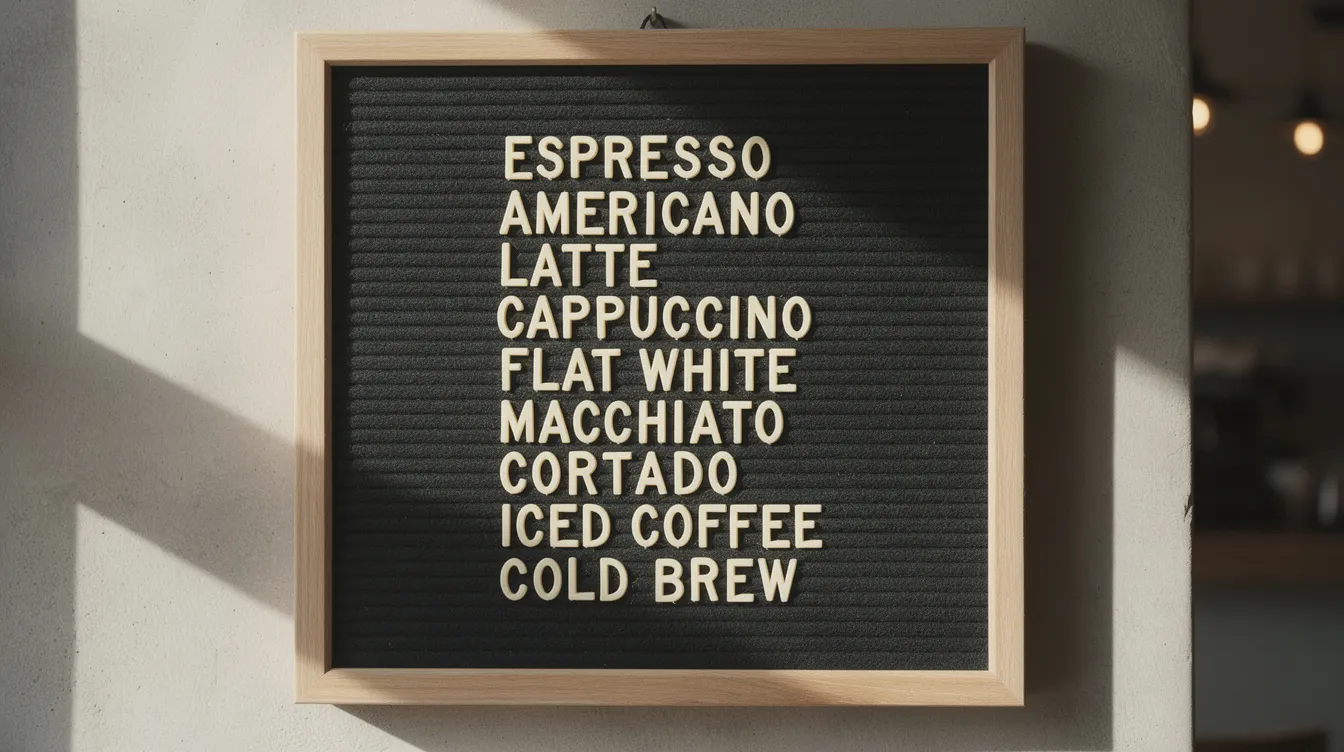
Layout ideas:
- Left column for espresso drinks
- Right column for teas and add ons
- Prices aligned but not cramped
- A small “Drink of the Month” area that swaps regularly using different letter colors
These boards suit mid-sized coffee shops that only change prices a few times per year. The retro look from the 1960s–1970s and the tactile sound of placing pegs or letters becomes part of your brand’s charm.
Strengths:
- Neatness
- Perceived authenticity
- Distinctive vintage aesthetic
Limitations:
- Limited character capacity
- Slower updates than chalk
- Custom sets can be costly
Slat and Rail Menu Boards
Wooden or metal rails mounted in parallel rows hold slim panels (slats) that slide in and out to display item names and prices. This system echoes old departure boards and cinema marquees.
Example: A farm-to-table restaurant using broad oak slats engraved with category headings (“Starters,” “Mains,” “Sides,” “Desserts”). Under each, narrower printed slats list dishes with prices. Staff keep pre-prepared stacks for each season, enabling a menu transition in under 10 minutes.
Layout considerations:
- Horizontal rows are intuitive and easy to scan
- Vertical stacks save width but require more head movement
- For 3–6 meter viewing distance, letter size should be 30–40 mm height
Benefits:
- Modularity
- Polished tactile feel
- Quick seasonal changes
Drawbacks:
- Higher upfront cost
- Storage requirements for off-season slats
- Limited spontaneity for unexpected specials
Hanging Printed Panels and Lightbox-Style Boards
Rigid boards (PVC foam, plywood, or aluminum composite) suspended from ceilings by cables offer crisp reproduction of photos, logos, and brand colors. They span large horizontal runs suitable for fast casual counters.
Examples:
- An ice cream shop showing 12 fixed flavors as printed graphics, plus a magnetic “Flavor of the Week” panel that swaps frequently
- A diner using backlit lightboxes along the counter for that iconic aesthetic
Planning note: Production lead times through commercial printers typically run 5–10 business days in most US/EU cities for design, proofing, and fabrication. This forces operators to plan seasonal menu updates early. Effective menu design is essential for printed panels to ensure strong branding and the flexibility to update offerings as needed.
Pros:
- Durability
- High quality images
- Excellent for branding without digital infrastructure
Cons:
- Inflexibility for daily changes
- Price or recipe updates may demand full panel reprints
- Over 2–3 years, heavy reprinting can exceed digital’s upfront costs
Modern Digital Menu Board Ideas (Beyond Just a TV on the Wall)
From 2023 to 2026, digital menu boards moved from “nice-to-have” to standard in quick service restaurants and fast casual spaces. They integrate with POS systems, support real-time updates, and enable A/B testing of layouts against sales data, especially when using Split-Flap TV style digital boards that blend retro motion with modern control.
But digital doesn’t have to feel like a generic TV. Menu board design and content strategy matter as much as the hardware. The goal is to avoid clutter while using digital screens to enhance the ordering process. Digital menu boards can be designed to guide attention toward featured or high-margin items by using layout and subtle visual cues.
Smart Dayparted Digital Menu Boards
Picture 2–4 large landscape screens above the counter that automatically switch content by time of day:
|
Time Block |
Content Focus |
|---|---|
|
7:00–10:30 |
Coffee combos, pastries, breakfast sandwiches |
|
10:30–16:00 |
Bowls, sandwiches, salads |
|
16:00–22:00 |
Sharing plates, cocktails, dinner bundles |
Operational benefits:
- Central content updates across multiple locations
- Instant price changes when ingredient costs shift
- Automatic hiding of sold-out items in real time
Design guidance:
- High contrast (white text on dark background)
- Large type equivalent to 40–60 pt for overhead boards
- Minimal animations so queues move quickly
- Clear hierarchy with 3–7 menu items per section
This format reduces staff time explaining 86’d items and ensures brand consistency across all locations with a single content push.
Dayparting doesn’t have to be limited to the clock. A board that pulls live weather data can trigger its own promotions – switching to iced drinks and cold brew the moment the temperature crosses 26°C, or surfacing a soup special the day it drops. It’s the same automation logic as a breakfast-to-lunch switch, just keyed to a different signal.
High-Resolution Image-Driven Digital Menus
Using 4K displays permits crisp food photography. A common pattern dedicates roughly one-third of the screen to high quality images of signature items while static menu text fills the rest.
Example: A 2026 dessert bar cycles through close-ups of its top 5 sundaes every 8–10 seconds while the base menu remains unchanged. Subtle motion—steam rising from coffee, gently falling sprinkles—adds visual cues without overwhelming.
Key principle:
- Motion should draw attention to high margin items, not showcase production value for its own sake.
- Avoid large, fast-cut videos that distract guests from reading prices and making decisions.
Interactive and QR-Linked Digital Menu Boards
A hybrid setup uses a static or simple digital board overhead showing main categories and bestsellers, while QR codes on tables or counters open detailed menus on guests’ phones.
Use cases:
- Health-focused café with allergen filters
- Gym-adjacent smoothie bar showing macros and calories on phones
- Airport food court with multi-language menus for international travelers
This approach reduces clutter on the primary board while providing deeper information where guests want it. For restaurants where kitchen items change frequently but the structure stays stable, QR-linked menus carry the rapidly changing list while boards show anchor items, and tools like digital signage templates and animation generators can streamline the design process.
Split-Flap Inspired Digital Menu Boards (SplitflapTV Concept)
The visual effect creates a custom tailored centerpiece: virtual tiles that flip whenever a price, item, or promo changes. While all the other elements contribute to the ambiance, the menu board remains the main focal point that captures customer attention. This can be triggered by scheduled events (daypart shifts, happy hour) or on-demand updates (sold-out items, price changes).
Designing a Split-Flap Style Menu for Cafés and Bars
Imagine a 2026 specialty coffee shop using a split-flap screen as a focal point above the bar. The layout divides into vertical columns:
|
Column |
Content |
|---|---|
|
Espresso |
Americano, Latte, Cappuccino, Cortado |
|
Filter |
Pour-over, Batch brew, Cold brew |
|
Signature Drinks |
Seasonal offerings, house creations |
|
Pastries |
Croissant, Muffin, Daily special |
Flipping motion as a feature:
- “Coffee of the Week” flips every Monday at 7:00 before opening
- Happy hour pricing flips on weekdays at 16:00
- When a limited special sells out, the line flips to “Sold Out” or a backup item
Design tips:
- Dark background (charcoal, black, deep green) with off-white or pale yellow text
- Limit each line to one item plus price
- Group items into clear zones with visible spacing between sections
SplitflapTV allows remote updates via a browser or central CMS. Staff or head office edit items and scheduling rules; when saved, the board animates the change. This digital split-flap display system gives brands the same control as standard digital boards while the front-end experience looks analog and craft-focused.
Split-Flap Menus for Seasonal and Rotating Concepts
Venues with frequent menu changes—craft beer bars with rotating taps, natural wine bars, ramen shops with monthly specials—face ongoing tension between communicating change quickly and avoiding constant reprints or chalk rewrites.
Example scenarios:
- Craft beer bar: Board shows taps 1–24 with name, style, ABV, price. When a keg kicks, staff trigger a flip to “Coming Up Next” or the next beer. Most customers notice the motion and understand something changed in real time.
- Natural wine bar: Board organized by color or region flips entire sections when seasonal themes change (orange wines in autumn, chilled reds in summer).
- Ramen shop: A “Monthly Special Ramen” section flips at midnight on the first of each month, aligning with social media announcements.
For seasonal overhauls, the board becomes an event. Picture a soft relaunch evening where the entire “Spring 2026” menu flips to “Summer 2026” at 20:00 in a choreographed moment. Guests hear or see the flipping animation and gather attention—a micro-show that generates word-of-mouth and social sharing.
SplitflapTV can schedule updates across multiple locations simultaneously, keeping seasonal campaigns aligned without physical labor or shipping, which is especially valuable for airports, pubs, and busy retail environments where signage must stay synchronized.
Split-Flap Digital Signage as an Interior Design Feature
A split-flap screen doubles as art and menu. When the kitchen closes, it can flip to show messages like “See you tomorrow at 8:00” or quotes that fit the brand’s voice. This transforms otherwise idle screens into atmospheric elements that contribute to overall atmosphere, and operators can draw inspiration from Split-Flap TV feature guides and case studies when planning this content.
Multi-purpose applications:
- Hotel lobbies or food halls using the display as a central information point
- Morning: breakfast menus for multiple vendors
- Midday: events board, coworking details, special offers
- Evening: live music or happy hour announcements
Cost comparison: A SplitflapTV-style digital board requires higher upfront capital than printed panels but eliminates ongoing print runs, installation labor for seasonal panels, and physical maintenance. Over several years and multiple menu refresh cycles, total cost of ownership can be lower than repeated print and labor outlays.
This idea suits owners looking for a signature digital signage element rather than generic TV playlists. The nostalgic aesthetic dovetails with design trends emphasizing the comeback of split-flap displays in modern digital spaces and experiential elements—guests often photograph distinctive analog-like boards and share them on social platforms.
Layout and Psychology: Making Any Menu Board Easier to Read
These principles apply equally to chalkboards, analog slats, digital screens, and split-flap boards. Good layout reduces decision time, speeds lines, and can steer guests toward more profitable options.
Four key ideas drive effective menu board design:
- Content hierarchy: Fewer sections with distinct headings, limited items per section
- Visual scanning pattern: Guests typically look center/mid-upper first, then right, then left
- Pricing presentation: Placement affects price sensitivity
- White space: Adequate spacing between sections improves scanning
Content Hierarchy and Visual Hot Spots
Guests scan a menu in predictable patterns. Research and design practice suggest eyes often move to the center or mid-upper area first, then drift right, then left. This creates visual hot spots.
Application:
- Place highest-margin, easiest-to-prepare items in prime locations
- Anchor popular items with small icons or subtle color accents
- Use headings like “House Specials,” “Most Popular,” and “Under $10”
Whether your board is a chalk wall, printed panel, standard digital screen, or split-flap display, position your signature burger or best-selling latte in that primary hot spot area. Combo meals, signature drinks, and chef’s specials belong where eyes naturally land first.
The design principle underneath all of this is that customers scan, they don’t read. Most people decide what they’re looking at within about three seconds of glancing up – long enough to catch a headline, a price, and maybe one supporting detail, not long enough to parse a paragraph. A menu board earns its real estate by respecting that window: the thing you most want someone to order should be legible before they’ve finished walking past it.
Readable Typography and Color Contrast
Letter size matters based on viewing distance:
|
Viewing Distance |
Minimum Letter Height |
|---|---|
|
3–4 meters |
30–40 mm |
|
4–6 meters |
40–60 mm |
|
6+ meters |
Scale accordingly |
High-contrast color pairings that work:
- White on charcoal
- Black on warm cream
- Yellow on deep navy
Avoid: Low-contrast combinations like light gray on white or pastels on white.
Typography rules:
- Use one or two typefaces maximum
- Clear sans-serif for body text
- Distinctive script or serif only for headings
- Even stylized displays like split-flap should follow readability rules—the retro look shouldn’t sacrifice clarity
Pricing Presentation and Upsell Opportunities
Placing prices right after item names (rather than in a rigid price column) keeps guests focused on food or drink descriptions, not scanning purely by cost.
Upsell tactics:
- Add small callouts: “Add oat milk +0.80” or “Upgrade to combo for +3.00”
- Highlight “Meal Deals” in the top-right zone
- Keep add ons visible near relevant items
Example: A 2026 burger bar uses a highlighted “Meal Deals” section at eye level in the top-right zone. The deal frames burger + fries + drink at a bundled price, raising average check without overwhelming guests.
Digital and SplitflapTV-style menus can experiment with different layouts and A/B test what sells best over a month. Compare POS data between layouts to see which raises check averages or speeds ordering.
Placement, Lighting, and Practical Setup Tips
Even the best-designed board fails if guests can’t see it clearly from the queue or street. Consider indoor and outdoor placement, ceiling height, glare, and local regulations.
Sightlines from the Queue and Outside
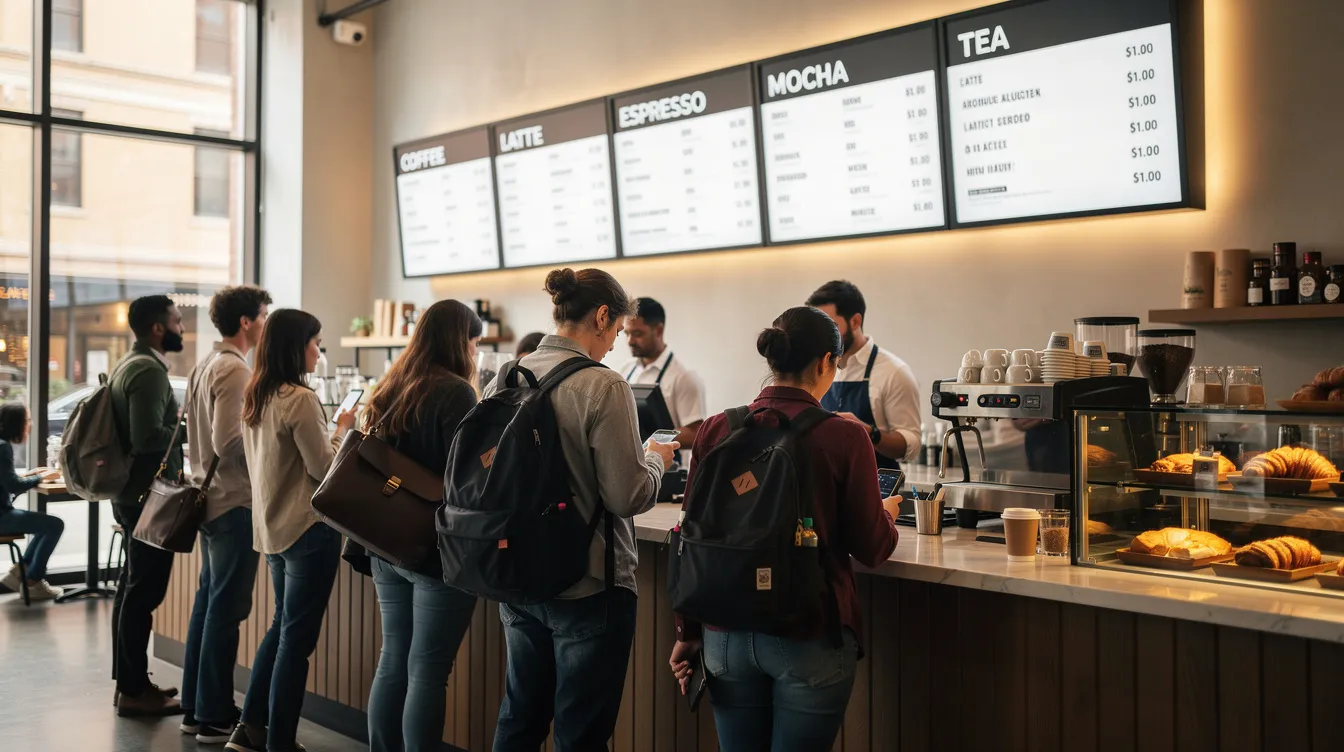
Stand at the entrance and in each queue position to check whether the menu is visible without craning necks. If guests must stand directly under a board to read it, lines will bunch and slow service.
Strategy: Separate pre-sell from main menu.
- Pre-sell board: Outdoor A-frame or street-facing board with a succinct offer like “Morning Set: Coffee + Pastry 7:30–11:00”
- Main menu: Inside, above the counter, carrying the full set
A split-flap-style board works especially well as a street-facing feature. The visual flipping attracts attention from passersby, similar to modern split-flap display boards and other kinetic storefront elements that boost engagement.
Lighting and Glare Control
Consistent, soft, even lighting helps guests read without strain.
Best practices:
- Track lights or ceiling fixtures angled to avoid reflections on glossy surfaces or screens
- Matte finishes on printed boards
- Anti-glare glass on digital screens where possible
Example: A bar that dims overhead lights at night adds LED strip backlighting around the menu board. This maintains readability while preserving atmosphere.
For digital and SplitflapTV signage in bright windows, higher brightness (500–700 nits or more) may be needed to stay legible at midday against direct sunlight.
Operational Workflow and Updating the Board
Consistent, error-free menu boards require process, not just design.
Assign ownership:
- Opening shift updates the chalkboard by 7:15
- Manager reviews digital content each Monday
- Marketing approves graphics and promotional slides
Create routines:
- Monthly calendar for seasonal changes
- Happy hour times (e.g., weekdays 16:00–18:00)
- Holiday menus planned in advance
SplitflapTV automation:
- Schedule updates automatically (switch to winter drinks list on December 1, 2026 at midnight)
- Align with promotional emails and social posts without manual late-night logins
Documentation: Keep a simple style guide with abbreviations, product naming conventions, and design rules. This maintains brand consistency even when different staff members make frequent updates.
Two considerations that rarely make the mood-board version of a menu redesign but matter operationally: accessibility and security. A board mounted purely for aesthetics can end up too high or too small-print for a customer using a wheelchair or with low vision – checking it against basic WCAG contrast and height guidelines costs nothing and avoids excluding customers by accident. And any board connected to the internet is a device on your network: keep it on its own guest-style connection rather than whatever your POS runs on, so a compromised display can’t become a way into anything that actually matters.
Menu Board Ideas and Trends for 2026
Looking ahead to 2026, menu board ideas are evolving to meet the demands of modern customers and the changing landscape of the food industry. Digital menu boards are leading the way, offering restaurants and cafés the ability to update menu items, prices, and promotions in real time. These digital solutions not only streamline operations but also provide a sleek, modern look that appeals to today’s visually driven customers.
Sustainability is another major trend, with more establishments choosing menu boards made from eco-friendly, sustainable materials. Whether it’s reclaimed wood, recycled plastics, or responsibly sourced paper, these choices reflect a commitment to environmental responsibility and resonate with eco-conscious customers.
Aesthetic appeal is front and center in menu board design for 2026. High quality images, subtle motion effects, and clean lines are being used to create visually engaging boards that draw attention and guide customers through the menu. Creative touches like magnetic letters, handwritten text, and retro-inspired layouts add personality and charm, making the menu board a memorable part of the customer experience. By blending modern technology with tactile, nostalgic elements, businesses can create menu boards that not only inform but also delight—helping to boost sales, reinforce brand identity, and keep customers coming back for more.
Decide What Your Split-Flap Board Is Responsible For
Before installing a split-flap menu, decide what job it has. Is it the whole menu, or the “fast lane” board that gets most people ordering confidently? If you already use printed or QR menus, the split-flap display can act as the headline board that drives most decisions while the detailed menu lives elsewhere.
The format is strongest when changes are frequent and the board is seen repeatedly: daily specials, rotating taps, limited drops, seasonal add-ons, and quick service lines where every second counts. It is less suited to menus that depend on photography, long descriptions, or complicated modifier trees. You can still use it there, but reserve the board for high-signal content: headline offerings, top sellers, “today only” updates, and the few details that prevent the most questions.
A well-run board also fixes what might be called menu drift, the moment customers keep asking questions because they do not believe the sign is current. Signage that looks consistent and deliberate earns trust, and a brief flip tied to real information tells people the content is live. Placement matters here too: put the display where customers naturally pause, such as the order queue, host stand, lobby entry, or elevator bank. Off to the side, it becomes decor instead of communication.
Writing Split-Flap Menu Copy That Reads Fast
Split-flap style is opinionated, and that works in your favor if you follow its rules.
- Keep the first screen simple. Answer the first decision quickly: what do you sell, and what should I get right now? Lead with categories and one or two signature items per category, such as tap highlights and a short cocktail feature for a bar, or top espresso drinks and the pastry of the day for a café.
- Use structure as part of the brand. Aligned prices, consistent character limits, and consistent abbreviations signal quality.
- Cut adjectives first. “House-made” is nice, but “SEASONAL SOUP” is what moves the line.
- Treat animation as punctuation. Flip for change: a new special, a daypart switch, a sold-out alert, the start of happy hour. If every line updates every minute, people stop waiting for meaning. If only the lines that matter flip, the motion trains guests to look up when something important happens.
Keep the tone consistent with the rest of your brand. A playful venue can use playful labels; a minimalist one can let the board stay quiet and confident. Either way, every character has to earn its place. Regulars benefit most from this discipline: when the board flips to a new seasonal drink or a rotated tap, they notice without anyone announcing it.
Mechanical Boards vs. Screen-Based Split-Flap Menus
Some venues chase original mechanical hardware. When it works, it is memorable, but it comes with moving parts, maintenance, sourcing challenges, noise you cannot control, and limited layout flexibility. Screen-based split-flap displays keep the look and the flip motion while adding what operators need day to day: editing from anywhere, scheduling in advance, and consistent content across screens and locations. The trade-off is purist authenticity. For most guests, though, what counts is the iconic format, the motion, the clarity, and whether the information is correct.
App-based control also lets you standardize formatting and limit who can edit what. You can schedule the weekend menu on Wednesday or push a sold-out message the moment the last item goes. With several screens, centralized control prevents one sign saying one thing while another says something else, leaving staff to reconcile the difference. And because the display runs on ordinary screens, it is not limited to a wall: a tablet on the counter can carry the same split-flap menu where space is tight.
Bringing It All Together: Choosing a Menu Board Strategy for Your Brand
The best menu board idea isn’t one format—it’s a combination that serves different needs within your space.
Three example packages:
|
Setup Type |
Components |
Best For |
|---|---|---|
|
Low-budget analog |
Large chalkboard + kraft paper roll near entrance |
New cafés, pop-ups, limited capital |
|
Hybrid analog–digital |
Hanging printed panels for core menu + digital band for specials and events |
Established restaurants, bars |
|
Flagship with SplitflapTV |
Split-flap-inspired digital wall as centerpiece + small chalkboards on counter + print mini-menus at tables |
Concepts seeking memorable focal point |
|
Investing in flexible, easy-to-update boards pays back in fewer errors (prices match POS), faster lines (guests grasp offerings quickly), and stronger brand perception (well-executed, coherent design contribute to customer satisfaction). |
|
|
|
For venues seeking a distinctive, Instagram-ready centerpiece in 2026, split-flap-style digital signage offers analog charm with modern control. It merges the nostalgic aesthetic with CMS-based management, giving operators a signature element that supports brand storytelling and operational agility. |
|
|
Whether you start with a simple chalkboard or invest in SplitflapTV as your centerpiece, the goal remains the same: create a menu board that’s easy to read, fun to look at, and simple to keep current. Your customers will thank you with faster decisions, higher customer experience ratings, and photos shared across their social feeds.