
Cut Menu Printing Costs with Split-Flap Screens
February 25, 2026 · Captain
The moment you 86 a dish on a Friday night is the moment your printed menus start lying.
You can watch it happen in real time: a server apologizes, a guest re-reads the menu like it might magically change, and someone reaches for a Sharpie or a strip of tape. Multiply that by seasonal cocktails, supplier-driven price changes, pop-up events, and happy hour experiments – and “just print new menus” stops being a simple task. It becomes a recurring expense, a constant distraction, and a quiet source of brand mess.
If you’re trying to reduce printing costs with menu screens, the goal is not merely to stop buying paper. It’s to stop paying (in money and attention) every time your offerings shift. Done well, menu screens turn change into a quick edit, not a mini project.
Why printing costs sneak up on restaurants
Printing is rarely a single line item. It’s a stack of small frictions that keep returning.
There’s the obvious: menu reprints, inserts, table tents, bar signage, and the “temporary” notices that somehow live for months. Then there’s the not-so-obvious: staff time spent crossing things out, correcting guests, explaining differences between the menu and reality, and remaking items that were ordered off outdated information.
Printed menus also force you to delay improvements. You keep an underperforming item because you already paid for the run. You avoid testing a new cocktail because it means new cards. Your menu becomes a snapshot, not a living system.
Menu screens flip the equation. Your menu can change as often as your business needs it to – without treating every update like a cost event.
How menu screens reduce printing costs (and the chaos)
The straightforward win is fewer reprints. The bigger win is that updates move from the front-of-house floor to a controlled process.
Instead of “Who has the latest PDF?” you have one source of truth. Instead of handwriting nightly specials, you schedule them. Instead of fielding the same questions, you put answers where people already look.
Most venues see savings in three places: fewer recurring print jobs, fewer last-minute emergency signs, and less labor spent maintaining information across multiple touchpoints.
That said, screens are not a magic wand. If your content is hard to update, or if your team doesn’t trust the display to stay accurate, you’ll drift back to paper. The operational payoff comes from getting the workflow right.
The practical setup that makes menu screens pay off
The fastest route to savings is not “put a TV behind the bar.” It’s designing your menu screens to handle the kinds of change you deal with every week.
Start with the edits you make most often
Make a short list of what triggers reprints or messy fixes. For many restaurants and bars, it’s price changes, rotating drafts, seasonal cocktails, limited-time specials, and 86’d items.
Build your screen layout around those realities. If rotating beers change daily, don’t bury them in a tiny corner or a single slide that guests miss. If you run happy hour, don’t rely on staff to remember to flip signs at 4:00. Put those high-change elements in places your team can update quickly and confidently.
Design for readability before “brand moment”
A gorgeous menu that guests can’t read becomes a customer-service problem – and you’ll end up printing “backup” menus again.
Prioritize contrast, font size, and spacing. If your screen is visible from 10-15 feet away, test it from that distance. Keep descriptions short where possible and reserve longer copy for a QR code menu or tabletop collateral.
The trade-off is real: the more you try to cram onto one screen, the harder it is to scan. Many venues do better with multiple “pages” that rotate, or a two-screen setup where one screen is stable (core menu) and the other is flexible (specials, drafts, desserts).
Use scheduling like you mean it
Scheduling is where menu screens stop being “digital posters” and become an operating system.
Breakfast, lunch, and dinner menus should switch automatically. Happy hour should appear and disappear without anyone touching it. Weekend brunch should not rely on someone remembering which file to load.
When scheduling is dialed in, you reduce printing costs with menu screens because you also reduce staff interruptions. Your team isn’t managing signage during rush. They’re running service.
Build an “86 and substitution” plan
The real stress test is not a normal Tuesday. It’s the night you run out of wings, the supplier short-ships limes, or a keg kicks early.
Your menu screen setup should make it easy to temporarily hide an item, mark it as sold out, or swap in a substitute. If it takes five steps and a laptop in the office, your team will choose the Sharpie.
A simple approach is to create a dedicated area for “Today” items that can change without reformatting the whole menu. Another is to reserve a small line for status messaging: “Ask about our rotating draft list” or “Limited quantities on specials.” It sets expectations without clutter.
Standardize your naming and categories
This is an unglamorous detail that saves real money.
When categories and item names are consistent, updates are faster and errors drop. Decide how you format prices, whether you use abbreviations, and how you label add-ons. If one manager writes “Fries” and another writes “French Fries,” you will eventually duplicate items, confuse staff, and end up patching problems with printed inserts.
Menu screens reward consistency. Treat your on-screen menu like a product, not a poster.
Where the biggest savings usually show up
Some savings are immediate. Others are “death by a thousand cuts” in reverse.
First, you stop reprinting every time something changes. That’s the visible win.
Second, you reduce the constant micro-printing: one-off signs, bar lists, temporary specials cards, and those taped notes that never match your space.
Third, you reduce mistake-driven costs. When your menu is accurate, guests order what you actually have. Staff spends less time explaining, re-taking orders, and smoothing over disappointment.
And there’s a quieter benefit: you get braver. When updates are easy, you test more. You can run a limited cocktail for one weekend, feature a local collaboration, or adjust pricing with confidence. A menu that can evolve tends to perform better than one frozen by print runs.
A split-flap look: not just style, but attention control
Most digital menus solve the “editable” part. Fewer solve the “people actually look at it” part.
The reason split-flap boards became icons in stations and lobbies wasn’t nostalgia. It was theater. The flip, the rhythm, the sense that information is alive. It pulls eyes without feeling like an ad.
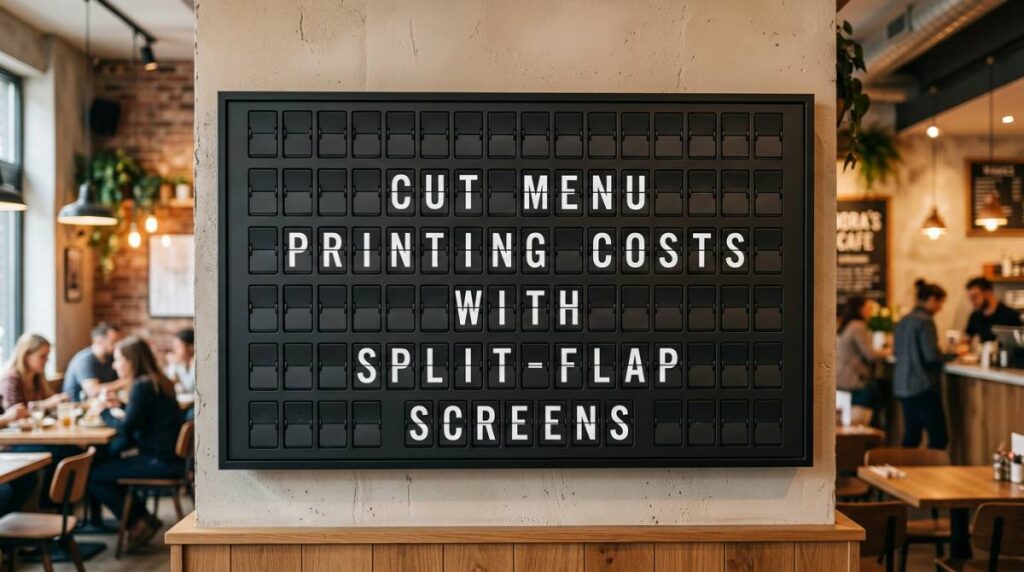
A modern split-flap-style screen brings that same effect into a restaurant, bar, hotel lobby, or office cafe – with the practical advantage that the content is controlled digitally. You get the charm and the clarity, without maintaining mechanical hardware.
If that’s the aesthetic you want, Split Flap TV is built around that exact balance: retro click-clack energy paired with app-based control for layouts, scheduling, and updates.
Common “it depends” scenarios (so you don’t overpromise)
Menu screens can absolutely reduce printing costs, but a few realities determine how fast the payoff lands.
If your guests strongly prefer handheld menus for accessibility, lighting, or tradition, you may still keep a small batch of printed menus on hand. The smart play is to print fewer, update them less often, and let screens handle the high-change items.
If your menu is extremely large – think extensive wine lists or dozens of modifiers – screens can become hard to navigate visually. In that case, screens are best for highlights and top sellers, while QR codes and printed lists handle depth.
If your internet is unreliable, you’ll want a setup that keeps displaying content even if the connection drops, and that doesn’t require a complicated workflow to publish updates.
And if your brand relies on quiet, candlelit ambiance, screen brightness and motion need to be tuned. The goal is a premium room, not a sports bar glow.
How to roll it out without disrupting service
The cleanest rollout is staged.
Start with one screen and one category that changes frequently, like rotating drafts or featured cocktails. That gives you quick proof and lets the team build confidence in updates. Once your staff trusts the process, expand to the full menu.
Take photos of your space at the guest’s eye level and mock up the screen content on top of those photos. You’ll catch readability issues before install. Then, assign one owner for content governance. Not everyone needs editing access. Everyone needs to trust that what’s on the screen is correct.
Finally, set a weekly rhythm. Even if you can update instantly, it helps to have a consistent time to review prices, spelling, and availability. Digital signage reduces chaos best when it’s maintained like a system.
If you’ve been living in the cycle of reprinting, taping, apologizing, and reprinting again, menu screens don’t just save money. They give you back control of your message, in the moments when guests are deciding what to order and how they feel about your place.
Pick a layout your team can update in seconds, schedule the changes you already know are coming, and let your menu be as alive as your business. The paper can finally rest.