
Coloring Lines
SEAT NEEDED: Trial, Economy, Business, Cockpit
Set A Color
By default, all texts are displayed in white on your Split-Flap. You can instruct your Split-Flap TV to show a specific line in another color to emphasize something, or maybe if you want to color a title or heading.
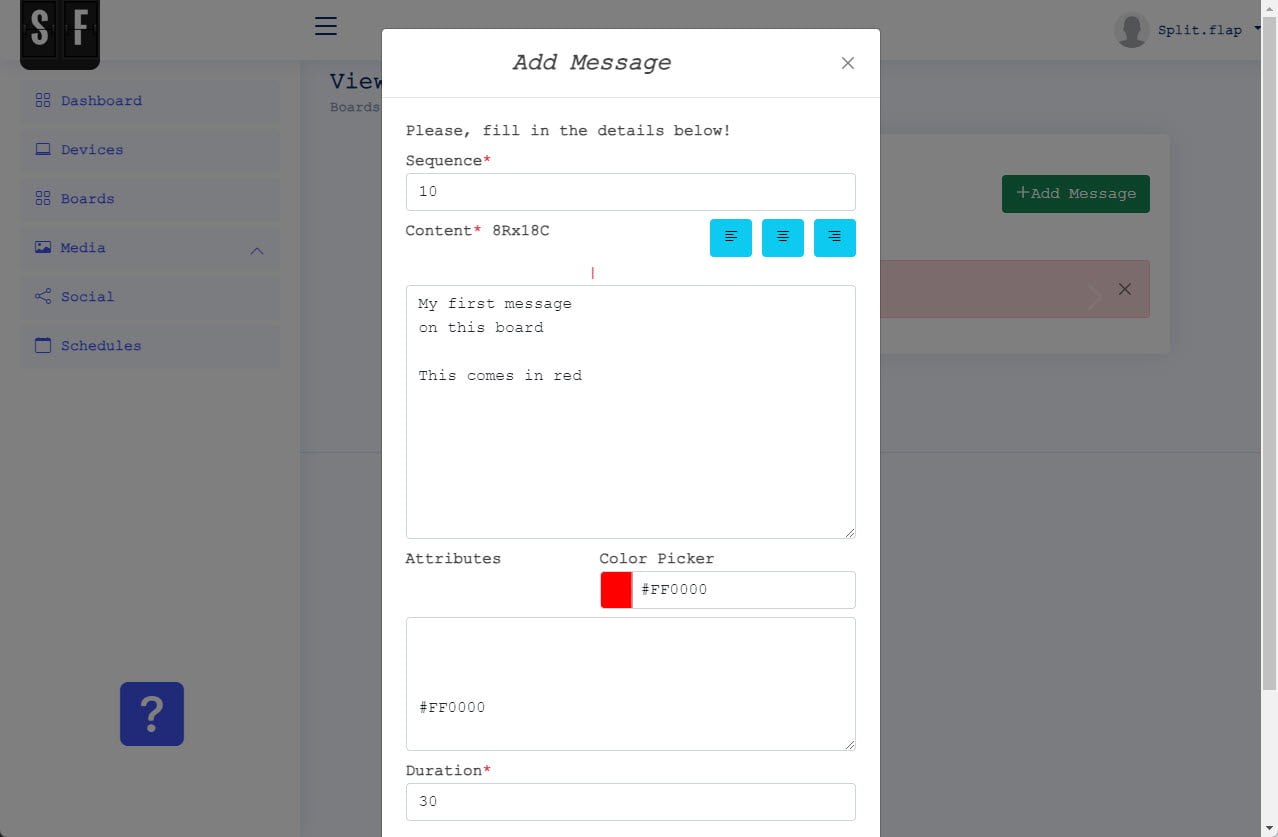
To do so, you can use the color picker to choose a color. The color picker will generate the HEX color value that you have to copy and paste on the line that you want to color. Or, if you already know a HEX color value you can just enter it.
In the screenshot here, you see that there are 2 empty lines and then a HEX color value specified; #FF6700 for orange. With this information set, all lines are displayed in white, except for the third line which will be in orange.
Basic HEX Colors
| HEX | Color |
| #000000 | Black |
| #FFFFFF | White |
| #FF0000 | Red |
| #00FF00 | Lime |
| #0000FF | Blue |
| #FFFF00 | Yellow |
| #00FFFF | Cyan / Aqua |
| #FF00FF | Magenta / Fuchsia |
| #C0C0C0 | Silver |
| #808080 | Grey |
| #800000 | Maroon |
| #808000 | Olive |
| #008000 | Green |
| #800080 | Purple |
| #008080 | Teal |
| #000080 | Navy |
Our Favorite HEX Colors
There are a few HEX colors that we use ourselves a lot, because we like that color and contrast on a black Split-Flap board.
| HEX | Color |
| #E0E722 | Neon Yellow |
| #44D62C | Neon Green |
| #4D4DFF | Neon Blue |
| #FFAD00 | Neon Orange |
| #D22730 | Neon Red |
| #C724B1 | Neon Purple |
Dynamic coloring via XML or JSON instruction
When your subscription includes the XML and JSON data provider, then you can also use a XML or JSON code to dynamically read the color HEX code from a respectively XML or JSON data source.
Dynamic coloring via XML or JSON instruction
When your subscription includes the XML and JSON data provider, then you can also use a XML or JSON code to dynamically read the color HEX code from a respectively XML or JSON data source and apply this dynamic instruction at the Attributes of a page.